
How to Connect the Brother MFC-J4510DW to a Wireless Network
This post contains affiliate links. As an Amazon Associate, solveyourtech.com earns from qualifying purchases, at no extra cost to you. To connect the Brother MFC-J4510DW …
How-to guides and articles to help you with your home electronics, like set-top streaming boxes, smart devices, and more.
This post contains affiliate links. As an Amazon Associate, solveyourtech.com earns from qualifying purchases, at no extra cost to you. To connect the Brother MFC-J4510DW …

To sign out of Netflix on a Roku, open Netflix and press Back on the remote to open the menu. Select Get Help, then Sign …

To stop an Apple TV from going to sleep, open Settings > General > Sleep After and choose Never. The Apple TV then stays awake …

To update an Apple TV, open Settings > System > Software Updates, select Update Software, and then select Download and Install if an update is …

To view iPhone pictures on a Roku, put both devices on the same Wi-Fi network, open a photo in the Photos app, tap Share, tap …

Yes. Every Roku streaming player and Roku TV connects to the internet over Wi-Fi, so you don’t need a network cable to stream. A Roku …

Yes, if the TV has an HDMI port. Roku says every Roku streaming player works with any TV that has an HDMI connection, no matter …

This post contains affiliate links. As an Amazon Associate, solveyourtech.com earns from qualifying purchases, at no extra cost to you. HBO Go is no longer …

To connect a Roku to a different Wi-Fi network, press Home on the remote, go to Settings > Network > Set up connection, and choose …

This post contains affiliate links. As an Amazon Associate, solveyourtech.com earns from qualifying purchases, at no extra cost to you. The best-selling laptops right now …

This post contains affiliate links. As an Amazon Associate, solveyourtech.com earns from qualifying purchases, at no extra cost to you. The best small tech gifts …

To watch Netflix on a Chromecast from an iPhone, connect both to the same Wi-Fi network, open the Netflix app, tap the Cast icon in …

This post contains affiliate links. As an Amazon Associate, solveyourtech.com earns from qualifying purchases, at no extra cost to you. Yes. Google stopped making the …

To send a Chrome tab to a Chromecast from a Mac, open Chrome, click the three-dot More menu, choose Cast, save, and share > Cast, …
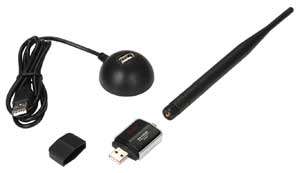
This post contains affiliate links. As an Amazon Associate, solveyourtech.com earns from qualifying purchases, at no extra cost to you. To connect a non-wireless computer …

This post contains affiliate links. As an Amazon Associate, solveyourtech.com earns from qualifying purchases, at no extra cost to you. For most people with a …

To play videos from a USB drive on a Roku, plug the drive into the Roku’s USB port and open Roku Media Player when prompted. …

To change the display type on a Roku, press Home on the remote, go to Settings > Display type, highlight the resolution you want, and …

Most major video and music streaming services now have an app on every current streaming platform: Apple TV, Roku, Amazon Fire TV, Google TV, PlayStation …

This post contains affiliate links. As an Amazon Associate, solveyourtech.com earns from qualifying purchases, at no extra cost to you. To connect an Apple TV …

To turn AirPlay on or off on Apple TV, open Settings > AirPlay and Apple Home, then select AirPlay to switch it between On and …

The easiest way to upload pictures to the cloud is to turn on automatic backup in a photo service you already have: iCloud Photos on …