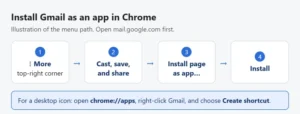
How to Put a Gmail Icon on Your Desktop in Windows 11
To put a Gmail icon on your Windows 11 desktop, right-click the desktop, select New > Shortcut, enter https://mail.google.com, select Next, name it Gmail, and …
How-to guides and tutorials about topics related to the Gmail application from Google and the ways that you can use it and change its settings.
To put a Gmail icon on your Windows 11 desktop, right-click the desktop, select New > Shortcut, enter https://mail.google.com, select Next, name it Gmail, and …
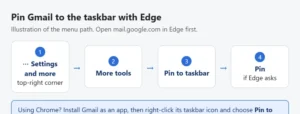
To pin Gmail to the taskbar in Windows 11, open mail.google.com in Microsoft Edge, select Settings and more (the three dots), then select More tools …
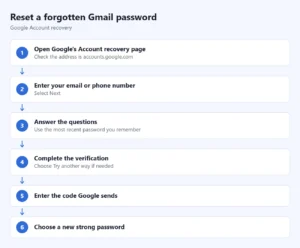
Reset a forgotten Gmail password through Google Account recovery. Learn what to do when verification fails, recovery details are unavailable, or a hold appears.
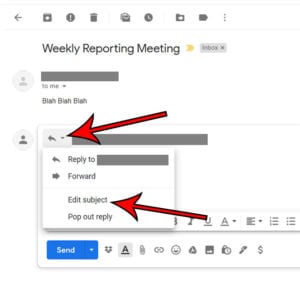
To change the subject line when you reply in Gmail on a computer, click Reply, click the small down arrow next to the reply icon …
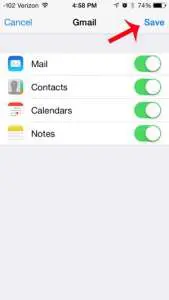
To add Gmail to Apple’s Mail app on an iPhone or iPad, open Settings > Apps > Mail > Mail Accounts > Add Account, choose …
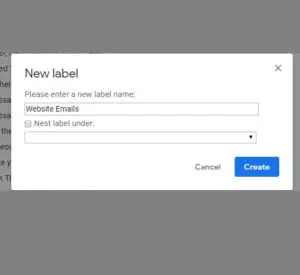
Gmail does not have folders. It uses labels, which do the same job. To make one on a computer, open Gmail, click the + (Create …
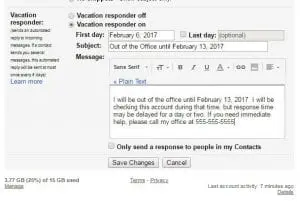
To set an out of office reply in Gmail, click Settings > See all settings, scroll to Vacation responder on the General tab, and select …
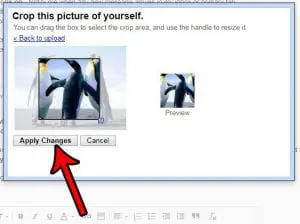
Your Gmail picture is your Google Account profile picture, so you set it in one place: go to myaccount.google.com/personal-info, click Profile picture, pick an illustration …

You don’t need to enable IMAP in a personal Gmail account anymore. Google says that since January 2025, IMAP access is always on, and the …

To recall an email in Gmail, click Undo in the “Message sent” box at the bottom left of the screen right after you send it. …
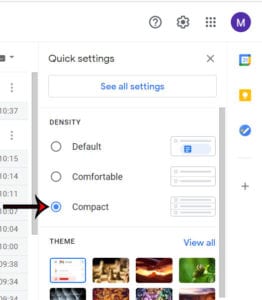
To switch to compact view in Gmail on a computer, click Settings (the gear icon) at the top right, scroll to Density in the Quick …
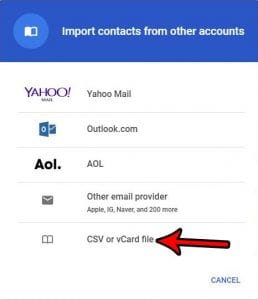
To import contacts into Gmail from a CSV file, go to contacts.google.com on a computer, click Import on the left, click Select file, choose your …
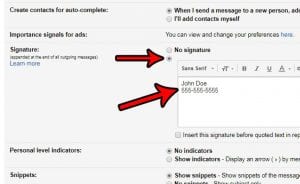
To create a signature in Gmail, click Settings > See all settings, scroll to the Signature section on the General tab, click Create new, and …
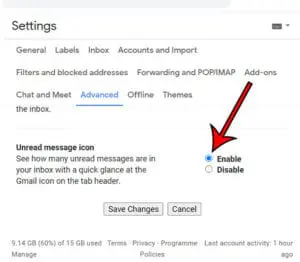
To show the number of unread emails on the Gmail browser tab, open Gmail on a computer, click Settings > See all settings, select the …
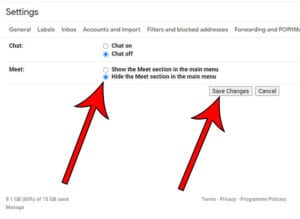
To hide Google Meet in Gmail on a computer, click the Settings gear, find Apps in Gmail (or Chat and Meet) in Quick settings, click …
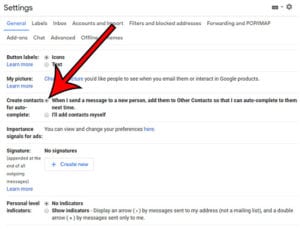
Gmail can save people you email as contacts automatically. In your Google Account, open People & sharing, choose Contact info saved from interactions, and turn …
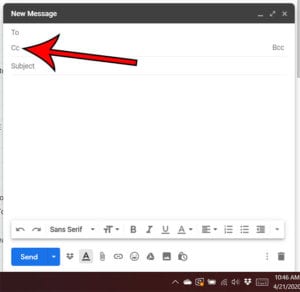
To CC someone in Gmail on a computer, click Compose, click Cc at the right end of the To line, and type the person’s email …
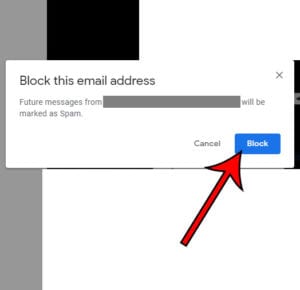
To block someone’s email address in Gmail, open an email from them, click More (the three dots) next to Reply at the top right, and …

To stop Gmail from marking an email as read when you view it in the preview panel, open Gmail on a computer, click the Settings …
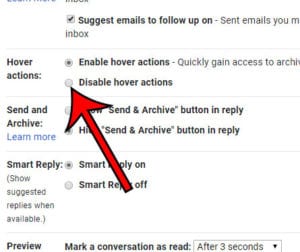
To disable hover actions in Gmail, open Gmail on a computer, click the Settings gear, click See all settings, scroll down to the Hover actions …
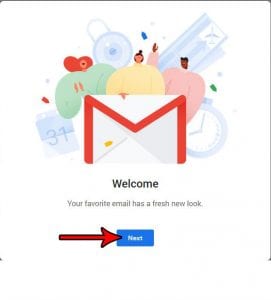
You no longer have to enable the new Gmail. The current design is already on for Gmail on the web, and Google’s help pages don’t …
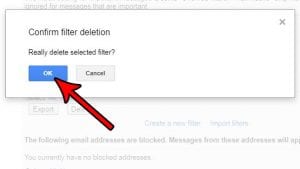
To delete a filter in Gmail, open Gmail on a computer, click Settings (the gear icon) > See all settings, and go to the Filters …
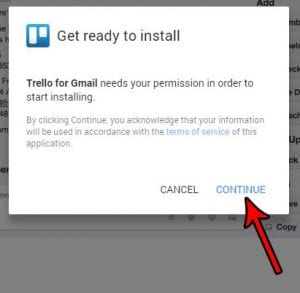
To install a Gmail add-on, open Gmail on a computer and click Get Add-ons (the plus icon) in the side panel on the right. Pick …
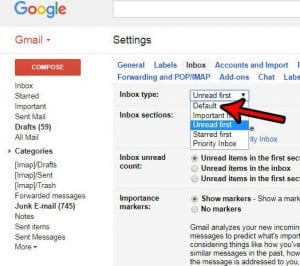
To turn on tabs in Gmail, click Settings (the gear icon) at the top right and, under Inbox type, select Default. Then click Customize, check …
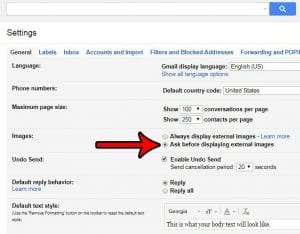
To make Gmail ask before showing pictures in emails, open Gmail on a computer, click Settings > See all settings, scroll down to Images, select …
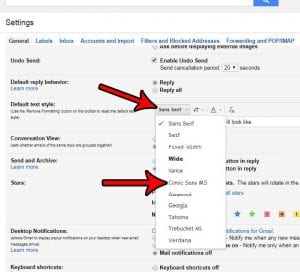
To change the default font in Gmail, open Gmail on a computer, click Settings > See all settings, scroll to Default text style on the …
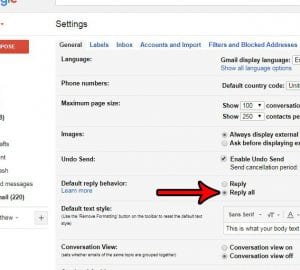
In Gmail on a computer, open Settings > See all settings > General, find Default reply behavior, select Reply all, and click Save Changes at …
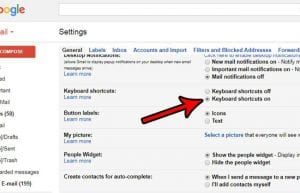
To enable Gmail keyboard shortcuts on a computer, open Settings > See all settings > General, select Keyboard shortcuts on, and click Save Changes. Return …
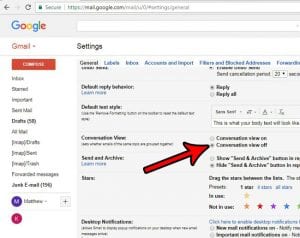
To turn off conversation view in Gmail on a computer, click Settings > See all settings, scroll to Conversation View on the General tab, select …
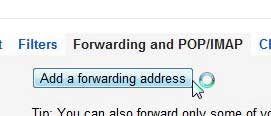
To automatically forward emails in Gmail, open Settings > See all settings > Forwarding and POP/IMAP, click Add a forwarding address, and verify it from …