
How to Create a Google Drive Link for Photos
To create a Google Drive link for a photo, right-click the photo in Google Drive, select Share, and under General access choose Anyone with the …
Articles to help you manage your files in Google Drive and change the settings to make it easier to use.
To create a Google Drive link for a photo, right-click the photo in Google Drive, select Share, and under General access choose Anyone with the …
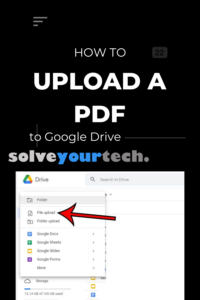
To upload a PDF to Google Drive on a computer, go to drive.google.com, click New > File upload, pick the PDF, and click Open. On …
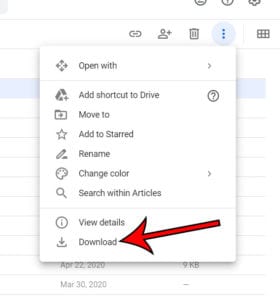
To download an entire folder in Google Drive, go to drive.google.com on a computer, right-click the folder, and click Download. Drive compresses the folder into …
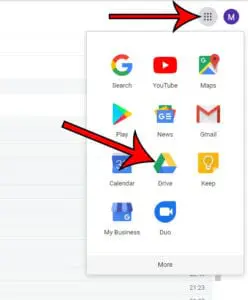
To sign into Google Drive on a computer, go to drive.google.com, enter your Google Account email address or phone number, click Next, then enter your …
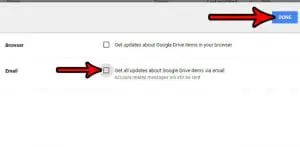
To turn off Google Drive email notifications, go to drive.google.com, click the Settings gear icon, choose Settings, select Notifications, and uncheck Get all updates about …
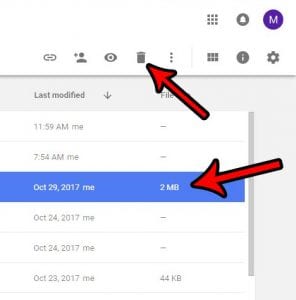
To delete a file in Google Drive, go to drive.google.com, right-click the file, and click Move to trash. To recover it, click Trash on the …
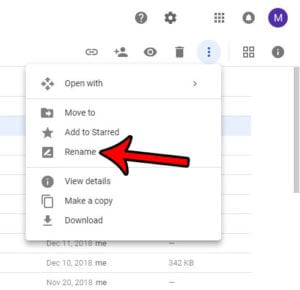
To change the name of a file in Google Drive, go to drive.google.com, right-click the file, choose Rename, type the new name, and click OK. …
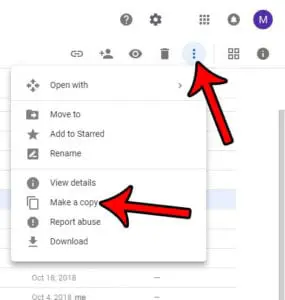
To make a copy of a file in Google Drive, go to drive.google.com, right-click the file, and choose Make a copy. Drive creates a duplicate …
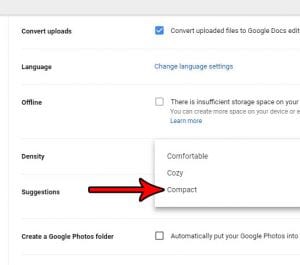
To fit more files on the screen in Google Drive, click the Settings gear at the top right of Drive, choose Settings, find Density on …
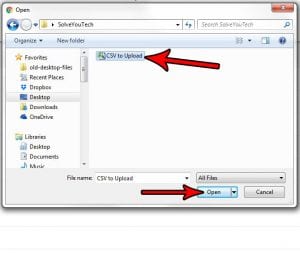
To upload a CSV file to Google Drive, go to drive.google.com on a computer, click New > File upload, and choose the CSV. To work …
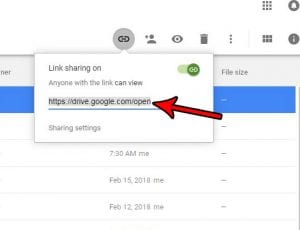
To get a shareable link for a Google Sheets file, open it, click Share, and under General access choose Anyone with the link. Pick Viewer, …
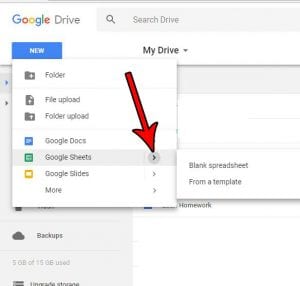
To create a new Google Sheets spreadsheet in Google Drive, open drive.google.com, click New, and choose Google Sheets > Blank spreadsheet. Open the folder where …
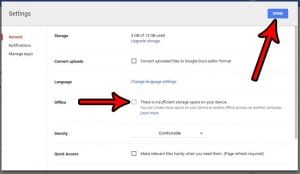
To stop Google Docs from saving files on your computer for offline use, open the Google Docs home screen, click Menu (three lines) > Settings, …