
How to Play Apple Music on Apple TV
You can play Apple Music on Apple TV in two ways: open the Music app on the Apple TV and pick a song, or start …
How-to guides and tutorials about the Apple TV set-top streaming device.
You can play Apple Music on Apple TV in two ways: open the Music app on the Apple TV and pick a song, or start …
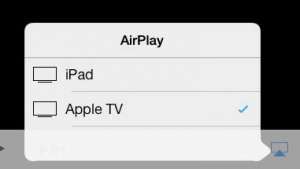
To watch an iPad movie on your TV without cables, play the movie, tap the screen, tap the AirPlay button, and choose your Apple TV, …
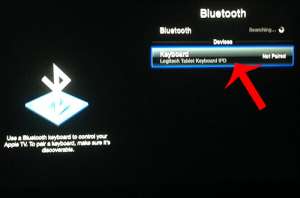
This post contains affiliate links. As an Amazon Associate, solveyourtech.com earns from qualifying purchases, at no extra cost to you. To connect a Logitech Bluetooth …
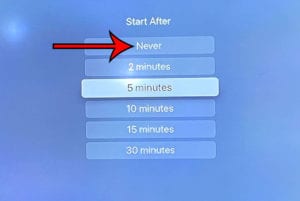
To turn off the screen saver on an Apple TV 4K, open Settings > Screen Saver > Start After and choose Never. To change it …
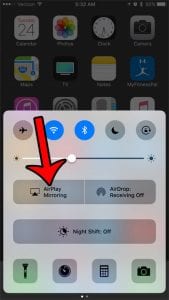
This post contains affiliate links. As an Amazon Associate, solveyourtech.com earns from qualifying purchases, at no extra cost to you. To AirPlay a picture from …
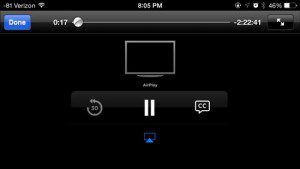
Max Go was the streaming app for Cinemax, and it is no longer offered in the App Store, so you cannot install it on an …
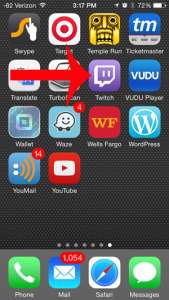
To watch Twitch on an Apple TV, open the App Store on the Apple TV, search for Twitch, select Get, then open the app and …
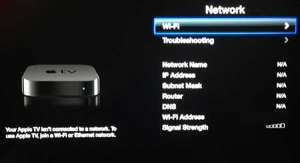
To connect an Apple TV to Wi-Fi, open Settings, select Network, select Wi-Fi, pick your network, and enter its password. If an Ethernet cable is …
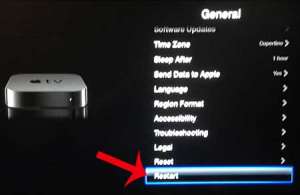
To restart an Apple TV, go to Settings > System > Restart. If it isn’t responding, press and hold the TV button and the Back …
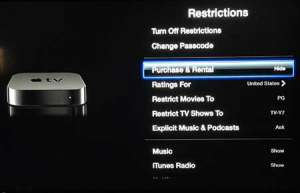
To block purchases and rentals on an Apple TV, go to Settings > General > Restrictions, turn Restrictions on, and create a four-digit passcode. Then …
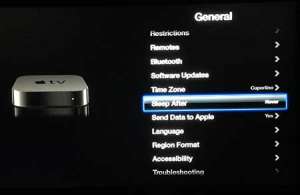
To stop an Apple TV from going to sleep, open Settings > General > Sleep After and choose Never. The Apple TV then stays awake …
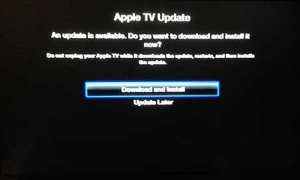
To update an Apple TV, open Settings > System > Software Updates, select Update Software, and then select Download and Install if an update is …

Most major video and music streaming services now have an app on every current streaming platform: Apple TV, Roku, Amazon Fire TV, Google TV, PlayStation …

This post contains affiliate links. As an Amazon Associate, solveyourtech.com earns from qualifying purchases, at no extra cost to you. To connect an Apple TV …
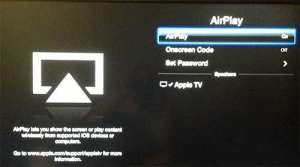
To turn AirPlay on or off on Apple TV, open Settings > AirPlay and Apple Home, then select AirPlay to switch it between On and …