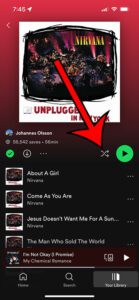
How to Turn Off Shuffle on Spotify
To turn off Spotify shuffle, open the current song's Now Playing screen and tap the button with crossing arrows until shuffle is inactive. Check that …
How-to guides and tutorials about topics related to the Spotify music-streaming service and using it on your computer or smartphone.
To turn off Spotify shuffle, open the current song's Now Playing screen and tap the button with crossing arrows until shuffle is inactive. Check that …
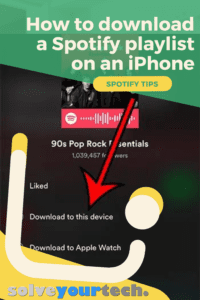
Yes, you can download an entire Spotify playlist on your iPhone: open the playlist in the Spotify app and tap the Download button (the down …
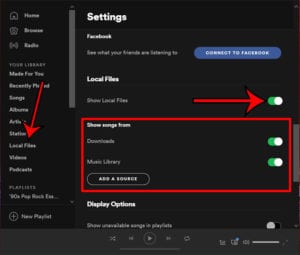
To show local files in the Spotify desktop app, click your profile picture, choose Settings, find Library, and turn on Show Local Files. Then pick …
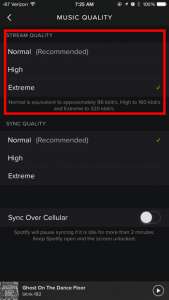
To change sound quality in Spotify on your iPhone, tap your profile picture, tap Settings and privacy, and pick a level under Media Quality. Volume …
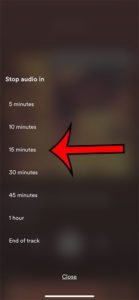
To set a sleep timer in Spotify on an iPhone, tap the song playing at the bottom of the screen to open the Now Playing …
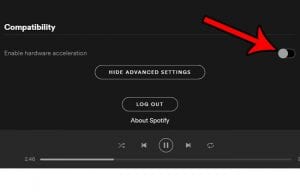
To turn hardware acceleration on or off in Spotify, open the desktop app, click your profile picture, and choose Settings. Scroll down to Compatibility and …
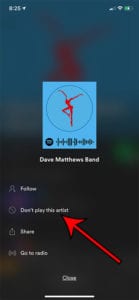
To block an artist on Spotify on your iPhone, open the artist’s page, tap the three dots under their name, and tap Don’t play this …
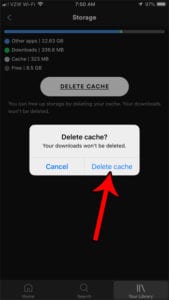
To clear the Spotify cache on an iPhone or Android phone, tap your profile picture, then Settings and privacy > Data-saving and offline, and tap …
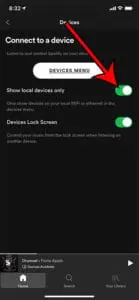
To show only local devices in the Spotify devices menu on an iPhone, open Spotify, tap your profile picture, tap Settings and privacy, tap Apps …
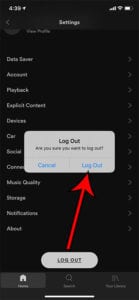
To log out of Spotify on an iPhone or Android phone, open Spotify, tap your profile picture, select Settings and privacy, scroll to the bottom, …
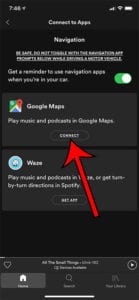
To connect Spotify to Google Maps on an iPhone, open Google Maps, tap your profile picture, and go to Settings > Navigation > Music playback …
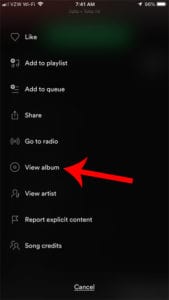
To see the album for a song on Spotify, tap the three dots next to the song and tap View album. In the desktop app, …
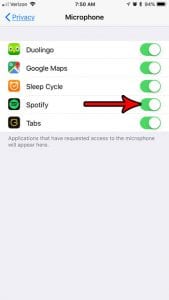
To turn Spotify’s microphone access on or off on an iPhone, open Settings > Privacy & Security > Microphone and tap the switch next to …
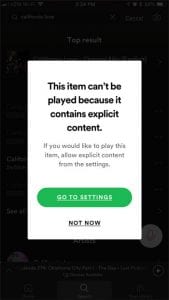
To block explicit content on Spotify on your iPhone, tap your profile picture > Settings and privacy > Content and display, then turn Allow Explicit …
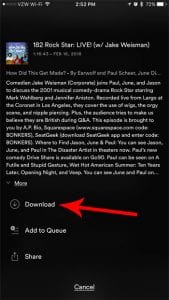
To download a podcast episode in the Spotify iPhone app, open the show, find the episode, and tap the download arrow next to it. The …
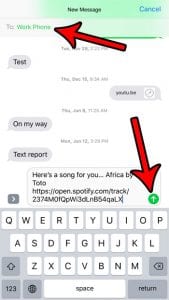
To text a Spotify song from an iPhone, tap the three dots next to the song, tap Share, then tap Messages. Pick the person, add …
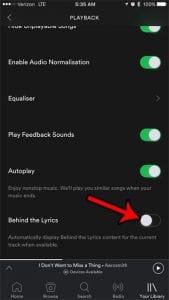
To turn off lyrics in the Spotify iPhone app, play a song, tap the Now Playing bar, tap the three dots in the top-right corner, …
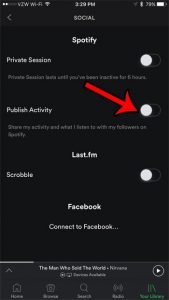
To keep your Spotify listening private, turn on a Private Session. On your phone, tap your profile picture, go to Settings and privacy › Privacy …
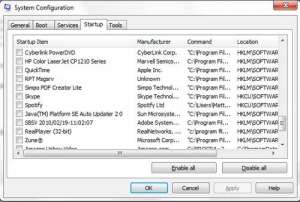
To stop Spotify from opening when your computer starts, open the Spotify desktop app, click your profile picture, and choose Settings. Scroll to Startup and …