How to Connect AirPods to a Chromebook [Quick Guide]
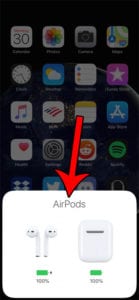
Connecting your AirPods to a Chromebook is actually quite straightforward, much like pairing any other Bluetooth device. You simply need to put your AirPods into …
How-to guides and articles to help you with your home electronics, like set-top streaming boxes, smart devices, and more.
Connecting your AirPods to a Chromebook is actually quite straightforward, much like pairing any other Bluetooth device. You simply need to put your AirPods into …
Tired of your Wi-Fi signal dropping out just when you’re about to watch your favorite show or finish an important video call? Don’t worry, you’re …
Ever wanted to ditch that keyboard and mouse for some serious gaming on your PC, but with the amazing feel of your PlayStation 5 DualSense …
It’s super exciting to get your Amazon Prime Video up and running on your TV, isn’t it? Luckily, signing in is a pretty straightforward process …
Pairing your Roku remote is a simple task that can be done in just a few steps. All you need is your Roku device, the …
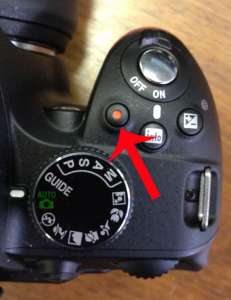
Recording video on your Nikon D3200 is a simple process once you get the hang of it. First, you’ll need to ensure your camera is …
Factory resetting your Roku 3 can seem daunting, but it’s actually a simple process. This quick guide will help you reset your device back to …
Resetting your Chromecast device can be a quick and easy process. Whether you’re encountering issues with your device or just want to start fresh, a …
Need to print something but don’t have a printer at home? No worries, there are plenty of options available for you to get your documents …
If you’re stuck with a Chromecast that’s not functioning correctly, you might need to perform a factory reset. This process will wipe all your settings …
Having trouble with your Firestick? Don’t worry, resetting it is a piece of cake! By following a few simple steps, you can have your Firestick …
Logging out of Netflix on your TV is a simple process that just takes a few steps. You’ll need to access the Netflix app on …
Installing an ad blocker on your Roku device is a simple process that can save you from the annoyance of constant commercial interruptions. All you …
Connecting your Google Home to Wi-Fi doesn’t have to be a headache. In a few simple steps, you’ll have your device up and running. First, …
Do you want to experience the best sound quality from your streaming services to your TV? It’s simpler than you think! All you need is …
Is your Google Chromecast acting up? Or perhaps you’re planning to sell it and need to wipe your data? Factory resetting your Google Chromecast can …
Changing your Roku account on your TV might seem tricky, but it’s actually a breeze! All you need to do is perform a factory reset …
Signing in to Amazon Prime on your TV seems like a daunting task, but it’s actually quite simple. All you need to do is find …
Is your HBO Max not working on Roku? Don’t fret! It’s a common issue that can be fixed with a few simple steps. Let’s dive …
Factory resetting your Google Home Mini may seem daunting, but it’s actually a simple process. Whether you’re troubleshooting an issue, selling your device, or just …
Need to get in touch with Xbox Microsoft customer service? No worries, it’s easier than you might think. Whether you’re dealing with a faulty controller, …
Turning off your Roku device might seem simple, but it can be a bit confusing, especially for new users. Don’t worry, though; you’re about to …
So, you’ve got a new Amazon Fire Stick, but you’re not quite sure how to pair the remote? No worries, I’ve got you covered. In …
Setting up an Android TV box is a breeze. Essentially, you’ll be connecting the device to your TV, powering it up, and following the on-screen …
Lost your Roku remote and need to find the IP address? No worries! You don’t need the remote to find your Roku’s IP address. In …
Lost your TCL Roku TV remote? No problem! You can still use your TV without it. Just follow some simple steps using the Roku app …
Airplaying to Amazon Fire Stick can be a great way to share your iPhone, iPad, or Mac screen on your TV. It’s simple once you …
Want to watch local TV on your Roku device without an antenna? No worries! You can stream your favorite local channels by using different apps …
Casting your Meta Quest 2 to a Roku TV is a breeze! Simply make sure both devices are connected to the same Wi-Fi network, enable …
Resetting your Chromecast is a breeze, and it’s something you can do in just a few minutes. Whether you’re troubleshooting an issue, or just starting …
Downloading apps on your Roku TV is a simple process that can be done in just a few steps. All you need is a Roku …
Changing the wireless settings on your Roku device isn’t as daunting as it may sound. In fact, it’s a pretty straightforward process. You’ll need to …
Lost your Roku TV remote? No sweat! Turning on your Roku TV without a remote is simpler than you might think. All you need is …
Changing your wifi and need to connect your Google Home to the new network? No worries! This article will guide you through the process, so …
Are you a football fan who just can’t get enough of the game? Do you want to catch all the action without spending a dime? …
Logging out of Amazon Prime on your TV isn’t as tricky as it might seem at first. Basically, you need to navigate to the settings …
Losing your Roku remote can be a real headache, but don’t worry, there’s a way to find it. With the right steps, you can locate …
Accessing the Roku secret menu is like unlocking a door to a hidden world of settings and options that can help enhance your streaming experience. …
Reprogramming a Roku remote is a straightforward process that involves resetting the remote and then pairing it again with the Roku device. All you need …
Connecting your Roku TV to Wi-Fi without a remote might sound like a tricky task, but it’s actually quite simple with your iPhone. All you …
Clearing the cache on your Roku device can help resolve streaming issues and free up space. It’s a quick and easy process that anyone can …
Connecting your Roku device to your TV using HDMI is a simple process that will have you streaming your favorite shows in no time. All …
Turning off the voice on your Roku device is simpler than you might think. It’s just a few button presses away, and you’ll be back …
Ever been in a situation where your device says it’s connected but can’t provide internet? Frustrating, right? Don’t worry, we’ve got you covered. In this …
Moving house can be a hassle, especially when it comes to packing up your electronics. You’ve got to take extra care with your TV to …
Adding the Alexa dashboard to your Fire TV is a pretty straightforward process. You’ll need to ensure your devices are updated, then simply go to …
Resetting Alexa without the app is a simple process that only requires a few steps. To accomplish this, you’ll need to use the physical buttons …
Creating Alexa routines can simplify your life by automating tasks and controlling smart home devices with simple voice commands. Whether you want to wake up …
Making a shopping list with Alexa is a breeze! Just tell Alexa to add items to your shopping list, and she’ll take care of the …
Finding the best free Firestick apps can seem like a daunting task, but it doesn’t have to be! With a little bit of know-how, you …
Connecting your Google Home to WiFi is a straightforward process that allows you to access all the smart features of your device. By following a …
Creating a Philips Hue scene is like painting with light. You can set the mood for any occasion with the right colors and brightness. It’s …
Adjusting your Ring Doorbell settings is a breeze once you know where to look. In just a few steps, you can customize motion alerts, video …
Got an Xbox and an Alexa at home? Want to connect them for a seamless gaming experience? It’s simpler than you think! In less than …
Setting up your SimpliSafe home security system is a breeze, and you’ll be feeling safer in no time. All you need to do is lay …
Is a 60 Hz refresh rate good? You might have asked this question if you’re in the market for a new monitor or TV. In …
Running a firestick speed test is pretty straightforward. By following a few simple steps, you can measure your device’s internet connection speed to ensure optimal …
Changing a printer’s IP address may sound tricky, but it’s actually quite straightforward. By following a few simple steps, you can update your printer’s IP …
Enabling motion smoothing on a Samsung TV is a nifty trick to make your viewing experience more fluid and less blurry, especially during fast-moving scenes. …
Setting up a Ring Doorbell is a simple process that can be done in a few easy steps. With the right tools and a bit …
Playing music on all your Alexa devices simultaneously is a pretty handy feature. You can fill your entire home with your favorite tunes for a …
Looking to connect your Roku device to a wireless network? No problem! It’s a straightforward process that involves selecting the correct network and entering your …
Choosing between Amazon Echo and Siri can feel like a tough decision. But don’t worry, I’m here to help you figure out which one is …
When it comes to streaming devices, two of the most popular options are Roku and Firestick. These nifty little gadgets turn any TV into a …
Connecting your AirPods to your Apple TV is a simple process that will enhance your viewing experience significantly. All you need to do is put …
Updating apps on your Apple TV is a breeze! Simply navigate to the App Store, click on your account icon, and select “Purchased” to see …
Resetting your Echo Dot can be easily done in just a few steps. By pressing and holding the reset button on your device, you can …
Connecting a smart plug to Alexa is a breeze. All you need to do is plug the smart plug into an outlet, download the Alexa …
Losing the remote to your Roku TV can be a real pain, but fear not! There’s still a way to use your Roku TV without …
Connecting your Ring doorbell to Alexa is a piece of cake! With just a few simple steps, you’ll be able to control your Ring device …
So, you’ve just purchased a brand new TV, but now comes the tricky part: getting it installed. No need to fret, though! Finding TV installation …
Setting up your Echo Show can be as easy as pie! All you need is to plug in your device, connect to Wi-Fi, register your …
Hey there, fellow Ring Doorbell users! Have you ever thought about changing the sound of your Ring Doorbell? Well, it’s actually pretty simple to do. …
Turning off your Roku device might seem tricky, but it’s actually a straightforward process. In just a few simple steps, you can power down your …
Deciding between ARC (Audio Return Channel) and eARC (enhanced Audio Return Channel) can be confusing. But worry not, this article will guide you through the …
Updating a Roku TV is a straightforward process that involves navigating the device’s settings, checking for updates, and following the on-screen prompts to download and …
Want to get Alexa’s smarts on your laptop? You can easily connect your Amazon Echo device to your laptop using Bluetooth. This way, you can …
In today’s world, staying connected is more important than ever. Whether you’re streaming music, sharing files, or accessing the internet, you need to know the …
Starting a phone call from your computer is easier than you might think! All you need is a stable internet connection, a microphone, and speakers …
Texting from a computer is a handy skill to have, especially if you spend a lot of time at your desk. Whether you’re using a …
Setting up a HomePod Mini may seem like a daunting task, but fear not! It’s actually a pretty straightforward process that just requires a few …
Downloading apps on your Firestick is a breeze once you get the hang of it. Simply navigate to the home screen, select the search icon, …
Setting up a firestick is pretty straightforward. First, you’ll need to plug your firestick into your TV’s HDMI port. Then, power it up and connect …
Playing Apple Music on Alexa is a breeze. All you need is the Amazon Alexa app on your mobile device, an Apple Music subscription, and …
Setting up Alexa on an Echo device is a piece of cake! All you need to do is plug in the Echo, download the Alexa …
Uninstalling an app on Firestick is quite simple. All you need to do is navigate to the settings menu, find the application you want to …
Downloading apps on your Roku TV is a breeze! In just a few simple steps, you can access a world of entertainment right from your …
Losing your remote control can be a pain, but with an RCA universal remote, you can control multiple devices with just one remote. The key …
Are you tired of your Firestick buffering every time you settle in to stream your favorite show? Don’t worry, we’ve got you covered. In just …
Buying a TV in 2024 might seem like a daunting task, but it doesn’t have to be! With new technology and features being released every …
Connecting your Alexa device to a Bluetooth speaker can enhance your music listening experience. To do this, you’ll need a compatible Alexa device and a …
Restarting your Roku TV is a simple process that can fix a variety of issues, including freezing, slow performance, or connectivity problems. All you need …
Resetting your HomePod to factory settings is a straightforward process. It involves disconnecting the device from its power source, waiting for a few seconds, then …
Setting up a Roku device is a simple process that involves connecting the device to your TV, powering it on, and following the on-screen instructions …
Setting up Chromecast is a breeze! All you need is your Chromecast device, a TV with an HDMI port, a stable Wi-Fi connection, and a …
Updating your Firestick doesn’t have to be complicated. It’s a simple process that involves navigating to your device’s settings, checking for updates, and installing any …
Changing the WiFi on your Chromecast device is simpler than you might think! In just a few steps, you can update your device to a …
Finding your router’s IP address is an essential step in managing your home network. It allows you to access the router’s settings and make changes …
Changing your Wi-Fi password with Spectrum is a straightforward process that you can complete in a few simple steps. All you need is a device …
Screen mirroring on Roku is a straightforward process that allows you to share content from your smartphone, tablet, or computer to your Roku TV. In …