
How to Reprogram a Roku Remote: Pairing and TV Controls
To reconnect a Roku voice remote, restart the Roku, then hold the remote’s pairing button for 5 seconds (or hold Back + Home for 5 …
How-to guides and tutorials about topics related to the various Roku set-top streaming devices and ways to change their settings.
To reconnect a Roku voice remote, restart the Roku, then hold the remote’s pairing button for 5 seconds (or hold Back + Home for 5 …

To turn off the voice on a Roku, press the Star (✱) button on the remote four times quickly. That turns off the screen reader, …

This post contains affiliate links. As an Amazon Associate, solveyourtech.com earns from qualifying purchases, at no extra cost to you. To set up a Roku, …

This post contains affiliate links. As an Amazon Associate, solveyourtech.com earns from qualifying purchases, at no extra cost to you. Roku sells three streaming sticks, …
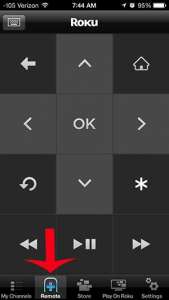
To use your iPhone as a Roku remote, install the free Roku app from the App Store, sign in, join the same Wi-Fi network as …
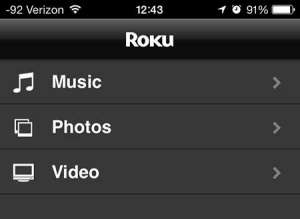
To view iPhone pictures on a Roku, put both devices on the same Wi-Fi network, open a photo in the Photos app, tap Share, tap …

Yes. Every Roku streaming player and Roku TV connects to the internet over Wi-Fi, so you don’t need a network cable to stream. A Roku …

Yes, if the TV has an HDMI port. Roku says every Roku streaming player works with any TV that has an HDMI connection, no matter …

This post contains affiliate links. As an Amazon Associate, solveyourtech.com earns from qualifying purchases, at no extra cost to you. For most people with a …