Skip to content
Solve Your Tech
  • Windows
    • Settings, Desktop & Accounts
    • Files, Devices & Troubleshooting
  • iPhone & iPad
    • iPhone Settings & Basics
    • iPhone Messages, Photos & Apps
    • iPad
    • Apple Watch & AirPods
  • Android
  • Microsoft Office
    • Excel
    • Word
    • Outlook
    • PowerPoint
  • Google
    • Chrome
    • Docs
    • Sheets
    • Slides
    • Gmail
    • Google Drive
  • Home Tech
    • Fire TV
    • Roku & Apple TV
    • Printers & Ink
    • Wi-Fi & Smart Home
  • More
    • Firefox
    • Microsoft Edge
    • Photoshop
    • Social & Other Apps
    • Mac
    • Reviews & Buying Advice
    • Store
WindowsiPhoneAndroidExcelWordOutlookGoogleChrome

Roku TV

How-to guides and tutorials about topics related to the Roku TV devices and their settings.

how to adjust brightness on the roku tv

How to Change the Brightness on a Roku TV

October 20, 2026March 16, 2023 by Matthew Burleigh

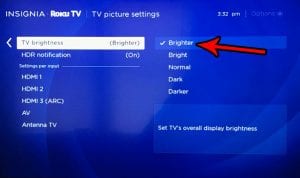
To change the brightness on a Roku TV, press Home on the remote, go to Settings > TV picture settings > TV brightness, choose a …
Read More

Categories Electronics
how to delete a channel on the roku tv

How to Delete a Channel on a Roku TV

October 20, 2026May 3, 2021 by Matthew Burleigh

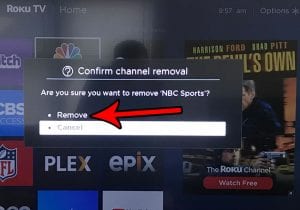
To delete a channel on a Roku TV, press Home on the remote, highlight the channel, press the Star (*) button, select Remove app, and …
Read More

Categories Electronics
How to Disable the Screensaver on a Roku TV

How to Disable the Screensaver on a Roku TV

October 20, 2026June 19, 2020 by Matthew Burleigh

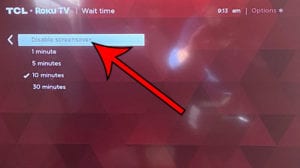
To turn off the screensaver on a Roku TV, press Home on the remote, open Settings > Theme > Screensaver wait time, select Disable screensaver, …

Read More

Categories Electronics
Steps to rename an input on a Roku TV: highlight the input tile, press Star, Rename input

How to Rename an Input on a Roku TV

October 20, 2026July 11, 2018 by Matthew Burleigh

To rename an input on a Roku TV, press Home, highlight the input tile (such as HDMI 1), press the Star button, and select Rename …

Read More

Categories Electronics

Join Our Free Newsletter

Featured guides and deals

You may opt out at any time.
Read our Privacy Policy

  • iPhone
  • iPad
  • Apple Watch & AirPods
  • Google Docs
  • Google Sheets
  • Google Slides
  • Google Chrome
  • Microsoft Excel
  • Microsoft Outlook
  • Microsoft Powerpoint
  • Microsoft Windows
  • Microsoft Word
  • Firefox
  • Photoshop
  • Android
  • Home Tech
  • Google
  • Microsoft Edge

info@solveyourtech.com
4845290651
2138 W. Union Blvd.
#1037
Bethlehem, PA 18018
United States

  • SolveYourTech YouTube
  • SolveYourTech Facebook
  • SolveYourTech Instagram
  • SolveYourTech Twitter
  • SolveYourTech Pinterest
  • SolveYourTech LinkedIn
  • SolveYourTech TikTok
  • Newsletter
  • Affiliate Disclaimer
  • Terms of Use
  • Privacy Policy
  • Contact
  • About Us
© SolveYourTech.com 2026
  • Windows
    • Settings, Desktop & Accounts
    • Files, Devices & Troubleshooting
  • iPhone & iPad
    • iPhone Settings & Basics
    • iPhone Messages, Photos & Apps
    • iPad
    • Apple Watch & AirPods
  • Android
  • Microsoft Office
    • Excel
    • Word
    • Outlook
    • PowerPoint
  • Google
    • Chrome
    • Docs
    • Sheets
    • Slides
    • Gmail
    • Google Drive
  • Home Tech
    • Fire TV
    • Roku & Apple TV
    • Printers & Ink
    • Wi-Fi & Smart Home
  • More
    • Firefox
    • Microsoft Edge
    • Photoshop
    • Social & Other Apps
    • Mac
    • Reviews & Buying Advice
    • Store