Skip to content
Solve Your Tech
  • Windows
    • Settings, Desktop & Accounts
    • Files, Devices & Troubleshooting
  • iPhone & iPad
    • iPhone Settings & Basics
    • iPhone Messages, Photos & Apps
    • iPad
    • Apple Watch & AirPods
  • Android
  • Microsoft Office
    • Excel
    • Word
    • Outlook
    • PowerPoint
  • Google
    • Chrome
    • Docs
    • Sheets
    • Slides
    • Gmail
    • Google Drive
  • Home Tech
    • Fire TV
    • Roku & Apple TV
    • Printers & Ink
    • Wi-Fi & Smart Home
  • More
    • Firefox
    • Microsoft Edge
    • Photoshop
    • Social & Other Apps
    • Mac
    • Reviews & Buying Advice
    • Store
WindowsiPhoneAndroidExcelWordOutlookGoogleChrome

Google Pixel 4a

How-to guides and tutorials about topics related to the Google Pixel 4A Android smartphone and the ways that you can modify its settings.

Screenshot preview with edit and share buttons in the bottom-left corner of a Pixel 4a screen

How to Take a Screenshot on a Google Pixel 4a

November 12, 2026August 3, 2022 by Matthew Burleigh

To take a screenshot on a Google Pixel 4a, press the Power button and the Volume down button at the same time, then let go. …

Read More

Categories Mobile Devices
Find Hub web page with the erase device option for a Pixel

How to Reset the Screen Lock Password on a Google Pixel 4a (and Newer Pixels)

November 10, 2026February 22, 2022 by Matthew Burleigh

To change the password that unlocks your Google Pixel 4a, open Settings, tap Security & privacy, tap Device lock, then tap Screen lock. Enter your …

Read More

Categories Mobile Devices
Pixel 4a Display settings with the Increase touch sensitivity switch turned on

How to Increase Touch Sensitivity on a Google Pixel (Including the Pixel 4a)

November 10, 2026January 10, 2022 by Matthew Burleigh

To increase touch sensitivity on a Google Pixel 4a, open Settings, tap Display, scroll toward the bottom, and turn on Increase touch sensitivity. On newer …

Read More

Categories Mobile Devices
Google Messages conversation menu with the Show subject field option

How to Add a Subject Line in Messages on a Google Pixel 4a (and Newer Pixels)

November 10, 2026November 18, 2021 by Matthew Burleigh

To add a subject line in Google Messages on a Pixel 4a, open the conversation, tap the three-dot More menu at the top right, and …

Read More

Categories Mobile Devices
Google Play Store account menu with Manage apps & device option on a Pixel 4a

How to View and Install App Updates on a Google Pixel (Including the Pixel 4a)

November 10, 2026August 16, 2021 by Matthew Burleigh

To see app updates on a Google Pixel 4a, open the Play Store, tap your profile picture in the top-right corner, and tap Manage apps …

Read More

Categories Mobile Devices
Pixel Screen lock entry showing PIN as the current lock type, with the entry outlined in red and its separate settings gear on the right

How to Change Your PIN on a Google Pixel 4A

November 10, 2026July 6, 2021 by Matthew Burleigh

To change your PIN on a Google Pixel 4a, open Settings, tap Security, tap Screen lock, enter your current PIN, tap PIN, then type the …

Read More

Categories Mobile Devices
how to stop Google Pixel from vibrating

How to Turn Off Vibration on a Google Pixel 4a

October 20, 2026June 21, 2021 by Matthew Burleigh

To turn off vibration on a Google Pixel 4a, open Settings, tap Sound & vibration, tap Vibration & haptics, and turn off Use vibration & …

Read More

Categories Mobile Devices
Pixel 4a Display settings with the Dark theme switch turned on

How to Turn On Dark Mode on a Google Pixel 4a (and Newer Pixels)

November 10, 2026June 17, 2021 by Matthew Burleigh

To turn on dark mode on a Google Pixel 4a, open Settings, tap Display, and turn on Dark theme. The change is instant: menus, the …
Read More

Categories Mobile Devices
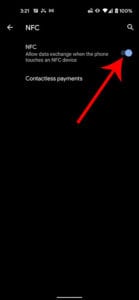
how to change the NFC setting on a Pixel 4A

How to Enable or Disable NFC on a Google Pixel 4A

November 8, 2026June 14, 2021 by Matthew Burleigh

To enable or disable NFC on a Google Pixel 4A, open Settings, tap Connected devices, tap Connection preferences, tap NFC, and then turn the Use …

Read More

Categories Mobile Devices
Install unknown apps list on a Pixel 4a showing apps marked Allowed or Not allowed

How to Enable Unknown Sources on a Google Pixel 4a (and Newer Pixels)

November 10, 2026June 5, 2021 by Matthew Burleigh

To enable unknown sources on a Google Pixel 4a, open Settings, tap Apps, tap Special app access, tap Install unknown apps, choose the app you’ll …

Read More

Categories Mobile Devices
Camera access tile in Pixel 4a Quick Settings

How to Enable Screen Attention on a Google Pixel (Including the Pixel 4a)

November 9, 2026May 3, 2021 by Matthew Burleigh

To turn on Screen attention on a Google Pixel 4a, open Settings, tap Display, tap Screen timeout, and turn on Screen attention. On newer Pixels …

Read More

Categories Mobile Devices
Pixel 4a Quick Settings panel with the Auto-rotate tile turned on

How to Enable or Disable Auto Rotate on a Google Pixel 4a

November 9, 2026April 19, 2021 by Matthew Burleigh

To turn auto-rotate on or off on a Google Pixel 4a, swipe down twice from the top of the screen and tap the Auto-rotate tile. …

Read More

Categories Mobile Devices
how to use 24 hour time on the Google Pixel 4A

How to Use Military Time on the Google Pixel 4a

October 20, 2026January 25, 2021 by Matthew Burleigh

To use military time on a Google Pixel 4a, open Settings, tap System, then Date & time. Turn off Use locale default, then turn on …

Read More

Categories Mobile Devices
Two Pixel 4a Android 13 views: Extreme Battery Saver with Essential apps, and When to use with three radio choices

How to Turn on Battery Saver on the Google Pixel 4A

November 9, 2026September 3, 2020 by Matthew Burleigh

To turn on Battery Saver on a Google Pixel 4a, swipe down from the top of the screen and tap the Battery Saver tile in …

Read More

Categories Mobile Devices
Android 13 expanded Quick Settings detail for Pixel 4a with the active Hotspot tile highlighted

How to Turn on the Google Pixel 4A Hotspot

November 10, 2026September 2, 2020 by Matthew Burleigh

To turn on the hotspot on a Google Pixel 4a, open Settings, tap Network & internet, tap Hotspot & tethering, tap Wi-Fi hotspot, and turn …

Read More

Categories Mobile Devices
Pixel Battery settings screen with the Battery percentage switch turned on

How to Show Battery Percentage on a Google Pixel 4a

November 10, 2026August 28, 2020 by Matthew Burleigh

To show the battery percentage on a Google Pixel 4a, open Settings, tap Battery, and turn on Battery percentage. The exact number then appears next …
Read More

Categories Mobile Devices
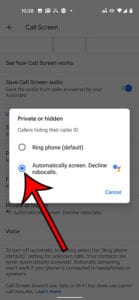
how to block private numbers on Google Pixel 4A

How to Block Private Numbers on a Google Pixel 4a

November 12, 2026August 27, 2020 by Matthew Burleigh

To block private numbers on a Google Pixel 4a, open the Phone app, tap More (the three dots), then Settings > Blocked numbers, and turn …

Read More

Categories Mobile Devices
Pixel 4a Settings list scrolled to the bottom with About phone highlighted

How to Find the IMEI Number on a Google Pixel (Including the Pixel 4a)

November 10, 2026August 26, 2020 by Matthew Burleigh

To find the IMEI number on a Google Pixel 4a, open Settings, tap About phone at the bottom of the list, and scroll down to …

Read More

Categories Mobile Devices
Pixel default digital assistant app setting with None selected

How to Turn Off Google Assistant (or Gemini) on a Google Pixel 4a

November 9, 2026August 25, 2020 by Matthew Burleigh

To stop the assistant on a Pixel 4a, open Settings > Apps > Default apps > Digital assistant app > Default digital assistant app and …

Read More

Categories Mobile Devices
Pixel 4a About phone screen showing the Android version row

What Android Version Is on My Google Pixel 4a?

November 9, 2026August 24, 2020 by Matthew Burleigh

To see what Android version is on your Google Pixel 4a, open Settings, tap About phone, then tap Android version. The number at the top …

Read More

Categories Mobile Devices

Join Our Free Newsletter

Featured guides and deals

You may opt out at any time.
Read our Privacy Policy

  • iPhone
  • iPad
  • Apple Watch & AirPods
  • Google Docs
  • Google Sheets
  • Google Slides
  • Google Chrome
  • Microsoft Excel
  • Microsoft Outlook
  • Microsoft Powerpoint
  • Microsoft Windows
  • Microsoft Word
  • Firefox
  • Photoshop
  • Android
  • Home Tech
  • Google
  • Microsoft Edge

info@solveyourtech.com
4845290651
2138 W. Union Blvd.
#1037
Bethlehem, PA 18018
United States

  • SolveYourTech YouTube
  • SolveYourTech Facebook
  • SolveYourTech Instagram
  • SolveYourTech Twitter
  • SolveYourTech Pinterest
  • SolveYourTech LinkedIn
  • SolveYourTech TikTok
  • Newsletter
  • Affiliate Disclaimer
  • Terms of Use
  • Privacy Policy
  • Contact
  • About Us
© SolveYourTech.com 2026We use Microsoft Clarity and Google Analytics to see how visitors use this site. See our Privacy Policy for details.
  • Windows
    • Settings, Desktop & Accounts
    • Files, Devices & Troubleshooting
  • iPhone & iPad
    • iPhone Settings & Basics
    • iPhone Messages, Photos & Apps
    • iPad
    • Apple Watch & AirPods
  • Android
  • Microsoft Office
    • Excel
    • Word
    • Outlook
    • PowerPoint
  • Google
    • Chrome
    • Docs
    • Sheets
    • Slides
    • Gmail
    • Google Drive
  • Home Tech
    • Fire TV
    • Roku & Apple TV
    • Printers & Ink
    • Wi-Fi & Smart Home
  • More
    • Firefox
    • Microsoft Edge
    • Photoshop
    • Social & Other Apps
    • Mac
    • Reviews & Buying Advice
    • Store