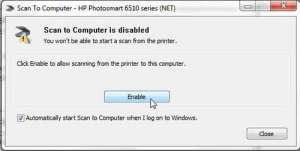
How to Scan to Computer from the Photosmart 6510
To scan to a computer from the HP Photosmart 6510, place the original face down on the glass, touch Scan on the printer, touch Computer, …
How-to guides and tutorials to help you troubleshoot physical devices like personal electronics and more.
To scan to a computer from the HP Photosmart 6510, place the original face down on the glass, touch Scan on the printer, touch Computer, …
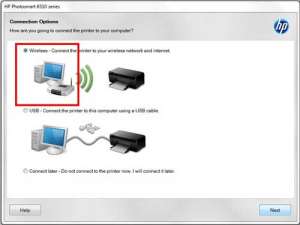
To set up the HP Photosmart 6510 for wireless printing, connect the printer to your Wi-Fi network from its touchscreen with the Wireless Setup Wizard, …
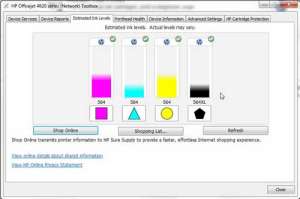
To check ink levels on the HP Officejet 4620, press the Setup button (the wrench icon) from the Home screen on the printer, select Ink …
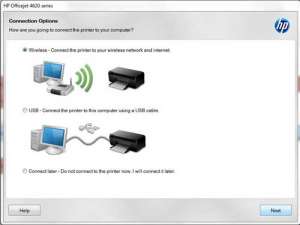
To put an HP Officejet 4620 on Wi-Fi with WPS, press the Wireless button on the printer, choose Wireless Settings > Wi-Fi Protected Setup > …

To change the admin password on a Netgear N600 router, go to routerlogin.net in a web browser on a device connected to the router, sign …
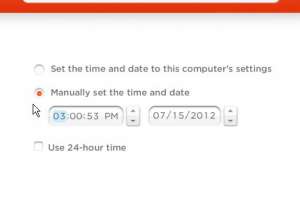
To change the time on the Nike+ SportWatch GPS, scroll up or down from the time of day to open the main menu, select clock, …
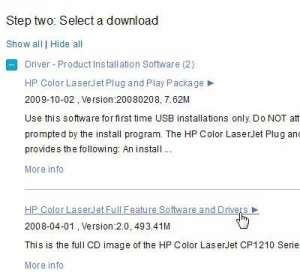
Get the HP Color LaserJet CP1215 driver from HP’s official HP Color LaserJet CP1215 Software and Driver Downloads page. Confirm your operating system, open the …
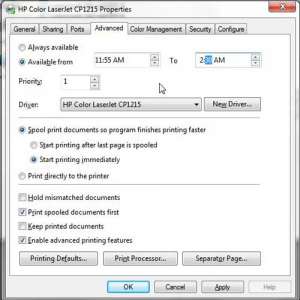
To set an available time for the HP Color LaserJet CP1215, open the printer’s Printer properties window in Windows, select the Advanced tab, choose Available …
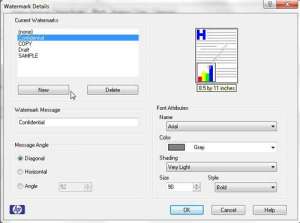
To add a watermark on the HP Color LaserJet CP1215, open the Print window in your program, select the printer, click Properties or Preferences, open …
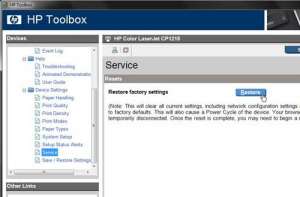
To reset an HP Color LaserJet CP1215 to its factory defaults, open the HP Color LaserJet CP1210 Series Toolbox on a connected computer, click the …

To print on both sides automatically with an HP LaserJet P2055d or P2055dn, open the print settings for the printer, go to the Finishing tab, …

To adjust the print spooler settings for an HP LaserJet P2055dn, open the printer’s Printer properties window in Windows, select the Advanced tab, and choose …

To turn off the guest network on a Cisco E1000 router, open the Cisco Connect software on the computer you used to set up the …

To change your printer settings to black and white in Windows 11, go to Start > Settings > Bluetooth & devices > Printers & scanners, …

To scan over the network with a Canon PIXMA MX340, install Canon’s MP Drivers and MP Navigator EX on a Windows PC, open MP Navigator …
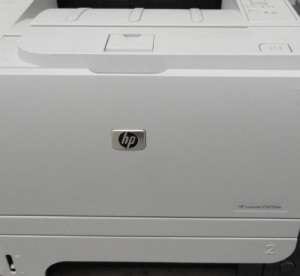
The current HP LaserJet P2055dn driver for Windows is the HP Universal Print Driver, which you download free from HP’s own Software and Driver Downloads …

To update the firmware on an HP LaserJet, go to hp.com/go/support, choose Software and Drivers > Printer, find your model, and download the file in …
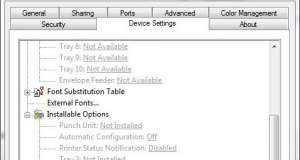
To stop an HP LaserJet from printing a status notification page after each job, open Printer properties for the printer in Windows, click the Device …