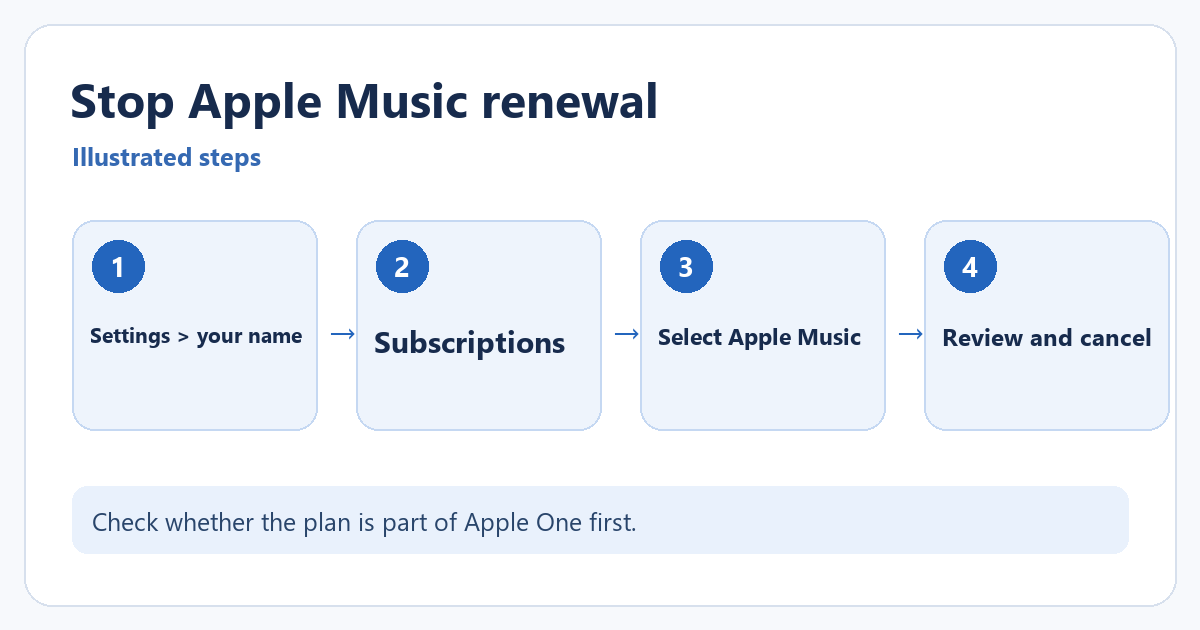
To stop a directly billed Apple Music subscription from renewing, open Settings > [your name] > Subscriptions, select Apple Music, and tap Cancel Subscription. Read the confirmation screen before you confirm. Canceling the subscription stops a future renewal; it does not usually erase your current paid period immediately.
For another Apple-billed service or an unfamiliar charge, see canceling subscriptions and checking purchase history on iPhone. Match the receipt account and provider before choosing a cancellation method.
Before canceling, check whether Apple Music is part of Apple One or a family plan and which Apple Account pays for it. Canceling a bundle can affect more than music. If you subscribed through another company, the Apple subscription screen may not offer the cancellation control, and you may need to use that company’s billing service.
You can also open the Music app, tap your account picture, choose your name, then open Subscriptions. Apple documents that as another route to the same subscription management area. The Settings route below is usually the clearest path when you are checking multiple services.
Cancel from iPhone Settings
- Open Settings and tap your name at the top. Sign in to the Apple Account that is billed for the subscription if needed.
- Tap Subscriptions. Look under the active subscriptions for Apple Music or a relevant Apple One plan.
- Tap the subscription and review the plan, price, and renewal details.
- Tap Cancel Subscription if the option is shown. Read the confirmation, especially if the screen says Cancel All Services for an Apple One bundle, then confirm only the cancellation you intend.
- Return to the subscription details and check the displayed expiration or cancellation status. Keep that information if you need to resolve a billing question later.
If you do not see a Cancel button, Apple may already show an expiration date for a canceled subscription. Also check that you are using the billed Apple Account. For a subscription charged by a carrier or another provider, follow the billing instructions shown on your receipt or account. A subscription purchased through someone else’s family account must be managed by the person who pays for it.
Apple says that when an Apple Music subscription ends, streaming songs and songs downloaded through the subscription are no longer playable through Apple Music. Check the date shown on your subscription details if you need to plan for the end of access. Your own purchased music is a separate purchase category.
You can return to Subscriptions later to review available renewal options. If you are keeping Apple Music until the current term ends, our guide to listening to Apple Music offline may help you use the service in the meantime.
If the subscription is absent from the list, search your email for an Apple receipt and check the Apple Account shown on it. Apple says a family member must cancel a subscription billed to that person’s account. If a different company issued the receipt, use that company’s cancellation instructions instead of assuming the Apple Music app controls the charge.
Know what cancellation changes
Canceling Apple Music stops the subscription from renewing at the next billing point; it is not the same as deleting the Music app or immediately erasing the library. The subscription page should show the current plan and an expiration or renewal date. Read that information before confirming so you know when access changes. If you are using a free trial or a bundled plan, the timing and available button can differ from a standard monthly subscription.
After canceling, reopen Settings > [your name] > Subscriptions and check whether Apple Music shows an expiration date instead of the next renewal. If there is no Cancel button, confirm the Apple Account used to pay and whether a family organizer, carrier, or another provider manages the plan. Do not assume that deleting the app cancels billing.
Can I subscribe again later? Usually you can return to the available plans, but library and download behavior can depend on the account and subscription state. Check what you need before access ends.
Apple describes how to view and manage subscriptions in See your purchases and subscriptions on iPhone.
Only want to stop sharing your music? You don’t need to cancel. Apple says deleting your Apple Music profile doesn’t affect your subscription, library or playlists. See how to make your Apple Music profile private or delete it.

Matthew Burleigh is the founder, head writer, and editor of Solve Your Tech, which he launched in 2012. He has written technology tutorials since 2008 and worked in IT since 2003, including small-business support, IT management, and consulting. He holds Bachelor’s and Master’s degrees in Computer Science from Arizona State University.
Matthew writes practical guides for Windows, iPhone and iPad, Microsoft Office, Outlook, Google apps, and Android. Solve Your Tech’s guides are tested on current devices or checked against official product documentation, with clear steps, sources, and update dates.
Read more about Matthew and how Solve Your Tech writes and updates its guides, or report a correction.