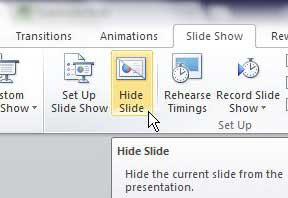
How to Hide a Slide in PowerPoint
To hide a slide in PowerPoint, right-click the slide thumbnail in the left pane and select Hide Slide. The slide stays in your file and …
How-to guides for Microsoft Excel, Word, Outlook, PowerPoint, Windows, Photoshop, and other apps and software.
To hide a slide in PowerPoint, right-click the slide thumbnail in the left pane and select Hide Slide. The slide stays in your file and …

If the line spacing in Word looks too big, select the text (press Ctrl+A for the whole document), go to Home > Line and Paragraph …

To outline text in PowerPoint, select the text, click the Shape Format tab, and open the Text Outline menu in the WordArt Styles group. Pick …

Yes, Microsoft Word can read to you. Click where you want it to start, go to the Review tab, and select Read Aloud. Word reads …

To make a thicker bottom border in Excel, select the cells, go to the Home tab, click the arrow next to Borders in the Font …
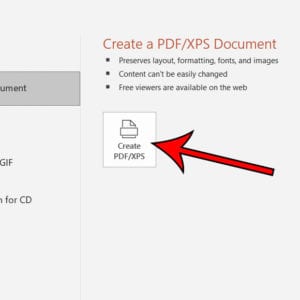
To convert a PowerPoint presentation to a PDF on Windows, click File > Export > Create PDF/XPS Document > Create PDF/XPS, choose a folder and …
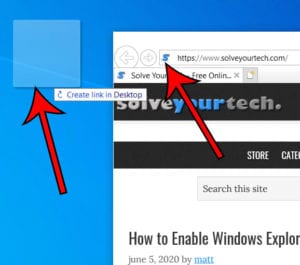
To create an internet shortcut in Windows 10, open the website in your browser, make the browser window smaller so you can see the desktop, …
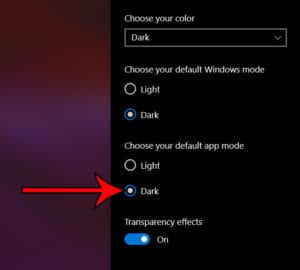
To make File Explorer dark, open Start > Settings > Personalization > Colors and pick Dark: under Choose your mode in Windows 11, or under …
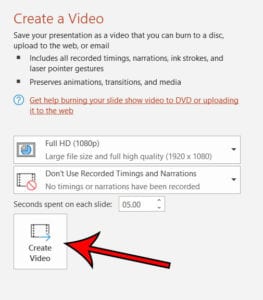
To make a PowerPoint into a video, save your presentation, then click File > Export > Create a Video. Pick a video quality, set how …

To block incoming friend requests in MTG Arena, select the gear icon at the top-right of the screen, choose Account, and check the box next …

To clear the clipboard in Excel, go to the Home tab, click the small launcher arrow in the bottom-right corner of the Clipboard group, and …
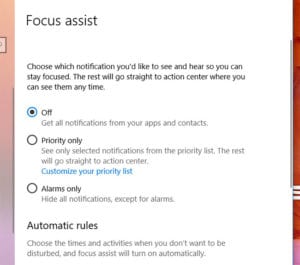
To turn off Focus assist in Windows 11, where it is now called Do not disturb, press Windows key + N to open the notification …

To add a non-Steam game to Steam, open the Steam desktop app, click Games in the menu bar, choose Add a Non-Steam Game to My …

To turn on word wrap in Notepad on Windows 11, open Notepad, click View, and select Word wrap. In the older Notepad that comes with …
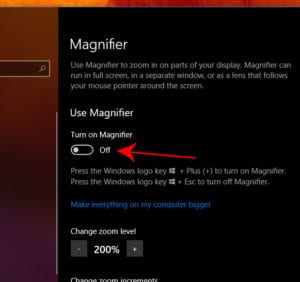
The fastest way to turn on Magnifier in Windows 10 is to press the Windows logo key + Plus (+). To do it with the …
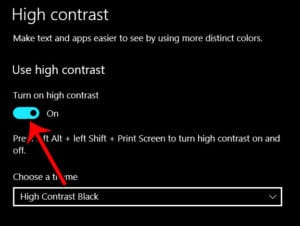
In Windows 11, open Start > Settings > Accessibility > Contrast themes, choose a theme, and select Apply. The fastest way on any version is …
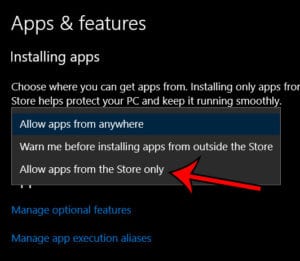
To only allow apps from the Microsoft Store, open Settings > Apps > Advanced app settings in Windows 11 (or Settings > Apps > Apps …

To change the default zoom level in Adobe Acrobat, open Preferences, select Page Display, choose a level from the Zoom menu under Default Layout and …
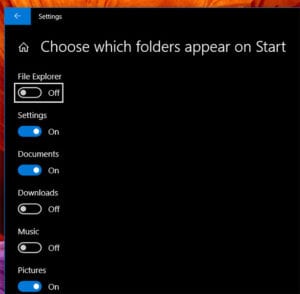
To add folders like Documents, Downloads or Pictures to the Start menu in Windows 11, go to Settings > Personalization > Start > Folders and …
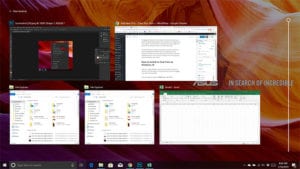
Task View shows all of your open windows at once so you can switch to, arrange or close them, and it’s where you create and …
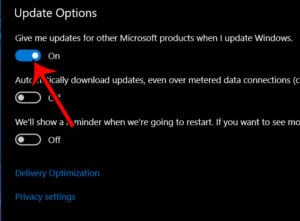
To get updates for other Microsoft products when you update Windows 11, open Start > Settings > Windows Update > Advanced options and turn on …
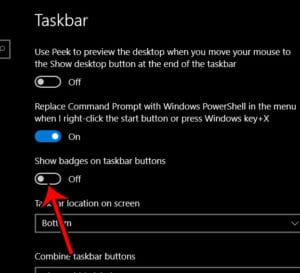
To remove the numbers from taskbar icons in Windows 10, right-click an empty spot on the taskbar, choose Taskbar settings, and turn off Show badges …
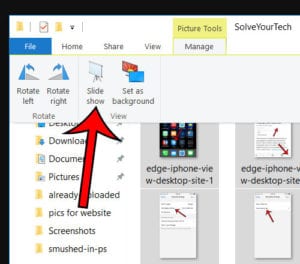
To view pictures as a slideshow in Windows 10, open the folder with your pictures in File Explorer and select the photos you want. Click …
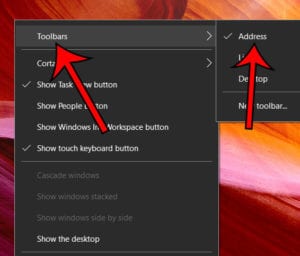
The word Address with a text box next to it at the bottom of your Windows 10 screen is the Address toolbar. It sits on …

To change the theme in Photoshop, press Ctrl + K (Windows) or Command + K (Mac) to open Preferences, select Interface, click one of the …
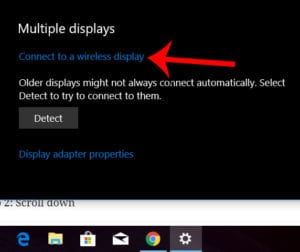
To wirelessly connect to another display in Windows, turn on the TV or projector, press Windows key + K, and select the display from the …
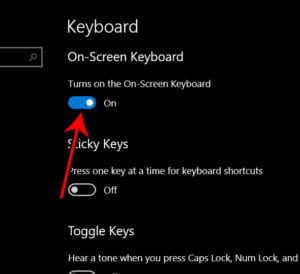
The fastest way to turn on the On-Screen Keyboard in Windows 11 or Windows 10 is to press Windows key + Ctrl + O. If …
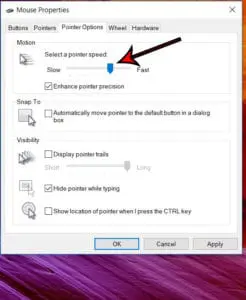
To change your mouse pointer speed in Windows 11, select Start > Settings > Bluetooth & devices > Mouse, then drag the Mouse pointer speed …

To turn Adventure Sync on or off in Pokémon GO, tap the Poké Ball to open the main menu, tap Settings, tap General, and then …

To search for cards you don’t own in MTG Arena, click Decks at the top of the screen, click Collection in the lower-right corner, open …