Skip to content
Solve Your Tech
  • Windows
    • Settings, Desktop & Accounts
    • Files, Devices & Troubleshooting
  • iPhone & iPad
    • iPhone Settings & Basics
    • iPhone Messages, Photos & Apps
    • iPad
    • Apple Watch & AirPods
  • Android
  • Microsoft Office
    • Excel
    • Word
    • Outlook
    • PowerPoint
  • Google
    • Chrome
    • Docs
    • Sheets
    • Slides
    • Gmail
    • Google Drive
  • Home Tech
    • Fire TV
    • Roku & Apple TV
    • Printers & Ink
    • Wi-Fi & Smart Home
  • More
    • Firefox
    • Microsoft Edge
    • Photoshop
    • Social & Other Apps
    • Mac
    • Reviews & Buying Advice
    • Store
WindowsiPhoneAndroidExcelWordOutlookGoogleChrome

Apps & Software

How-to guides for Microsoft Excel, Word, Outlook, PowerPoint, Windows, Photoshop, and other apps and software.

Type the code to create the combined CSV file

How to Merge CSV Files Into One File in Windows

October 20, 2026August 18, 2022 by Matthew Burleigh

To merge CSV files into one file in Windows 11, put them all in one folder, open Command Prompt in that folder, and run copy …

Read More

Categories Apps & Software
enter timeline text

Can I Create a Timeline in PowerPoint? (Yes, With SmartArt)

October 20, 2026August 17, 2022 by Matthew Burleigh

Yes. In PowerPoint, click Insert > SmartArt, choose Process, and double-click Basic Timeline or Circle Accent Timeline. Type your dates and events into the [Text] …

Read More

Categories Apps & Software
how to convert a Microsoft Word table to Excel

How to Copy Word Text or Tables Into Excel

October 20, 2026August 15, 2022 by Matthew Burleigh

To convert a Word table to Excel, select the table in Word, press Ctrl+C, click an empty cell in Excel, and press Ctrl+V. Each Word …

Read More

Categories Apps & Software
how to repeat rows in excel 2010

Can I Repeat Rows in Excel When I Print? (Yes, Here’s How)

October 20, 2026August 15, 2022 by Matthew Burleigh

Yes. To repeat rows at the top of every printed page in Excel, go to Page Layout > Print Titles, click in the Rows to …

Read More

Categories Apps & Software
how you fill a cell with color in Excel

How to Color Cells in Excel

October 20, 2026August 5, 2022 by Matthew Burleigh

To color a cell in Excel, select it, go to the Home tab, click the arrow next to Fill Color (the paint bucket), and pick …

Read More

Categories Apps & Software
How to Create a ZIP File in Windows 11 or 10

How to Create a ZIP File in Windows 11 or 10

October 20, 2026June 23, 2022 by Matthew Burleigh

To create a ZIP in Windows 11, select the files in File Explorer, right-click and choose Compress to > ZIP File. On Windows 10 (or …

Read More

Categories Apps & Software
how to enable tablet mode in windows 10

How to Enable Tablet Mode in Windows 10

October 20, 2026June 23, 2022 by Matthew Burleigh

To enable Tablet mode in Windows 10, open action center from the taskbar (or press Windows + A) and select the Tablet mode tile. Select …

Read More

Categories Apps & Software
how to add a column in Microsoft Excel

How to Add a Column in Excel

October 20, 2026June 14, 2022 by Matthew Burleigh

To add a column in Excel, right-click the column letter to the right of where you want the new column and choose Insert. Excel adds …

Read More

Categories Apps & Software
How to Stop the Taskbar From Hiding in Windows

How to Stop the Taskbar From Hiding in Windows

October 20, 2026June 13, 2022 by Matthew Burleigh

To stop the taskbar from hiding, turn off auto-hide: right-click the taskbar, select Taskbar settings, open Taskbar behaviors, and clear the Automatically hide the taskbar …

Read More

Categories Apps & Software
how to create a christmas list in excel

How to Make a Christmas List Spreadsheet in Excel

October 20, 2026June 6, 2022 by Matthew Burleigh

To make a Christmas list in Excel, open a blank workbook, type headings such as Name, Gift Idea, Price, Bought and Wrapped in row 1, …

Read More

Categories Apps & Software
program rules tab of the firewall menu

How to Stop Norton 360 from Blocking a Program

October 20, 2026June 3, 2022 by Matthew Burleigh

To stop Norton 360 from blocking a program’s internet access on Windows, open Norton, click Security, go to Advanced Security > Network > Smart Firewall, …

Read More

Categories Apps & Software
add Google Chrome to the desktop

How to Put Google Chrome (or a Website Shortcut) on Your Windows Desktop

October 20, 2026May 21, 2022 by Matthew Burleigh

To put Google Chrome on your Windows desktop, click Start, open All (or All apps), find Google Chrome, and drag it onto the desktop. To …

Read More

Categories Apps & Software
How to Search for a Word in Microsoft Word

How to Search for a Word in Microsoft Word

October 20, 2026April 29, 2022 by Matthew Burleigh

To search for a word in Microsoft Word, press Ctrl+F on Windows or Command+F on a Mac, type the word in the search box, and …

Read More

Categories Apps & Software
Steps to change the font in Photoshop: Type tool, select the text layer, choose a font, commit

How to Change Font in Photoshop

October 20, 2026April 5, 2022 by Matthew Burleigh

To change the font in Photoshop, select the Horizontal Type tool, click the text layer in the Layers panel, and choose a new font from …

Read More

Categories Apps & Software
Steps to reset the workspace in Photoshop: Window, Workspace, Reset Essentials

How to Reset the Workspace in Photoshop

October 20, 2026February 28, 2022 by Matthew Burleigh

To reset the workspace in Photoshop, choose Window > Workspace > Reset Essentials. Photoshop puts the panels back in the default Essentials layout. If you …

Read More

Categories Apps & Software
how to get printer online in Windows 10

How to Get a Printer Online in Windows 11 or 10

October 20, 2026February 28, 2022 by Matthew Burleigh

If a printer shows Offline in Windows 11 or 10, restart the printer, check its USB or network connection, and then open its print queue …

Read More

Categories Apps & Software
how to disable automatic hyperlinks in excel 2010

How to Turn Off Automatic Hyperlinks in Excel

October 20, 2026January 3, 2022 by Matthew Burleigh

To turn off automatic hyperlinks in Excel, select File > Options > Proofing > AutoCorrect Options, open the AutoFormat As You Type tab, and clear …

Read More

Categories Apps & Software
How to Turn Off Two-Finger Right-Click on a Touchpad in Windows 11 or 10

How to Turn Off Two-Finger Right-Click on a Touchpad in Windows 11 or 10

October 20, 2026November 22, 2021 by Matthew Burleigh

To stop a two-finger tap from right-clicking, open Settings > Bluetooth & devices > Touchpad, expand Taps, and clear the Tap with two fingers to …

Read More

Categories Apps & Software
click the mroe button at the bottom of the find and replace window

How to Replace All Occurrences of a Word in Word 2013 (and Newer Versions)

October 20, 2026November 12, 2021 by Matthew Burleigh

To replace every occurrence of a word in Word 2013, press Ctrl + H (or go to Home > Replace), type the old word in …

Read More

Categories Apps & Software
How to Turn Off the Attachment Reminder in Outlook

How to Turn Off the Attachment Reminder in Outlook

October 20, 2026October 29, 2021 by Matthew Burleigh

To turn off the forgotten attachment reminder in classic Outlook for Windows, go to File > Options > Mail, and under Send messages clear Warn …

Read More

Categories Apps & Software
How to Change the Default Font in Excel (Microsoft 365)

How to Change the Default Font in Excel (Microsoft 365)

October 20, 2026August 9, 2021 by Matthew Burleigh

To change the default font in Excel, go to File > Options > General. Under When creating new workbooks, pick a font in Use this …

Read More

Categories Apps & Software
How to Remove a Paired Bluetooth Device in Windows 10 and Windows 11

How to Remove a Paired Bluetooth Device in Windows 10 and Windows 11

October 20, 2026July 14, 2021 by Matthew Burleigh

To remove a paired Bluetooth device in Windows 10, open Settings > Devices > Bluetooth & other devices, click the device, click Remove device, and …

Read More

Categories Apps & Software
microsoft excel skills to know when job hunting

Microsoft Excel Skills to Know When Job Hunting

October 23, 2026June 21, 2021 by Matthew Burleigh

When a job posting asks for Excel, employers usually mean you can enter and format data, sort and filter a list, write basic formulas like …

Read More

Categories Apps & Software
how to enable or disable hardware acceleration in spotify

How to Turn Hardware Acceleration On or Off in Spotify

October 20, 2026June 10, 2021 by Matthew Burleigh

To turn hardware acceleration on or off in Spotify, open the desktop app, click your profile picture, and choose Settings. Scroll down to Compatibility and …

Read More

Categories Apps & Software
how to center worksheet horizontally and vertically in excel 2010

How to Center a Worksheet Horizontally and Vertically in Excel

October 20, 2026May 20, 2021 by Matthew Burleigh

To center a worksheet on the printed page in Excel, go to Page Layout > Margins > Custom Margins. Under Center on page, check Horizontally, …
Read More

Categories Apps & Software
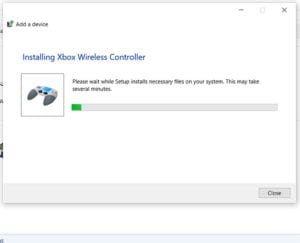
How to Connect an Xbox One Controller to a Windows PC

How to Connect an Xbox One Controller to a Windows PC

October 20, 2026April 30, 2021 by Matthew Burleigh

To connect an Xbox One controller to a Windows PC, plug it in with a USB cable, or pair it over Bluetooth: press the Xbox …
Read More

Categories Apps & Software
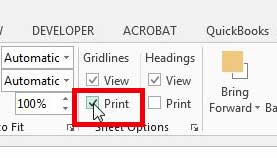
how to print gridlines in excel 2013

How to Print Gridlines in Excel 2013 and Later

October 20, 2026April 1, 2021 by Matthew Burleigh

To print gridlines in Excel, click the Page Layout tab, check the Print box under Gridlines in the Sheet Options group, and then print with …

Read More

Categories Apps & Software
Steps to make a speech bubble in Photoshop: Shapes panel, Legacy Shapes, Custom Shape tool, add text

How to Create a Speech Bubble in Photoshop

October 20, 2026March 8, 2021 by Matthew Burleigh

To create a speech bubble in Photoshop, open Window > Shapes, choose Legacy Shapes and More from the panel menu, and pick a shape from …

Read More

Categories Apps & Software
how to open csv files with excel by default

How to Open CSV Files With Excel by Default

October 20, 2026November 7, 2020 by Matthew Burleigh

To make CSV files open in Excel when you double-click them, open Settings > Apps > Default apps in Windows, search for .csv, and choose …
Read More

Categories Apps & Software
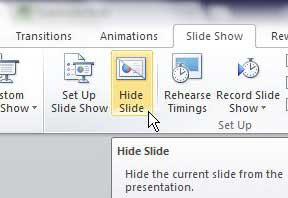
how to hide slides in powerpoint 2010

How to Hide a Slide in PowerPoint

October 20, 2026November 4, 2020 by Matthew Burleigh

To hide a slide in PowerPoint, right-click the slide thumbnail in the left pane and select Hide Slide. The slide stays in your file and …

Read More

Categories Apps & Software
Older posts
Newer posts
← Previous Page1 … Page17 Page18 Page19 … Page22 Next →

Join Our Free Newsletter

Featured guides and deals

You may opt out at any time.
Read our Privacy Policy

  • iPhone
  • iPad
  • Apple Watch & AirPods
  • Google Docs
  • Google Sheets
  • Google Slides
  • Google Chrome
  • Microsoft Excel
  • Microsoft Outlook
  • Microsoft Powerpoint
  • Microsoft Windows
  • Microsoft Word
  • Firefox
  • Photoshop
  • Android
  • Home Tech
  • Google
  • Microsoft Edge

info@solveyourtech.com
4845290651
2138 W. Union Blvd.
#1037
Bethlehem, PA 18018
United States

  • SolveYourTech YouTube
  • SolveYourTech Facebook
  • SolveYourTech Instagram
  • SolveYourTech Twitter
  • SolveYourTech Pinterest
  • SolveYourTech LinkedIn
  • SolveYourTech TikTok
  • Newsletter
  • Affiliate Disclaimer
  • Terms of Use
  • Privacy Policy
  • Contact
  • About Us
© SolveYourTech.com 2026
  • Windows
    • Settings, Desktop & Accounts
    • Files, Devices & Troubleshooting
  • iPhone & iPad
    • iPhone Settings & Basics
    • iPhone Messages, Photos & Apps
    • iPad
    • Apple Watch & AirPods
  • Android
  • Microsoft Office
    • Excel
    • Word
    • Outlook
    • PowerPoint
  • Google
    • Chrome
    • Docs
    • Sheets
    • Slides
    • Gmail
    • Google Drive
  • Home Tech
    • Fire TV
    • Roku & Apple TV
    • Printers & Ink
    • Wi-Fi & Smart Home
  • More
    • Firefox
    • Microsoft Edge
    • Photoshop
    • Social & Other Apps
    • Mac
    • Reviews & Buying Advice
    • Store