Skip to content
Solve Your Tech
  • Windows
    • Settings, Desktop & Accounts
    • Files, Devices & Troubleshooting
  • iPhone & iPad
    • iPhone Settings & Basics
    • iPhone Messages, Photos & Apps
    • iPad
    • Apple Watch & AirPods
  • Android
  • Microsoft Office
    • Excel
    • Word
    • Outlook
    • PowerPoint
  • Google
    • Chrome
    • Docs
    • Sheets
    • Slides
    • Gmail
    • Google Drive
  • Home Tech
    • Fire TV
    • Roku & Apple TV
    • Printers & Ink
    • Wi-Fi & Smart Home
  • More
    • Firefox
    • Microsoft Edge
    • Photoshop
    • Social & Other Apps
    • Mac
    • Reviews & Buying Advice
    • Store
WindowsiPhoneAndroidExcelWordOutlookGoogleChrome

Apps & Software

How-to guides for Microsoft Excel, Word, Outlook, PowerPoint, Windows, Photoshop, and other apps and software.

Steps to add a pattern in Photoshop: select an area, Edit then Fill, Contents Pattern, choose a pattern

How to Add a Pattern in Photoshop

October 20, 2026June 18, 2012 by Matthew Burleigh

To add a pattern in Photoshop, select the area you want to cover, choose Edit > Fill, set Contents to Pattern, pick a pattern from …
Read More

Categories Apps & Software
how to display the from field in outlook 2010

How to Show the From Field in Outlook

October 20, 2026June 17, 2012 by Matthew Burleigh

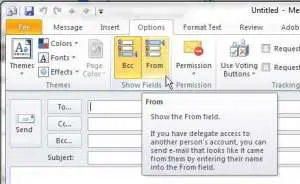
To show the From field in Outlook, open a new email, select the Options tab, and select Show From in new Outlook or From in …

Read More

Categories Apps & Software
Steps to export layers as separate images in Photoshop: File, Export, Layers to Files, choose folder and type, Run

How to Export Layers as Separate Images in Photoshop

October 20, 2026June 5, 2012 by Matthew Burleigh

To export layers as separate images in Photoshop, choose File › Export › Layers to Files, pick a destination folder, enter a file name prefix, …

Read More

Categories Apps & Software
how to convert a transparent psd file to png file format

How to Convert a Transparent Photoshop PSD to a PNG

October 20, 2026May 30, 2012 by Matthew Burleigh

To convert a transparent Photoshop PSD to a PNG, choose File > Export > Quick Export as PNG, pick a folder if asked, and click …

Read More

Categories Apps & Software
how to block an email address in norton 360

How to Block an Email Address in Norton 360

October 21, 2026May 24, 2012 by Matthew Burleigh

The current Norton 360 app no longer has a blocked senders list. Norton removed its AntiSpam feature when it moved customers to the new Norton …
Read More

Categories Apps & Software
how to stop spotify from opening on startup

How to Stop Spotify From Opening on Startup

October 20, 2026May 23, 2012 by Matthew Burleigh

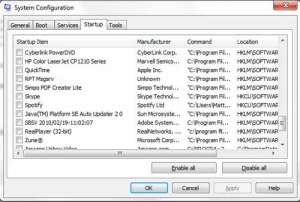
To stop Spotify from opening when your computer starts, open the Spotify desktop app, click your profile picture, and choose Settings. Scroll to Startup and …

Read More

Categories Apps & Software
when you need to print something urgently but do not have a printer

How to Print Something Urgently Without a Printer

October 20, 2026May 22, 2012 by Matthew Burleigh

If you need to print something urgently and there is no printer nearby, save it as a PDF first. A PDF is a file that …

Read More

Categories Apps & Software
how to temporarily disable the norton 360 background scan

How to Temporarily Disable the Norton 360 Background Scan

October 20, 2026May 21, 2012 by Matthew Burleigh

To pause Norton 360 background tasks while you work, play or watch something full screen, open Norton, click Settings, open the General tab, and under …

Read More

Categories Apps & Software
how do I setup my computer for remote access

How to Set Up Your Computer for Remote Access

October 20, 2026May 16, 2012 by Matthew Burleigh

To set up a Windows computer for remote access, open Settings > System > Remote Desktop, turn on Remote Desktop, and select Confirm. Write down …
Read More

Categories Apps & Software
how to make a gif folder

How to Make a GIF Folder on Windows 11, iPhone, and Android

October 20, 2026May 5, 2012 by Matthew Burleigh

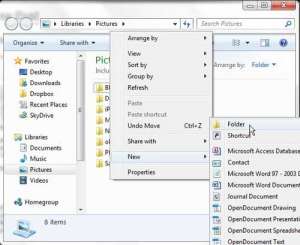
To make a GIF folder in Windows 11, open File Explorer, go to the place you want the folder (your Pictures folder is a good …

Read More

Categories Apps & Software
import excel list to outlook contacts

How to Import an Excel List Into Outlook Contacts

October 20, 2026May 1, 2012 by Matthew Burleigh

To import an Excel list into Outlook contacts, save the sheet as a CSV (Comma delimited) file, then in classic Outlook go to File > …

Read More

Categories Apps & Software
crashplan remove computer menu

How to Remove a Computer From CrashPlan (Deactivate Device)

October 20, 2026April 29, 2012 by Matthew Burleigh

To remove a computer from CrashPlan, sign in to the CrashPlan console, go to Administration > Devices, click the computer’s name, open the Action menu …

Read More

Categories Apps & Software
Excel print options

How to Fit a Spreadsheet on One Page in Excel

October 20, 2026April 25, 2012 by Matthew Burleigh

To fit a spreadsheet on one page in Excel, open the Page Layout tab and, in the Scale to Fit group, set both Width and …
Read More

Categories Apps & Software
the Handbrake ipod video converter program window

How to Convert Video for an iPod (Free, HandBrake)

October 20, 2026April 21, 2012 by Matthew Burleigh

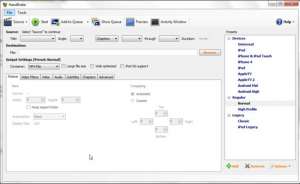
The simplest free iPod video converter is HandBrake, an open source program for Windows, Mac, and Linux. Open your video in HandBrake, pick a preset …
Read More

Categories Apps & Software
open the borders for word documents menu from the page background section

How to Add or Remove Borders in Word Documents

October 20, 2026April 9, 2012 by Matthew Burleigh

To add a border to a Word document, go to the Design tab and select Page Borders. Choose a setting such as Box, pick the …
Read More

Categories Apps & Software
change iCloud settings for the options listed

How to Change iCloud Settings on iPhone

October 20, 2026April 6, 2012 by Matthew Burleigh

To change iCloud settings on an iPhone, open Settings, tap your name at the top, tap iCloud, then tap See All next to Saved to …
Read More

Categories Apps & Software
DVDFab for DVD backup

How to Back Up a Home DVD

October 20, 2026March 30, 2012 by Matthew Burleigh

A DVD backup is a second copy of a disc’s contents, stored somewhere other than the disc itself. For a DVD you made yourself, such …
Read More

Categories Apps & Software
Dell Dock add a shortcut

How to Remove the Dell Dock in Windows 11 or 10 (and What to Use Instead)

October 20, 2026March 24, 2012 by Matthew Burleigh

To remove the Dell Dock, open Settings > Apps > Installed apps in Windows 11, select the More (three dots) button next to Dell Dock, …
Read More

Categories Apps & Software
CrashPlan backup instructions for specific files

CrashPlan Backup Instructions: How to Back Up Your Computer With CrashPlan

October 20, 2026March 5, 2012 by Matthew Burleigh

To back up a computer with CrashPlan, install the CrashPlan app and sign in, click Manage Files, check the files and folders you want to …
Read More

Categories Apps & Software
ImgBurn write ISO image file to disc

How to Burn an ISO File With ImgBurn

October 20, 2026February 27, 2012 by Matthew Burleigh

To burn an ISO file to a disc with ImgBurn, open ImgBurn, click Write image file to disc, insert a blank disc, click Browse for …
Read More

Categories Apps & Software
Save PDF as "Tables for Excel"

How to Convert PDF to Excel with Acrobat

October 20, 2026February 17, 2012 by Matthew Burleigh

To convert a PDF to Excel with Adobe Acrobat, open the PDF, select Convert from the bar at the top, choose Microsoft Excel on the …

Read More

Categories Apps & Software
Newer posts
← Previous Page1 … Page21 Page22

Join Our Free Newsletter

Featured guides and deals

You may opt out at any time.
Read our Privacy Policy

  • iPhone
  • iPad
  • Apple Watch & AirPods
  • Google Docs
  • Google Sheets
  • Google Slides
  • Google Chrome
  • Microsoft Excel
  • Microsoft Outlook
  • Microsoft Powerpoint
  • Microsoft Windows
  • Microsoft Word
  • Firefox
  • Photoshop
  • Android
  • Home Tech
  • Google
  • Microsoft Edge

info@solveyourtech.com
4845290651
2138 W. Union Blvd.
#1037
Bethlehem, PA 18018
United States

  • SolveYourTech YouTube
  • SolveYourTech Facebook
  • SolveYourTech Instagram
  • SolveYourTech Twitter
  • SolveYourTech Pinterest
  • SolveYourTech LinkedIn
  • SolveYourTech TikTok
  • Newsletter
  • Affiliate Disclaimer
  • Terms of Use
  • Privacy Policy
  • Contact
  • About Us
© SolveYourTech.com 2026
  • Windows
    • Settings, Desktop & Accounts
    • Files, Devices & Troubleshooting
  • iPhone & iPad
    • iPhone Settings & Basics
    • iPhone Messages, Photos & Apps
    • iPad
    • Apple Watch & AirPods
  • Android
  • Microsoft Office
    • Excel
    • Word
    • Outlook
    • PowerPoint
  • Google
    • Chrome
    • Docs
    • Sheets
    • Slides
    • Gmail
    • Google Drive
  • Home Tech
    • Fire TV
    • Roku & Apple TV
    • Printers & Ink
    • Wi-Fi & Smart Home
  • More
    • Firefox
    • Microsoft Edge
    • Photoshop
    • Social & Other Apps
    • Mac
    • Reviews & Buying Advice
    • Store