Skip to content
Solve Your Tech
  • Windows
    • Settings, Desktop & Accounts
    • Files, Devices & Troubleshooting
  • iPhone & iPad
    • iPhone Settings & Basics
    • iPhone Messages, Photos & Apps
    • iPad
    • Apple Watch & AirPods
  • Android
  • Microsoft Office
    • Excel
    • Word
    • Outlook
    • PowerPoint
  • Google
    • Chrome
    • Docs
    • Sheets
    • Slides
    • Gmail
    • Google Drive
  • Home Tech
    • Fire TV
    • Roku & Apple TV
    • Printers & Ink
    • Wi-Fi & Smart Home
  • More
    • Firefox
    • Microsoft Edge
    • Photoshop
    • Social & Other Apps
    • Mac
    • Reviews & Buying Advice
    • Store
WindowsiPhoneAndroidExcelWordOutlookGoogleChrome

Apps & Software

How-to guides for Microsoft Excel, Word, Outlook, PowerPoint, Windows, Photoshop, and other apps and software.

text box displaying formula value

How to Display a Formula Result in a Text Box in Excel

October 20, 2026April 7, 2015 by Matthew Burleigh

To show a formula result in a text box in Excel, put the formula in a cell first. Then click the border of the text …

Read More

Categories Apps & Software
find the clear contents command on the ribbon

How to Delete Data But Keep Formatting in Excel

October 20, 2026December 29, 2014 by Matthew Burleigh

To delete data while keeping cell formatting in Excel, select the cells and choose Home > Clear > Clear Contents. In Excel for Windows, you …

Read More

Categories Apps & Software
click size, then choose the correct page size

Why is My Word Document Printing So Small?

October 20, 2026August 23, 2014 by Matthew Burleigh

A Word document usually prints small because its page size is smaller than the paper in your printer, or because a print setting is shrinking …
Read More

Categories Apps & Software
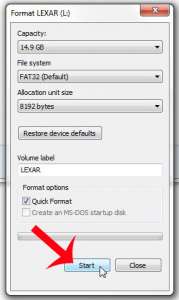
click the start button

How to Delete Files or Erase Everything on a Flash Drive

October 20, 2026August 21, 2014 by Matthew Burleigh

To delete a few files from a flash drive, open the drive in File Explorer, select the files, and press Delete. To erase everything at …

Read More

Categories Apps & Software
combined first and last names

How to Combine First and Last Names in Excel

October 31, 2026July 28, 2014 by Matthew Burleigh

To combine first and last names in Excel, type =A2&” “&B2 in an empty cell, where A2 has the first name and B2 has the …

Read More

Categories Apps & Software
excel version comparison

Which Version of Microsoft Excel Am I Using? How to Check

October 20, 2026July 25, 2014 by Matthew Burleigh

To see which version of Excel you have on a Windows PC, open Excel and click File > Account. The product name under Product Information, …

Read More

Categories Apps & Software
click the view button in the authoring section

How to Hide Zero Values in Excel for Mac

October 20, 2026July 5, 2014 by Matthew Burleigh

To hide zero values in Excel for Mac, click Excel in the menu bar, choose Settings (or Preferences), click View, and uncheck Zero values under …

Read More

Categories Apps & Software
Steps to show the hard drive on the Mac desktop: Finder, Settings, General, Hard disks

How to Show Your Hard Drive on the Mac Desktop

October 20, 2026April 19, 2014 by Matthew Burleigh

To show your hard drive on the Mac desktop, click the Finder icon in the Dock, choose Finder > Settings from the menu bar, click …

Read More

Categories Apps & Software
how to open a csv files in notepad

How to Open a CSV File in Notepad

October 20, 2026March 25, 2014 by Matthew Burleigh

To open a CSV file in Notepad, right-click the file in File Explorer, select Open with, and choose Notepad. You’ll see the raw text of …

Read More

Categories Apps & Software
how to insert a picture into a cell in Excel 2010

How to Insert a Picture Into a Cell in Excel

October 20, 2026February 24, 2014 by Matthew Burleigh

To insert a picture into a cell in Excel, select the cell, go to Insert > Pictures > Place in Cell, choose This Device, pick …

Read More

Categories Apps & Software
Excel formula =A2-B2 subtracting 45 from 150 to show 105 in cell C2

How to Subtract in Excel (Cells, Columns, Dates and Percentages)

October 23, 2026December 20, 2013 by Matthew Burleigh

To subtract in Excel, click an empty cell, type an equal sign, then the first cell, a minus sign and the second cell, such as …

Read More

Categories Apps & Software
Steps to turn off the new email sound in Outlook: classic Outlook File, Options, Mail, clear Play a sound; new Outlook Settings, General, Notifications

How to Turn Off the New Email Sound in Outlook

October 20, 2026September 16, 2013 by Matthew Burleigh

To stop Outlook from playing a sound when new mail arrives in classic Outlook for Windows, select File > Options > Mail and clear the …

Read More

Categories Apps & Software
how to create a backup in onenote 2013

How to Back Up Your Notebooks in OneNote

October 20, 2026June 28, 2013 by Matthew Burleigh

To back up your notebooks in OneNote for Windows, go to File > Options > Save & Backup and select Back Up All Notebooks Now. …
Read More

Categories Apps & Software
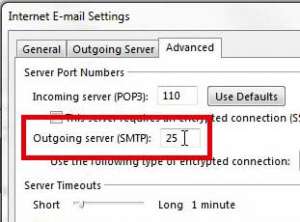
how to find the smtp port number in outlook 2013

How to Find the SMTP Port Number in Outlook

October 20, 2026May 3, 2013 by Matthew Burleigh

To find the SMTP port in classic Outlook for Windows, select File > Account Settings > Server Settings, then select Outgoing mail. The outgoing (SMTP) …
Read More

Categories Apps & Software
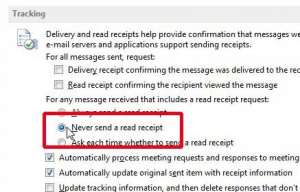
how to turn off read receipts in outlook 2013

How to Turn Off Read Receipts in Outlook

October 20, 2026April 9, 2013 by Matthew Burleigh

To turn off read receipts in classic Outlook, go to File > Options > Mail, scroll to Tracking, and uncheck Read receipt confirming the recipient …
Read More

Categories Apps & Software
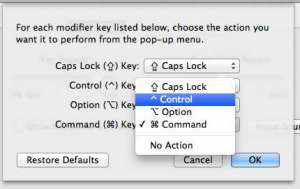
Set the action for the Command key

How to Change the Command Key for a Mac on a Windows Keyboard

October 20, 2026March 8, 2013 by Matthew Burleigh

To change the Command key on a Windows keyboard connected to a Mac, open System Settings > Keyboard, click Keyboard Shortcuts, then click Modifier Keys. …

Read More

Categories Apps & Software
Click the + button

How to Add a Canon Wireless Printer to a Mac

October 20, 2026February 26, 2013 by Matthew Burleigh

To add a Canon wireless printer to a Mac, connect the printer to the same Wi-Fi network as your Mac, then open System Settings > …

Read More

Categories Apps & Software
Select your preferred display option

How to Change the Screen Resolution on a MacBook Air

October 20, 2026January 26, 2013 by Matthew Burleigh

To change the screen resolution on a MacBook Air, choose Apple menu › System Settings › Displays, then click one of the resolution thumbnails. Options …

Read More

Categories Apps & Software
turn on the firewall in mountain lion os x

How to Turn On the Firewall on a Mac, Including Mountain Lion

October 20, 2026January 19, 2013 by Matthew Burleigh

To turn on the firewall in current macOS, choose Apple menu > System Settings > Network > Firewall and turn on Firewall. In OS X …

Read More

Categories Apps & Software
Card showing steps to set a different contact as My Card in Contacts on a Mac

How to Change Your Contact Card (My Card) on a MacBook Air

October 20, 2026November 25, 2012 by Matthew Burleigh

To change your contact card on a MacBook Air, open the Contacts app, select the card with your information, and choose Card > Make This …

Read More

Categories Apps & Software
Card comparing where the Download Intelligence switch is in Norton 360 v6 and in the current Norton app

How to Turn Off Download Intelligence in Norton 360 (Including v6)

October 20, 2026October 22, 2012 by Matthew Burleigh

To turn off Download Intelligence in the current Norton 360 app, click Security, go to Advanced Security > Web > Safe Web, switch Download Intelligence …

Read More

Categories Apps & Software
Steps to save a PowerPoint file as a Word document

How to Save a PowerPoint as a Word Document

October 20, 2026August 27, 2012 by Matthew Burleigh

To save a PowerPoint file as a Word document, click File > Export > Create Handouts, then click the Create Handouts button. Pick a page …
Read More

Categories Apps & Software
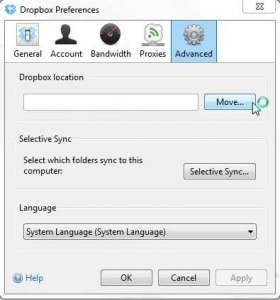
move the dropbox folder location on your pc

How to Move the Dropbox Folder Location on Your PC

October 20, 2026July 26, 2012 by Matthew Burleigh

To move the Dropbox folder on your PC, click the Dropbox icon in the taskbar, click your avatar in the bottom-left corner, choose Preferences, open …

Read More

Categories Apps & Software
Steps to feather a selection in Photoshop: make a selection, Select, Modify, Feather, enter a radius

How to Feather a Selection in Photoshop

October 20, 2026July 8, 2012 by Matthew Burleigh

To feather a selection in Photoshop, make your selection, choose Select › Modify › Feather (or press Shift+F6), enter a Feather Radius in pixels, and …
Read More

Categories Apps & Software
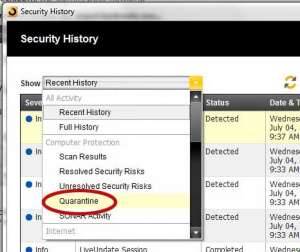
how to view quarantined files in norton 360

How to View Quarantined Files in Norton 360

October 20, 2026July 4, 2012 by Matthew Burleigh

To view quarantined files in Norton 360 on a Windows PC, open Norton, click Security in the left pane, click Security History, and choose Quarantine …
Read More

Categories Apps & Software
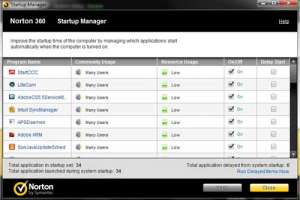
how to use norton 360 to manage startup programs

How to Use Norton 360 to Manage Startup Programs

October 20, 2026June 29, 2012 by Matthew Burleigh

To manage startup programs with Norton 360 on Windows, open Norton, click Performance in the left panel, and click Open on the Startup Manager tile. …
Read More

Categories Apps & Software
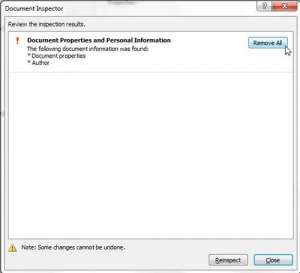
how to remove personal information from word 2010 documents

How to Remove Personal Information From a Word Document

October 25, 2026June 29, 2012 by Matthew Burleigh

To remove personal information from a Word document, select File > Info > Check for Issues > Inspect Document, select Inspect, then select Remove All …

Read More

Categories Apps & Software
Steps to copy a layer to another image in Photoshop with Duplicate Layer and a destination document

How to Copy a Layer to Another Image in Photoshop

October 20, 2026June 22, 2012 by Matthew Burleigh

To copy a layer from one image to another in Photoshop, open both files, select the layer in the Layers panel, choose Layer > Duplicate …

Read More

Categories Apps & Software
how to scan an individual file with Norton 360

How to Scan an Individual File with Norton 360

October 20, 2026June 21, 2012 by Matthew Burleigh

To scan an individual file with Norton 360 on Windows, open Norton, click Security, click Open in the Scans tile, and click Start next to …

Read More

Categories Apps & Software
how to display the menu bar in firefox

How to Display the Menu Bar in Firefox (and Restore Toolbars)

October 20, 2026June 19, 2012 by Matthew Burleigh

To show the menu bar in Firefox, press the Alt key to see it for a moment. To keep it on, right-click an empty spot …

Read More

Categories Apps & Software
Older posts
Newer posts
← Previous Page1 … Page20 Page21 Page22 Next →

Join Our Free Newsletter

Featured guides and deals

You may opt out at any time.
Read our Privacy Policy

  • iPhone
  • iPad
  • Apple Watch & AirPods
  • Google Docs
  • Google Sheets
  • Google Slides
  • Google Chrome
  • Microsoft Excel
  • Microsoft Outlook
  • Microsoft Powerpoint
  • Microsoft Windows
  • Microsoft Word
  • Firefox
  • Photoshop
  • Android
  • Home Tech
  • Google
  • Microsoft Edge

info@solveyourtech.com
4845290651
2138 W. Union Blvd.
#1037
Bethlehem, PA 18018
United States

  • SolveYourTech YouTube
  • SolveYourTech Facebook
  • SolveYourTech Instagram
  • SolveYourTech Twitter
  • SolveYourTech Pinterest
  • SolveYourTech LinkedIn
  • SolveYourTech TikTok
  • Newsletter
  • Affiliate Disclaimer
  • Terms of Use
  • Privacy Policy
  • Contact
  • About Us
© SolveYourTech.com 2026
  • Windows
    • Settings, Desktop & Accounts
    • Files, Devices & Troubleshooting
  • iPhone & iPad
    • iPhone Settings & Basics
    • iPhone Messages, Photos & Apps
    • iPad
    • Apple Watch & AirPods
  • Android
  • Microsoft Office
    • Excel
    • Word
    • Outlook
    • PowerPoint
  • Google
    • Chrome
    • Docs
    • Sheets
    • Slides
    • Gmail
    • Google Drive
  • Home Tech
    • Fire TV
    • Roku & Apple TV
    • Printers & Ink
    • Wi-Fi & Smart Home
  • More
    • Firefox
    • Microsoft Edge
    • Photoshop
    • Social & Other Apps
    • Mac
    • Reviews & Buying Advice
    • Store