
How to Remove the Badge App Icon From Mail on an iPad
To remove the red number from the Mail icon on an iPad, open Settings > Apps > Mail > Notifications, tap Customize Notifications, choose an …
How-to guides for iPhone, iPad, Apple Watch, and Android phones and tablets.
To remove the red number from the Mail icon on an iPad, open Settings > Apps > Mail > Notifications, tap Customize Notifications, choose an …

To unmerge (unlink) contacts on an iPhone, open the contact in Contacts, tap Edit, scroll down to the linked contacts, tap the red minus button …

To get Sling TV on an iPhone, open the App Store, search for Sling, and tap Get next to the free Sling: Live TV, Sports …

If your iPad screen won’t rotate, the rotation lock is probably on. Swipe down from the top-right corner of the screen to open Control Center, …

On an iPhone 13 or newer, you don’t need to turn anything on: open Camera, stay in Photo mode, and take the picture. HDR is …

To re-download a movie you bought on your iPad, open the Apple TV app, tap Library, tap the movie, and tap the Download button. You …

To set the maximum zoom level on an iPhone, open Settings > Accessibility > Zoom, turn on Zoom, and drag the Maximum Zoom Level slider …

To turn off credit card AutoFill in Safari on iPhone, open Settings, tap Apps > Safari > AutoFill, and turn off Credit Cards. Your saved …

Open Settings > Apps > Music > Audio Quality and turn on Lossless Audio, then choose a quality for Cellular Streaming, Wi-Fi Streaming, and Downloads. …

This post contains affiliate links. As an Amazon Associate, solveyourtech.com earns from qualifying purchases, at no extra cost to you. To use an Apple wireless …

To remove a payment card from Apple Pay on your iPhone, open Wallet, tap the card, tap More, choose Card Details, scroll down, and tap …

To turn off predictive text on iPad, open Settings, tap General > Keyboard, and turn off Predictive Text. Apple says this turns off both the …

To stop VIP email from showing on your iPhone Lock Screen, open Mail, go to the Mailboxes list, tap the Info button next to VIP, …

Learn how to send a recorded voice memo through the Messages app on your iPhone.

To watch YouTube gaming videos on your iPhone, open the regular YouTube app, tap Search, and type the name of a game or creator, or …

To turn off the badge app icon for the Dunkin’ app on an iPhone, open Settings, tap Notifications, tap Dunkin’ in the list of apps, …

To mute someone in the Twitter (now X) iPhone app, tap the more icon at the top of one of their posts, or on their …

To add a song to a playlist in Apple Music on an iPhone, touch and hold the song (or tap the More button with three …

To share a webpage from Safari on X (formerly Twitter), open the page, tap the Page Menu button, tap Share, then tap X in the …

To add friends on Game Center on an iPhone, open the Apple Games app, tap Friends, tap the Add Friend button (a person with a …

The number on the App Store icon is a notification badge, and it usually counts app updates that are waiting to install. To hide it, …

Max Go was the streaming app for Cinemax, and it is no longer offered in the App Store, so you cannot install it on an …

To stop X (formerly Twitter) from using cellular data on your iPhone, open Settings, tap Cellular, scroll to X in the list of apps, and …

To turn off video autoplay in the X (formerly Twitter) app on an iPhone, open Settings and privacy, tap Accessibility, display, and languages, tap Data …

To reset settings on an iPad without deleting your apps, photos, or files, open Settings, tap General > Transfer or Reset iPad > Reset, and …

To open an Incognito tab in the Chrome iPhone app, open Chrome, tap the three-dot More button, and tap New Incognito Tab. To check that …

To AirPlay a Plex movie from an iPhone to an Apple TV, put both devices on the same Wi-Fi network, open the Plex app, swipe …

To watch YouTube on your Apple TV from your iPhone, connect both to the same Wi-Fi network, open the YouTube app on each, play a …
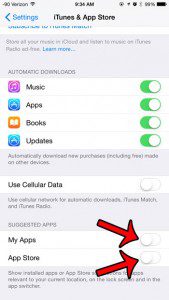
An app icon on your iPhone Lock Screen is almost always one of four things: a Lock Screen control in a bottom corner, a widget …
