Skip to content
Solve Your Tech
  • Windows
    • Settings, Desktop & Accounts
    • Files, Devices & Troubleshooting
  • iPhone & iPad
    • iPhone Settings & Basics
    • iPhone Messages, Photos & Apps
    • iPad
    • Apple Watch & AirPods
  • Android
  • Microsoft Office
    • Excel
    • Word
    • Outlook
    • PowerPoint
  • Google
    • Chrome
    • Docs
    • Sheets
    • Slides
    • Gmail
    • Google Drive
  • Home Tech
    • Fire TV
    • Roku & Apple TV
    • Printers & Ink
    • Wi-Fi & Smart Home
  • More
    • Firefox
    • Microsoft Edge
    • Photoshop
    • Social & Other Apps
    • Mac
    • Reviews & Buying Advice
    • Store
WindowsiPhoneAndroidExcelWordOutlookGoogleChrome

Mobile Devices

How-to guides for iPhone, iPad, Apple Watch, and Android phones and tablets.

Spotify Data-saving and offline Storage section with sample figures and the Clear button beside Clear cache outlined in red

How to Clear the Spotify Cache on iPhone, Android, or Desktop

November 10, 2026March 10, 2021 by Matthew Burleigh

To clear the Spotify cache on an iPhone or Android phone, tap your profile picture, then Settings and privacy > Data-saving and offline, and tap …

Read More

Categories Mobile Devices
Safari Privacy and Security detail with Prevent Cross-Site Tracking switched on and highlighted

How to Block or Allow Cookies on iPhone

November 10, 2026March 5, 2021 by Matthew Burleigh

To always allow cookies in Safari on iPhone, open the Settings app, tap Apps > Safari > Advanced, and turn off Block All Cookies. Websites …

Read More

Categories Mobile Devices
Separate cropped Pokémon GO General heading and Expanded Group Transfer row with its green switch on and the row outlined in red

How to Transfer Multiple Legendary Pokémon at Once in Pokémon GO

November 10, 2026March 1, 2021 by Matthew Burleigh

To transfer more than one Legendary Pokémon at a time in Pokémon GO, first turn on Expanded Group Transfer in the game’s Settings. Then open …

Read More

Categories Mobile Devices
Finder sidebar on a MacBook Air showing a disc from the USB SuperDrive under Locations

How to Eject a Disc from a SuperDrive on Your MacBook Air

November 10, 2026February 17, 2021 by Matthew Burleigh

This post contains affiliate links. As an Amazon Associate, solveyourtech.com earns from qualifying purchases, at no extra cost to you. To eject a disc from …

Read More

Categories Mobile Devices
Upper portion of the connected YouTube Cast sheet on iPhone with its Remote icon and This phone row marked in red, with media and device details masked

How to Watch YouTube on Your TV From the iPhone YouTube App

November 10, 2026February 15, 2021 by Matthew Burleigh

To watch YouTube on your TV from your iPhone, connect both to the same Wi-Fi network, open YouTube on the TV, play a video in …

Read More

Categories Mobile Devices
how to use 24 hour time on the Google Pixel 4A

How to Use Military Time on the Google Pixel 4a

October 20, 2026January 25, 2021 by Matthew Burleigh

To use military time on a Google Pixel 4a, open Settings, tap System, then Date & time. Turn off Use locale default, then turn on …

Read More

Categories Mobile Devices
iPhone landscape video playback controls with Picture in Picture highlighted over an original generated waterfall scene

How to Use Picture in Picture on iPhone

November 10, 2026January 18, 2021 by Matthew Burleigh

To turn on automatic Picture in Picture on your iPhone, open Settings > General > Picture in Picture and turn on Start PiP Automatically. Then …

Read More

Categories Mobile Devices
Firefox 158.1 history time-range detail with Last Hour, Last 24 Hours, Last 7 Days, Last 4 Weeks and All Time highlighted

How to Delete Cookies and Clear History in Firefox on iPhone

November 10, 2026January 11, 2021 by Matthew Burleigh

To clear history in Firefox on an iPhone, tap the menu button, choose History, tap the trash icon, and pick Today, Today and Yesterday or …

Read More

Categories Mobile Devices
Five-step path for downloading a YouTube video on an iPhone 11 with YouTube Premium

How to Download a YouTube Video on iPhone

November 9, 2026January 2, 2021 by Matthew Burleigh

To download a YouTube video on an iPhone, including an iPhone 11, sign in to the YouTube app with a YouTube Premium account, open the …

Read More

Categories Mobile Devices
Steps to refresh game data in Pokemon GO: main menu, Settings, Advanced Settings, Refresh Game Data

How to Refresh Game Data in Pokémon GO

October 20, 2026December 19, 2020 by Matthew Burleigh

To refresh game data in Pokémon GO, tap the Poké Ball (the Main Menu button), tap Settings, tap Advanced Settings, and then tap Refresh Game …

Read More

Categories Mobile Devices
Amazon Sidewalk preference set to Disabled on Amazon.com

How to Turn Off Amazon Sidewalk in the Alexa iPhone App

November 9, 2026November 30, 2020 by Matthew Burleigh

To turn off Amazon Sidewalk on an iPhone, open the Amazon Alexa app, tap More > Settings > Account Management > Amazon Sidewalk, and switch …

Read More

Categories Mobile Devices
iCloud Contacts website with All Contacts selected and a sample contact card open

How to View iCloud Contacts on a Computer

November 10, 2026October 27, 2020 by Matthew Burleigh

To view iCloud contacts on a computer, open icloud.com/contacts, sign in to the Apple Account that stores them, and select All Contacts or another list. …

Read More

Categories Mobile Devices
iPhone Audio & Visual settings with Mono Audio turned on and the Balance slider below it

How to Turn On Mono Audio on iPhone

November 9, 2026September 9, 2020 by Matthew Burleigh

To turn on Mono Audio on iPhone, open Settings, tap Accessibility, tap Audio & Visual, and turn on Mono Audio. Your iPhone then plays the …

Read More

Categories Mobile Devices
Two Pixel 4a Android 13 views: Extreme Battery Saver with Essential apps, and When to use with three radio choices

How to Turn on Battery Saver on the Google Pixel 4A

November 9, 2026September 3, 2020 by Matthew Burleigh

To turn on Battery Saver on a Google Pixel 4a, swipe down from the top of the screen and tap the Battery Saver tile in …

Read More

Categories Mobile Devices
Android 13 expanded Quick Settings detail for Pixel 4a with the active Hotspot tile highlighted

How to Turn on the Google Pixel 4A Hotspot

November 10, 2026September 2, 2020 by Matthew Burleigh

To turn on the hotspot on a Google Pixel 4a, open Settings, tap Network & internet, tap Hotspot & tethering, tap Wi-Fi hotspot, and turn …

Read More

Categories Mobile Devices
Pixel Battery settings screen with the Battery percentage switch turned on

How to Show Battery Percentage on a Google Pixel 4a

November 10, 2026August 28, 2020 by Matthew Burleigh

To show the battery percentage on a Google Pixel 4a, open Settings, tap Battery, and turn on Battery percentage. The exact number then appears next …
Read More

Categories Mobile Devices
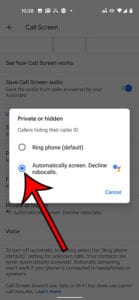
how to block private numbers on Google Pixel 4A

How to Block Private Numbers on a Google Pixel 4a

November 12, 2026August 27, 2020 by Matthew Burleigh

To block private numbers on a Google Pixel 4a, open the Phone app, tap More (the three dots), then Settings > Blocked numbers, and turn …

Read More

Categories Mobile Devices
Pixel 4a Settings list scrolled to the bottom with About phone highlighted

How to Find the IMEI Number on a Google Pixel (Including the Pixel 4a)

November 10, 2026August 26, 2020 by Matthew Burleigh

To find the IMEI number on a Google Pixel 4a, open Settings, tap About phone at the bottom of the list, and scroll down to …

Read More

Categories Mobile Devices
Pixel default digital assistant app setting with None selected

How to Turn Off Google Assistant (or Gemini) on a Google Pixel 4a

November 9, 2026August 25, 2020 by Matthew Burleigh

To stop the assistant on a Pixel 4a, open Settings > Apps > Default apps > Digital assistant app > Default digital assistant app and …

Read More

Categories Mobile Devices
Pixel 4a About phone screen showing the Android version row

What Android Version Is on My Google Pixel 4a?

November 9, 2026August 24, 2020 by Matthew Burleigh

To see what Android version is on your Google Pixel 4a, open Settings, tap About phone, then tap Android version. The number at the top …

Read More

Categories Mobile Devices
HBO Max Downloads view with a completed sample movie’s action menu open and Delete Download highlighted

How to Delete All HBO Max Downloads on an iPhone

November 10, 2026July 30, 2020 by Matthew Burleigh

To delete HBO Max downloads on an iPhone, open HBO Max, tap the Downloads icon (a down arrow), tap the check mark beside a title, …

Read More

Categories Mobile Devices
Steps to unequip a Rocket Radar in Pokemon GO: main menu, Items, tap the radar, Unequip

How to Unequip a Rocket Radar in Pokémon GO

October 20, 2026July 14, 2020 by Matthew Burleigh

To unequip a Rocket Radar in Pokémon GO, tap the Main Menu button (the Poké Ball), tap Items, tap the equipped Rocket Radar or Super …

Read More

Categories Mobile Devices
Focused recreation of the HBO Max downward-arrow Download control beside hidden title details with the icon highlighted

How to Download HBO Max Movies on an iPhone

November 10, 2026July 9, 2020 by Matthew Burleigh

To download an HBO Max movie on an iPhone, sign in to the HBO Max app, open the movie, and tap the Download icon beside …

Read More

Categories Mobile Devices
Six-step path for releasing a Pokemon in the Pokemon HOME app on an iPhone

How to Delete a Pokemon from Pokemon Home on an iPhone

November 10, 2026July 3, 2020 by Matthew Burleigh

To delete a Pokémon from Pokémon HOME on an iPhone, open the app, tap Pokémon, press and hold the Pokémon until it is selected, tap …

Read More

Categories Mobile Devices
How to build a Great League team in Pokemon GO: lead, switch, closer, then save the party

How to Build a Great League Team in Pokémon GO

November 10, 2026June 29, 2020 by Matthew Burleigh

To build a Great League team in Pokémon GO, pick three Pokémon of different species that are each at 1,500 CP or less, choose types …

Read More

Categories Mobile Devices
Illustration of steps to use Spotify Connect: play something, tap the Connect device icon, pick a device, control it from your phone

How to Only Show Local Devices in the iPhone Spotify Devices Menu

November 9, 2026May 12, 2020 by Matthew Burleigh

To show only local devices in the Spotify devices menu on an iPhone, open Spotify, tap your profile picture, tap Settings and privacy, tap Apps …

Read More

Categories Mobile Devices
Messages Edit menu with Set Up Name & Photo highlighted and conversation details hidden

How to Turn Name and Photo Sharing On or Off in iPhone Messages

November 9, 2026April 16, 2020 by Matthew Burleigh

To turn name and photo sharing on or off on an iPhone, open Messages, tap Edit at the top of the conversation list, tap Name …

Read More

Categories Mobile Devices
iPhone Announce Notifications settings with the main switch and the list of apps

What Does Announce Notifications Mean on iPhone? How to Turn It Off

November 9, 2026April 10, 2020 by Matthew Burleigh

Announce Notifications (once called Announce Messages with Siri) lets Siri read incoming messages and other alerts out loud while you wear compatible AirPods or Beats …

Read More

Categories Mobile Devices
Check before handing over a device. Know your login method: Confirm how you can return to the account. Finish the sign-out action: Closing Spotify alone does not sign out. Check the result: Look for the login screen on that device. Review remaining access: Partner devices need separate attention.

How to Log Out of Spotify on iPhone, Android, or Desktop

November 9, 2026April 8, 2020 by Matthew Burleigh

To log out of Spotify on an iPhone or Android phone, open Spotify, tap your profile picture, select Settings and privacy, scroll to the bottom, …

Read More

Categories Mobile Devices
Step card showing the Alexa app path to pair a guest iPhone to an Echo over Bluetooth: Devices, your Echo, Device Settings, Bluetooth Devices, Pair A New Device

Alexa Guest Connect Is Gone: How to Let Guests Use Your Echo

November 9, 2026March 24, 2020 by Matthew Burleigh

You can no longer enable Guest Connect in the Alexa app on an iPhone. Amazon has discontinued the feature, so the old Allow Guests to …

Read More

Categories Mobile Devices
Older posts
Newer posts
← Previous Page1 … Page17 Page18 Page19 … Page27 Next →

Join Our Free Newsletter

Featured guides and deals

You may opt out at any time.
Read our Privacy Policy

  • iPhone
  • iPad
  • Apple Watch & AirPods
  • Google Docs
  • Google Sheets
  • Google Slides
  • Google Chrome
  • Microsoft Excel
  • Microsoft Outlook
  • Microsoft Powerpoint
  • Microsoft Windows
  • Microsoft Word
  • Firefox
  • Photoshop
  • Android
  • Home Tech
  • Google
  • Microsoft Edge

info@solveyourtech.com
4845290651
2138 W. Union Blvd.
#1037
Bethlehem, PA 18018
United States

  • SolveYourTech YouTube
  • SolveYourTech Facebook
  • SolveYourTech Instagram
  • SolveYourTech Twitter
  • SolveYourTech Pinterest
  • SolveYourTech LinkedIn
  • SolveYourTech TikTok
  • Newsletter
  • Affiliate Disclaimer
  • Terms of Use
  • Privacy Policy
  • Contact
  • About Us
© SolveYourTech.com 2026We use Microsoft Clarity and Google Analytics to see how visitors use this site. See our Privacy Policy for details.
  • Windows
    • Settings, Desktop & Accounts
    • Files, Devices & Troubleshooting
  • iPhone & iPad
    • iPhone Settings & Basics
    • iPhone Messages, Photos & Apps
    • iPad
    • Apple Watch & AirPods
  • Android
  • Microsoft Office
    • Excel
    • Word
    • Outlook
    • PowerPoint
  • Google
    • Chrome
    • Docs
    • Sheets
    • Slides
    • Gmail
    • Google Drive
  • Home Tech
    • Fire TV
    • Roku & Apple TV
    • Printers & Ink
    • Wi-Fi & Smart Home
  • More
    • Firefox
    • Microsoft Edge
    • Photoshop
    • Social & Other Apps
    • Mac
    • Reviews & Buying Advice
    • Store