Skip to content
Solve Your Tech
  • Windows
    • Settings, Desktop & Accounts
    • Files, Devices & Troubleshooting
  • iPhone & iPad
    • iPhone Settings & Basics
    • iPhone Messages, Photos & Apps
    • iPad
    • Apple Watch & AirPods
  • Android
  • Microsoft Office
    • Excel
    • Word
    • Outlook
    • PowerPoint
  • Google
    • Chrome
    • Docs
    • Sheets
    • Slides
    • Gmail
    • Google Drive
  • Home Tech
    • Fire TV
    • Roku & Apple TV
    • Printers & Ink
    • Wi-Fi & Smart Home
  • More
    • Firefox
    • Microsoft Edge
    • Photoshop
    • Social & Other Apps
    • Mac
    • Reviews & Buying Advice
    • Store
WindowsiPhoneAndroidExcelWordOutlookGoogleChrome

Mobile Devices

How-to guides for iPhone, iPad, Apple Watch, and Android phones and tablets.

Mail app reply menu on iPhone with the Forward option

How to Forward an Email on iPhone

November 9, 2026December 23, 2021 by Matthew Burleigh

To forward an email on your iPhone, open the message in the Mail app, tap the curved Reply arrow, and tap Forward. Enter the new …

Read More

Categories Mobile Devices
Spotify Now Playing three-dot menu scrolled to the bottom with Sleep timer showing

How to Set a Spotify Sleep Timer on iPhone

November 9, 2026December 16, 2021 by Matthew Burleigh

To set a sleep timer in Spotify on an iPhone, tap the song playing at the bottom of the screen to open the Now Playing …

Read More

Categories Mobile Devices
Separate cropped Pokémon GO Advanced Settings heading and Native Refresh Rate row with its green switch on and the row outlined in red

How to Turn On Native Refresh Rate in Pokémon GO

November 10, 2026December 3, 2021 by Matthew Burleigh

To turn on Native Refresh Rate in Pokémon GO, tap the Poké Ball, tap Settings, tap Advanced Settings, and check Native Refresh Rate. The game …

Read More

Categories Mobile Devices
Google Messages conversation menu with the Show subject field option

How to Add a Subject Line in Messages on a Google Pixel 4a (and Newer Pixels)

November 10, 2026November 18, 2021 by Matthew Burleigh

To add a subject line in Google Messages on a Pixel 4a, open the conversation, tap the three-dot More menu at the top right, and …

Read More

Categories Mobile Devices
Firefox 158.1 iPhone private-tab layout example with Private selected in the centered bottom selector and the plus button highlighted

How to Use Private Browsing in Firefox on iPhone

November 10, 2026November 4, 2021 by Matthew Burleigh

To use private browsing in Firefox on an iPhone, tap the tabs button (the square with a number) in the toolbar, then tap Private. Tap …

Read More

Categories Mobile Devices
Per-app Reduce Motion selector for Weather with Default, On and Off choices and On checked in blue, outlined in red

How to Turn On Reduce Motion on iPhone

November 10, 2026November 2, 2021 by Matthew Burleigh

To reduce screen movement on iPhone, open Settings > Accessibility > Motion and turn on Reduce Motion. This tones down transitions, the parallax effect, and …

Read More

Categories Mobile Devices
Safari Page Menu on iPhone with the Request Desktop Website option

How to Request a Desktop Site in Safari on iPhone

November 9, 2026November 1, 2021 by Matthew Burleigh

To get a site’s desktop version in Safari on iPhone, open the site, tap the Page Menu button on the left side of the search …

Read More

Categories Mobile Devices
iPhone Search results showing the Safari app

How to Get Safari Back on an iPhone 13 (or Any iPhone)

November 9, 2026October 27, 2021 by Matthew Burleigh

To get Safari back on your iPhone, swipe left past your last Home Screen page to open the App Library, type Safari in the search …

Read More

Categories Mobile Devices
CarPlay settings on an iPhone showing a connected car under My Cars

How to Remove Apps From CarPlay on an iPhone

November 10, 2026October 19, 2021 by Matthew Burleigh

To remove an app from CarPlay on an iPhone, open Settings > General > CarPlay, tap your car, tap Customize, then tap the red minus …

Read More

Categories Mobile Devices
Alexa More menu with Lists and Notes and Reminders tiles, with Lists and Notes outlined in red

How to View Alexa Shopping List on iPhone

November 10, 2026September 1, 2021 by Matthew Burleigh

To view your Alexa shopping list on an iPhone, open the Amazon Alexa app, tap More > Lists & Notes, and select Shopping. Checked-off items …

Read More

Categories Mobile Devices
iPhone Phone app with the Keypad button selected and the number pad open

How to Dial a Number on an iPhone

November 10, 2026August 19, 2021 by Matthew Burleigh

To dial a phone number on an iPhone, open the Phone app, tap Keypad at the bottom of the screen, type the number, and tap …

Read More

Categories Mobile Devices
Google Play Store account menu with Manage apps & device option on a Pixel 4a

How to View and Install App Updates on a Google Pixel (Including the Pixel 4a)

November 10, 2026August 16, 2021 by Matthew Burleigh

To see app updates on a Google Pixel 4a, open the Play Store, tap your profile picture in the top-right corner, and tap Manage apps …

Read More

Categories Mobile Devices
Android system print-dialog detail with an expanded printer menu and round print button highlighted in red above a sample document

How to Print from Google Docs on iPhone or Android

November 10, 2026July 20, 2021 by Matthew Burleigh

To print from Google Docs on a phone, open the document in the Google Docs app, tap More (the three dots), tap Share & export, …

Read More

Categories Mobile Devices
Pixel Screen lock entry showing PIN as the current lock type, with the entry outlined in red and its separate settings gear on the right

How to Change Your PIN on a Google Pixel 4A

November 10, 2026July 6, 2021 by Matthew Burleigh

To change your PIN on a Google Pixel 4a, open Settings, tap Security, tap Screen lock, enter your current PIN, tap PIN, then type the …

Read More

Categories Mobile Devices
Audible app Library on iPhone with the Downloaded filter selected

How to Remove Audible Books from iPhone

November 10, 2026July 6, 2021 by Matthew Burleigh

To remove a downloaded Audible book from your iPhone, open the Audible app, tap Library, tap the three-dot More button next to the book, and …

Read More

Categories Mobile Devices
how to stop Google Pixel from vibrating

How to Turn Off Vibration on a Google Pixel 4a

October 20, 2026June 21, 2021 by Matthew Burleigh

To turn off vibration on a Google Pixel 4a, open Settings, tap Sound & vibration, tap Vibration & haptics, and turn off Use vibration & …

Read More

Categories Mobile Devices
Pixel 4a Display settings with the Dark theme switch turned on

How to Turn On Dark Mode on a Google Pixel 4a (and Newer Pixels)

November 10, 2026June 17, 2021 by Matthew Burleigh

To turn on dark mode on a Google Pixel 4a, open Settings, tap Display, and turn on Dark theme. The change is instant: menus, the …
Read More

Categories Mobile Devices
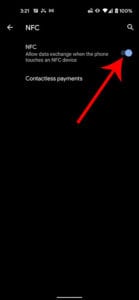
how to change the NFC setting on a Pixel 4A

How to Enable or Disable NFC on a Google Pixel 4A

November 8, 2026June 14, 2021 by Matthew Burleigh

To enable or disable NFC on a Google Pixel 4A, open Settings, tap Connected devices, tap Connection preferences, tap NFC, and then turn the Use …

Read More

Categories Mobile Devices
iPhone Mail settings Message List section with the Show To/Cc Labels switch turned on

How to Show To/Cc Labels in the Mail App on an iPhone

November 10, 2026June 9, 2021 by Matthew Burleigh

To show To and Cc labels in iPhone Mail, open Settings, tap Apps, tap Mail, and turn on Show To/Cc Labels. Your inbox then marks …

Read More

Categories Mobile Devices
Install unknown apps list on a Pixel 4a showing apps marked Allowed or Not allowed

How to Enable Unknown Sources on a Google Pixel 4a (and Newer Pixels)

November 10, 2026June 5, 2021 by Matthew Burleigh

To enable unknown sources on a Google Pixel 4a, open Settings, tap Apps, tap Special app access, tap Install unknown apps, choose the app you’ll …

Read More

Categories Mobile Devices
YouTube iPhone download menu detail with a trash icon and Delete from downloads outlined in red

How to Delete YouTube Downloads on iPhone

November 10, 2026May 10, 2021 by Matthew Burleigh

To delete a downloaded video from YouTube on an iPhone, open the YouTube app, tap your profile picture, open the Downloads playlist in your Library, …

Read More

Categories Mobile Devices
Step card showing the path Settings, Accessibility, Voice Control, then the Voice Control switch on iPhone

How to Turn Voice Control On or Off on iPhone

November 18, 2026May 7, 2021 by Matthew Burleigh

To turn Voice Control off on an iPhone, open Settings > Accessibility > Voice Control and turn off the Voice Control switch. Use the same …

Read More

Categories Mobile Devices
Camera access tile in Pixel 4a Quick Settings

How to Enable Screen Attention on a Google Pixel (Including the Pixel 4a)

November 9, 2026May 3, 2021 by Matthew Burleigh

To turn on Screen attention on a Google Pixel 4a, open Settings, tap Display, tap Screen timeout, and turn on Screen attention. On newer Pixels …

Read More

Categories Mobile Devices
Activity app on Apple Watch showing the Move ring and the pencil edit button

How to Change Your Move Goal on Apple Watch

November 9, 2026April 28, 2021 by Matthew Burleigh

To change your Move goal on Apple Watch, open the Activity app, turn the Digital Crown to the red Move ring, tap the edit (pencil) …

Read More

Categories Mobile Devices
Pixel 4a Quick Settings panel with the Auto-rotate tile turned on

How to Enable or Disable Auto Rotate on a Google Pixel 4a

November 9, 2026April 19, 2021 by Matthew Burleigh

To turn auto-rotate on or off on a Google Pixel 4a, swipe down twice from the top of the screen and tap the Auto-rotate tile. …

Read More

Categories Mobile Devices
Steps to turn off raid invitations in Pokemon GO: main menu, Settings, turn off Raid Invitations

How to Turn Off Raid Invitations in Pokémon GO on iPhone

October 20, 2026April 13, 2021 by Matthew Burleigh

To stop raid invitation alerts in Pokémon GO, open the game’s Settings menu and turn off Raid Invitations. Niantic, the company behind the game, says …

Read More

Categories Mobile Devices
Pokémon GO Battle screen with the Party tab selected and a sample saved party

How to Create a Battle Party in Pokémon GO

November 9, 2026April 5, 2021 by Matthew Burleigh

To create a battle party in Pokémon GO, tap the Main Menu button (the Poké Ball) on the map, tap Battle, and open the Party …

Read More

Categories Mobile Devices
Photoshop Layer menu with Align Layers to Selection submenu

How to Center a Layer in Photoshop (Including Photoshop CS5)

November 9, 2026April 2, 2021 by Matthew Burleigh

To center a layer in Photoshop, click the layer in the Layers panel, press Ctrl+A (Cmd+A on a Mac) to select the whole canvas, then …

Read More

Categories Mobile Devices
Spotify iPhone artist menu detail with Share, Follow, Don’t play this artist, Start a Jam and Go to radio, with Don’t play this artist outlined in red

How to Block an Artist on Spotify (iPhone)

November 10, 2026March 29, 2021 by Matthew Burleigh

To block an artist on Spotify on your iPhone, open the artist’s page, tap the three dots under their name, and tap Don’t play this …

Read More

Categories Mobile Devices
iPad Today View in edit mode with remove buttons on each widget

How to Disable Today View on the iPad Home Screen

November 9, 2026March 22, 2021 by Matthew Burleigh

In current versions of iPadOS, you can’t turn Today View off completely. It lives one swipe to the right of your first Home Screen page. …

Read More

Categories Mobile Devices
Older posts
Newer posts
← Previous Page1 … Page16 Page17 Page18 … Page27 Next →

Join Our Free Newsletter

Featured guides and deals

You may opt out at any time.
Read our Privacy Policy

  • iPhone
  • iPad
  • Apple Watch & AirPods
  • Google Docs
  • Google Sheets
  • Google Slides
  • Google Chrome
  • Microsoft Excel
  • Microsoft Outlook
  • Microsoft Powerpoint
  • Microsoft Windows
  • Microsoft Word
  • Firefox
  • Photoshop
  • Android
  • Home Tech
  • Google
  • Microsoft Edge

info@solveyourtech.com
4845290651
2138 W. Union Blvd.
#1037
Bethlehem, PA 18018
United States

  • SolveYourTech YouTube
  • SolveYourTech Facebook
  • SolveYourTech Instagram
  • SolveYourTech Twitter
  • SolveYourTech Pinterest
  • SolveYourTech LinkedIn
  • SolveYourTech TikTok
  • Newsletter
  • Affiliate Disclaimer
  • Terms of Use
  • Privacy Policy
  • Contact
  • About Us
© SolveYourTech.com 2026We use Microsoft Clarity and Google Analytics to see how visitors use this site. See our Privacy Policy for details.
  • Windows
    • Settings, Desktop & Accounts
    • Files, Devices & Troubleshooting
  • iPhone & iPad
    • iPhone Settings & Basics
    • iPhone Messages, Photos & Apps
    • iPad
    • Apple Watch & AirPods
  • Android
  • Microsoft Office
    • Excel
    • Word
    • Outlook
    • PowerPoint
  • Google
    • Chrome
    • Docs
    • Sheets
    • Slides
    • Gmail
    • Google Drive
  • Home Tech
    • Fire TV
    • Roku & Apple TV
    • Printers & Ink
    • Wi-Fi & Smart Home
  • More
    • Firefox
    • Microsoft Edge
    • Photoshop
    • Social & Other Apps
    • Mac
    • Reviews & Buying Advice
    • Store