
How to Automatically Save Your Reading List Offline on an iPad
To automatically save Safari Reading List pages for offline reading on your iPad, open Settings > Apps > Safari and turn on Automatically Save Offline …
How-to guides for iPhone, iPad, Apple Watch, and Android phones and tablets.
To automatically save Safari Reading List pages for offline reading on your iPad, open Settings > Apps > Safari and turn on Automatically Save Offline …

To stop Dropbox from using cellular data for uploads on your iPhone, open the Dropbox app, tap the account icon, tap Camera uploads, and turn …

To zoom out in Safari on an iPhone, tap the Page Menu button on the left side of the search field, tap Page Zoom, then …

To require your Apple Account password for each App Store purchase, open Settings > your name > Media & Purchases > Password Settings, then choose …

The Reddit iPhone app does not let you pick a specific browser. It gives you two choices: open links inside Reddit (In app) or hand …

To control your iPhone camera from Apple Watch, open the Camera Remote app on the watch. The watch screen becomes a live viewfinder for the …

To watch a TV show on your iPhone, open the Apple TV app, tap Search at the bottom of the screen, type the show’s name, …

When the Mail app on your iPhone shows empty boxes or blank spaces where pictures should be, it’s usually blocking remote images. Go to Settings …

To see how much space Disney+ downloads use on your iPhone, open Settings, tap General, tap iPhone Storage, and then tap Disney+. The number shown …

To use less data when streaming Disney+ on an iPhone, open the Disney+ app, tap your profile icon, tap App Settings, tap Cellular Data Usage, …

To create a new profile in the Disney+ app on your iPhone, tap your profile icon in the bottom-right corner, tap (+) Add Profile, choose …

To download a movie in Disney+ on an iPhone, open the Disney+ app, select the movie, and tap the Download button below the Play button. …

To turn off low motivation notifications in Pokémon GO, tap the Poké Ball at the bottom of the map, tap Settings at the top right, …
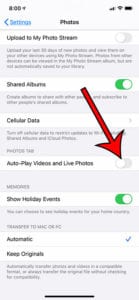
To disable video autoplay in the Photos app on an iPhone 11, open Photos, tap your account in the top-right corner, and turn off Auto-Play …

To connect Spotify to Google Maps on an iPhone, open Google Maps, tap your profile picture, and go to Settings > Navigation > Music playback …

To make Safari close old tabs automatically after one week on an iPhone, open the Settings app, tap Apps, tap Safari, tap Close Tabs, and …

To unlock an iPhone with Face ID, set it up first in Settings > Face ID & Passcode > Set Up Face ID. After that, …

To turn battle challenges from friends on or off in Pokémon GO, tap the Main Menu button (the Poké Ball), tap Settings, tap General, and …

To download Avengers: Endgame in the Amazon Prime Video app on an iPhone, open Prime Video, find the movie, open its detail page, and tap …

To turn off AirDrop receiving on an iPad, open Settings, tap General, tap AirDrop, and choose Receiving Off. You can also do it from Control …

Siri opens when you press the Home button because iPhone is set to start Siri when you press and hold that button. To stop it, …

To stop your iPhone from marking email addresses red, open Settings, tap Apps > Mail, tap Mark Addresses (below Composing), and delete every domain in …

To show or hide the tab bar in Safari on iPad, open Settings, tap Apps, tap Safari, scroll to Tabs, and choose Separate Tab Bar …

To get delivery notifications from the Amazon app on your iPhone, open the Amazon Shopping app, tap the person icon, tap the gear icon, tap …

To make your Apple Watch show the last app you used instead of the watch face, open Settings on the watch, tap General > Return …

HBO Now no longer exists. Its replacement is HBO Max, and parental controls there work through Kids profiles. In the HBO Max app on your …

To change the text size in the X app (formerly Twitter) on your iPhone, tap your profile picture, then go to Settings and privacy > …

To make your Apple Music profile private on an iPhone, open the Music app, tap your profile picture or the account button, tap Music Profile, …

Pokémon GO saves your GO Snapshot pictures to your phone, and Niantic says photo permission must be on for that to happen. To stop it, …

To block a channel in Apple News on an iPhone or iPad, tap the Search tab, search for the channel and open it, tap the …