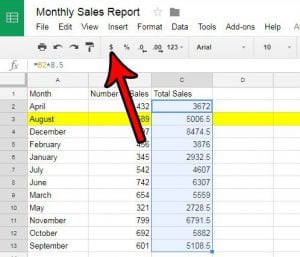
How to Use Currency Formatting in Google Sheets (and Remove the Dollar Sign)
To use currency formatting in Google Sheets, select the cells, click Format > Number, and choose a currency format. The keyboard shortcut is Ctrl + …
Visit our collection of articles and tutorials that can help you improve your Google Sheets spreadsheets and fix problems you may be experiencing.
Not sure where to start? Check out our featured Google Sheets guides below:
To use currency formatting in Google Sheets, select the cells, click Format > Number, and choose a currency format. The keyboard shortcut is Ctrl + …
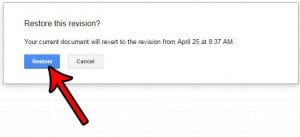
To restore an older version of a Google Sheets file, open the spreadsheet on a computer, click Last edit at the top right, choose an …
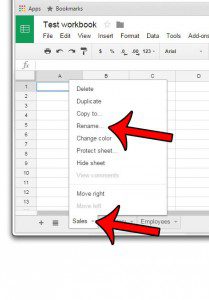
To rename a sheet tab in Google Sheets, double-click the tab name at the bottom of the screen, type a new name, and press Enter. …