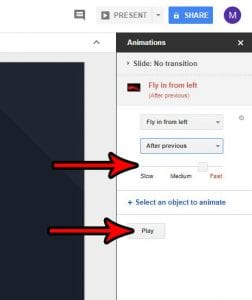
How to Make a Picture Fly In on Google Slides
To make a picture fly in on Google Slides, click the picture, click Insert > Animation, and change the effect in the Motion panel to …
How-to guides for web browsers such as Google Chrome, Firefox, and Microsoft Edge, and for web apps like Gmail, Google Docs, Google Sheets, and Google Slides.
To make a picture fly in on Google Slides, click the picture, click Insert > Animation, and change the effect in the Motion panel to …
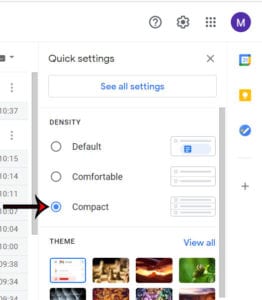
To switch to compact view in Gmail on a computer, click Settings (the gear icon) at the top right, scroll to Density in the Quick …
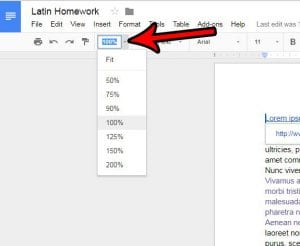
To change the zoom level in Google Docs, click the 100% box in the toolbar and pick a size, or type any number from 50 …
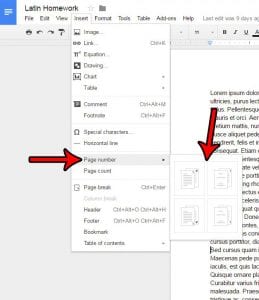
To add page numbers in Google Docs, click Insert > Page elements > Page number and pick a header or footer preset. For line numbers, …
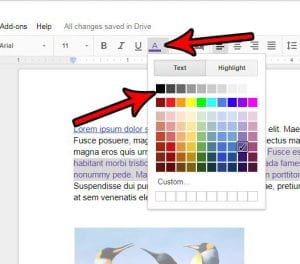
To remove text color in Google Docs, select the colored text, click the Text color button (the underlined letter A) in the toolbar, and choose …
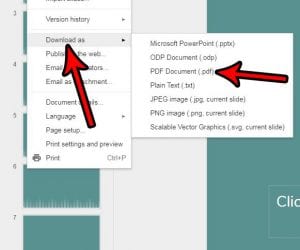
To convert Google Slides to a PDF, open the presentation and click File > Download > PDF Document (.pdf). The same Download menu also saves …
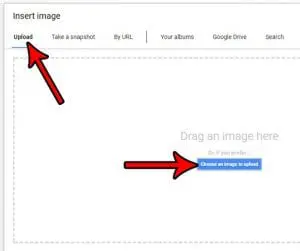
To put a picture in Google Docs, click where you want it, then click Insert > Image and choose Upload from computer, Stock & web, …
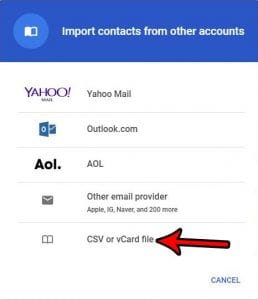
To import contacts into Gmail from a CSV file, go to contacts.google.com on a computer, click Import on the left, click Select file, choose your …
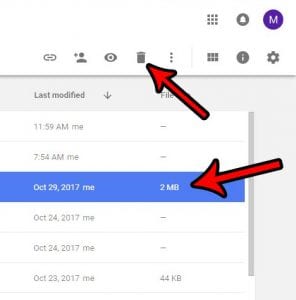
To delete a file in Google Drive, go to drive.google.com, right-click the file, and click Move to trash. To recover it, click Trash on the …
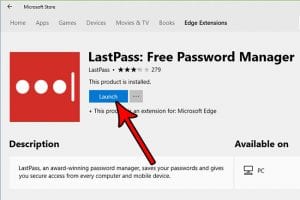
To install an extension in Microsoft Edge, select the Extensions button next to the address bar (or Settings and more > Extensions), select Get Extensions …

To end a process in Chrome, open Chrome’s Task Manager with Shift + Esc on Windows (or the three-dot menu, then More tools > Task …
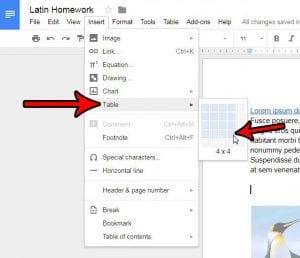
To create a table in Google Docs, click Insert > Table and choose how many rows and columns you want (up to 20 by 20). …
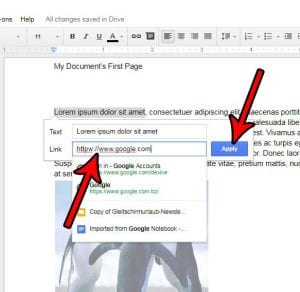
To add a hyperlink in Google Docs, highlight the text, click Insert > Link (or press Ctrl+K, Command+K on a Mac), enter a web address, …
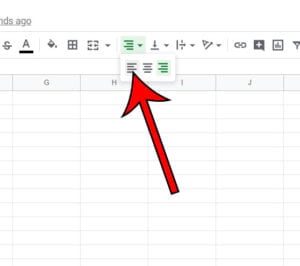
Google Sheets puts numbers on the right side of a cell by default. To move them to the left, select the cells and click Format …
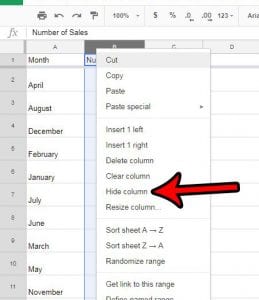
To hide a column in Google Sheets, right-click the column letter and choose Hide column. To unhide it, click either of the small arrows that …
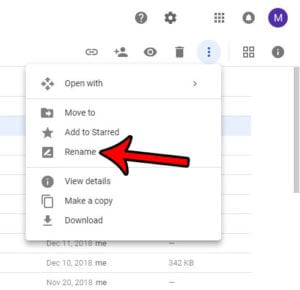
To change the name of a file in Google Drive, go to drive.google.com, right-click the file, choose Rename, type the new name, and click OK. …

To turn off autocomplete in Google Sheets on a computer, open your spreadsheet and click Tools > Suggestion controls, then click Enable autocomplete to remove …
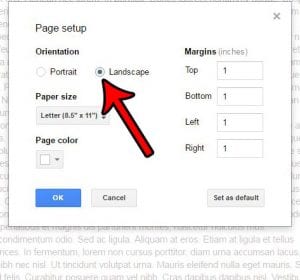
To make a Google Doc landscape, click File > Page setup, make sure Pages is selected at the top, choose Landscape under Orientation, and click …
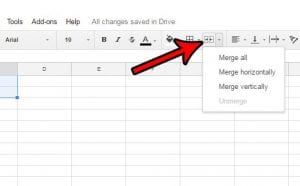
To merge cells in Google Sheets, select the cells, click Format > Merge cells, and choose Merge all, Merge horizontally, or Merge vertically. To split …
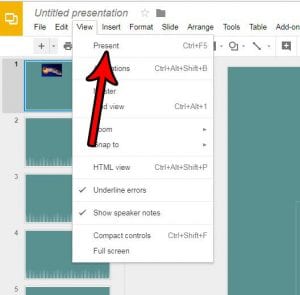
To present in Google Slides, click Slideshow at the top right (or press Ctrl + F5, or Command + Enter on a Mac). Use the …
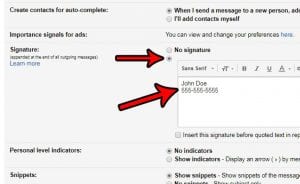
To create a signature in Gmail, click Settings > See all settings, scroll to the Signature section on the General tab, click Create new, and …

To make a graph in Google Sheets, select the cells with your data (including the header row), then click Insert > Chart. Sheets adds a …

To remove a Chrome extension on your computer, open the three-dot menu > Extensions > Manage extensions, find the extension, and select Remove. Select Remove …
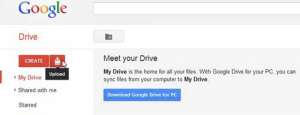
To access your Google cloud storage, go to drive.google.com for your files, photos.google.com for your pictures and videos, and one.google.com to see how much space …
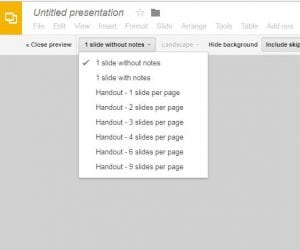
To print 4 slides per page in Google Slides, click File > Print preview, open the layout menu in the preview toolbar (it says 1 …
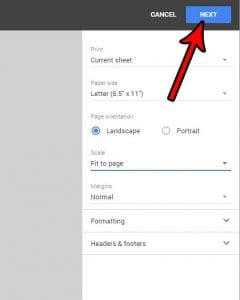
To print a Google Sheet on one page, click File > Print, open the Scale menu in the print settings, and choose Fit to page. …
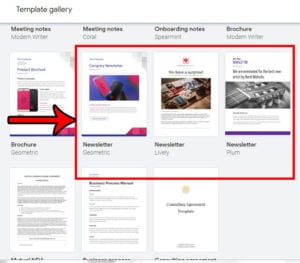
To make a newsletter in Google Docs, go to docs.google.com on a computer, click Template gallery at the top right, and click one of the …
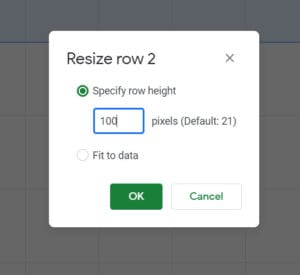
To change row height in Google Sheets, right-click the row number on the left side of the sheet, click Resize row, type a height in …
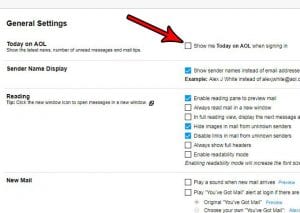
To open AOL Mail straight to your Inbox, go to mail.aol.com instead of aol.com, sign in, and bookmark that address (or make it your browser’s …
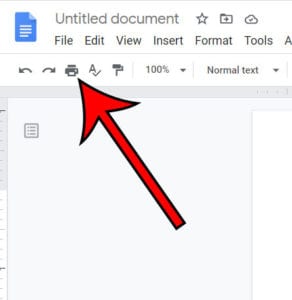
To print a Google Docs file from Chrome, open the document and click File > Print, or press Ctrl + P (Command + P on …