Every Amazon Influencer storefront lives at an address that looks like amazon.com/shop/ followed by the influencer’s handle. To find one, type amazon.com/shop/ and the creator’s handle into your browser, or use the storefront link in their social media bio or video description.
This guide is for shoppers looking for a creator’s storefront on Amazon.com in the US, with notes for other countries and a short section for influencers who want their own link. The details come from Amazon’s Associates Central help pages, starting with What’s the Amazon Influencer Program? Amazon’s program availability page lists the US, UK, India and Canada, so storefront addresses use that country’s Amazon site.
How Amazon Storefront Links Work
Amazon says each influencer in the program gets their own page on Amazon, which they fill with products they recommend in their videos or posts. Amazon also gives them a vanity URL in the format amazon.com/shop/handle so they can tell followers where to find it, even out loud in a video. Amazon’s comparison page points out that this helps where links can’t be clicked, such as Instagram captions.
Amazon’s vanity URL help page says the handle is generated automatically from the social media account that qualified the creator for the program, and it can only be changed for a couple of specific reasons. That’s useful to know: the storefront handle often matches one of the creator’s social handles, but not always the one you follow.
Influencer Storefront vs. Brand Store
Two kinds of Amazon pages can look alike, so check the address:
| Page | Address looks like | Who runs it | What it shows |
|---|---|---|---|
| Influencer storefront | amazon.com/shop/handle | A creator in the Amazon Influencer Program | Products from many brands, Idea Lists, videos and livestreams |
| Brand Store | amazon.com/brandname or amazon.com/stores/… | A brand with a registered or pending trademark | Only that brand’s own products |
Amazon’s Brand Stores page says shoppers usually reach a brand’s store from the brand name link on a product page. If you’re looking for a person’s picks rather than a company’s catalog, you want the /shop/ address.
How to Find an Influencer’s Amazon Storefront
- Check the creator’s bio on Instagram, TikTok or YouTube, or the description under their videos. Amazon’s own tips tell influencers to put their storefront link in their bio. If the bio has one link that opens a page of several links, look there for an Amazon or “Shop my favorites” button.
- If you know their handle, go to amazon.com/shop/ followed by the handle. For example, amazon.com/shop/examplecreator.
- If that page doesn’t load, try the handle they use on another platform, especially YouTube.
- Search the web for the creator’s name plus “amazon.com/shop”. In Bing or Google, you can also type site:amazon.com/shop followed by the creator’s name to show only storefront pages.
- Still stuck? Ask the creator for their storefront link.
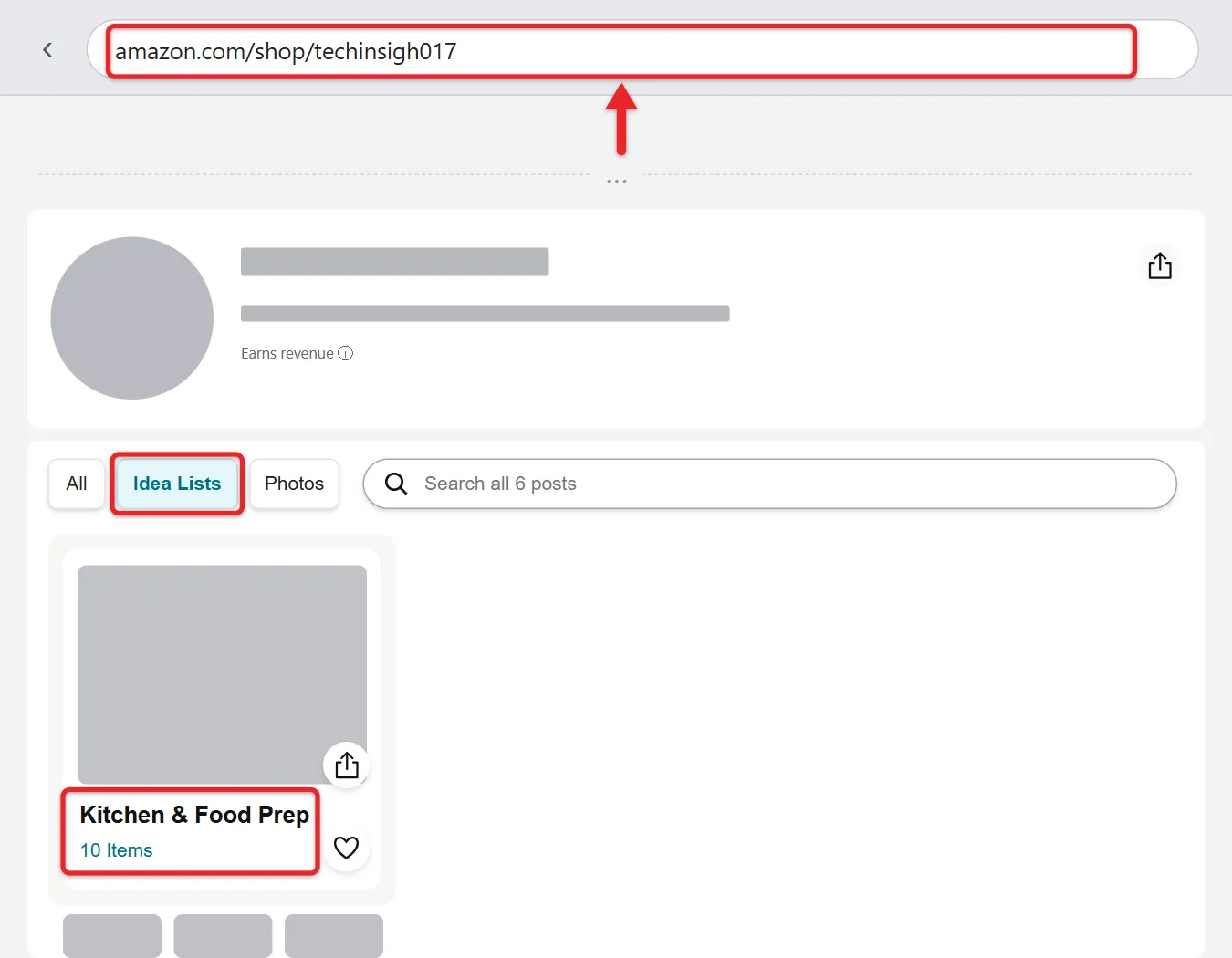
The storefront opens on Amazon and shows the creator’s recommended products, often grouped into lists. Amazon says influencers can also add videos, photos and livestreams to their storefront.
What You’ll See on a Storefront
A storefront is a regular Amazon page, so you shop it with your usual Amazon account, cart and payment details. Here’s what’s usually there:
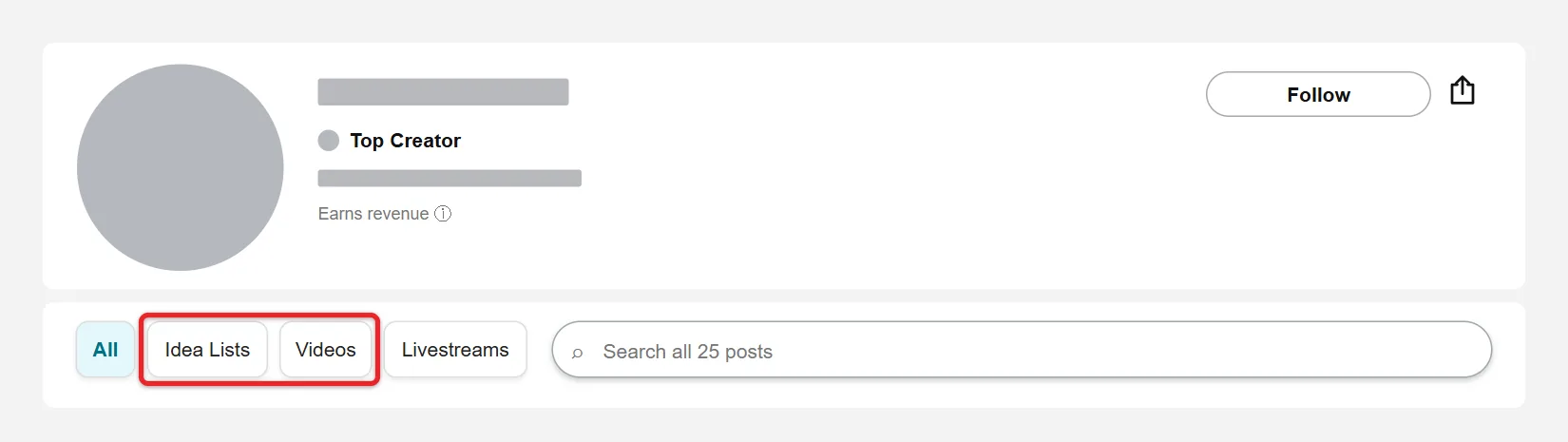
- Idea Lists: groups of products the creator picked, such as “Kitchen favorites” or “Travel gear.” Tap a list to see every item in it. Amazon’s Idea Lists help page says the lists a creator makes also appear on their storefront.
- Videos and photos: shoppable posts where the creator shows and links the products they’re talking about.
- Livestreams: past or current Amazon Live streams from that creator.
Product pages, prices, shipping and returns are the same Amazon pages you would reach through a normal search. To save a product for later, use Add to List on its product page, or read about viewing and sharing your Amazon wish list on iPhone.
Other Places to Spot a Creator on Amazon
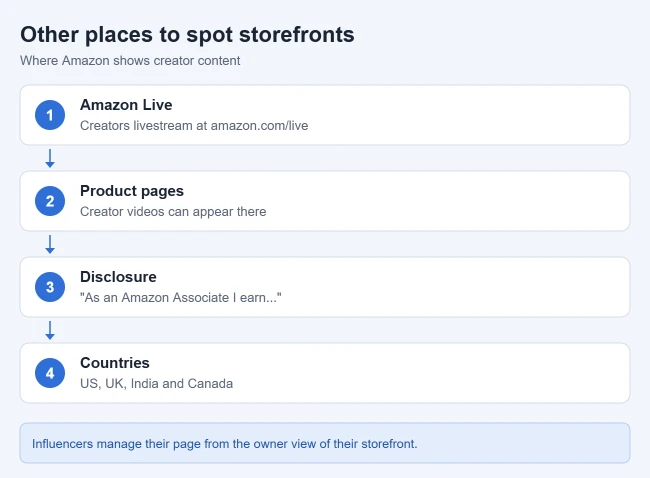
- Amazon Live: Amazon says influencer livestreams appear at amazon.com/live, where viewers can shop products from a carousel in the video. See Amazon’s Amazon Live help page.
- Product pages: Once a creator has enough approved videos and signs up for onsite commissions, Amazon says their videos may show up on the product pages for items they feature. See How do I upload videos to my storefront?. Amazon’s newsroom adds that shoppable creator content can also appear in search results and on the homepage.
- Disclosures: Amazon requires creators to include the statement “As an Amazon Associate I earn from qualifying purchases” with their account. Seeing it in a bio is a good sign the creator has an affiliate link nearby. See Amazon’s disclosure help page.
How to Find Storefronts by Topic
Amazon doesn’t let you search storefronts by name or topic, so you have to start outside Amazon or on Amazon Live:
- Go to amazon.com/live and browse streams in a category you care about, such as beauty, kitchen or tech. Note the names of creators you like, then look up their storefronts with the steps above.
- On Instagram or TikTok, search hashtags such as #AmazonFinds or #FoundItOnAmazon and check the bios of creators whose posts you like.
- On YouTube, search for “Amazon finds” or “Amazon haul” plus a topic, then look in the video description for an amazon.com/shop/ link.
- In Bing or Google, search site:amazon.com/shop plus a topic word, such as site:amazon.com/shop camping. Results depend on which storefronts the search engine has indexed.
Amazon closed Inspire, the scrolling video feed in its shopping app, in early 2025, so older guides that send you to an Inspire tab no longer apply.
How to Follow a Creator on Amazon
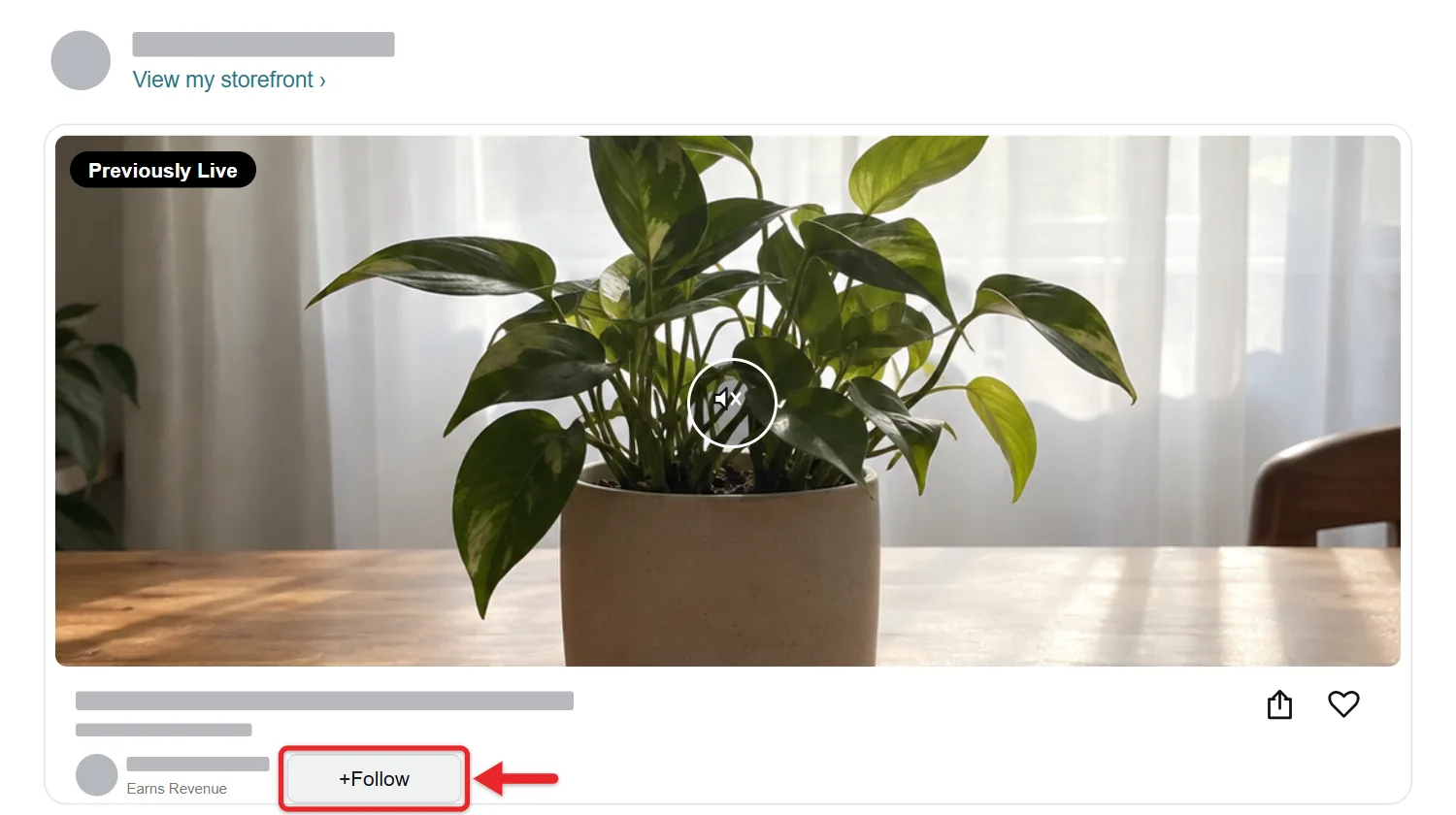
On Amazon Live, viewers can follow a creator with a Follow button and choose how often they’re notified about that creator’s activity. Look for Follow while you watch a creator’s livestream on amazon.com/live. Amazon’s help pages don’t describe a separate follow option for storefronts, so bookmark a storefront you want to revisit.
If a Storefront Won’t Load
- Page not found: the handle may be different from the one you typed, it may come from another social account, or the creator may not be in the program. Try their YouTube or Instagram handle, then search site:amazon.com/shop with their name.
- Wrong country: a creator in the UK, India or Canada uses that country’s Amazon site, such as amazon.co.uk/shop/handle. Creators with international followers can use tools that send those followers to their local Amazon storefront.
- You landed on a brand page: if the address has /stores/ in it, you’re on a Brand Store, not a creator’s page.
- A link from a bio opens the Amazon app or a short link: that’s normal. Shared Amazon links often use a short a.co address that opens the same page.
- The storefront looks empty: the creator may have stopped updating it or removed their lists. Check their social profile for a newer link.
How to Find Your Own Storefront (for Influencers)
If you’re in the Amazon Influencer Program, your storefront is at amazon.com/shop/ followed by your handle. Amazon’s Idea Lists help page says that when you go to your own storefront you’ll see an “owner view” that only you can see. From there you can rename lists, create new Idea Lists and add products.
Changes you make in the owner view show up in the public view your followers see. To change the handle itself, Amazon asks you to submit a request through its contact form, and it only allows changes for the reasons on its vanity URL page: your YouTube channel name changed, or you want the handle to match another platform where you have a larger following.
To share your link, copy the amazon.com/shop/ address from your browser and paste it into your bio. To copy product links too, read about sharing a link from the Amazon iPhone app.
Amazon explains how to join at Amazon Influencer Program. Its comparison page describes the program as an extension of Amazon Associates for qualifying social media influencers.
Does Buying Through a Storefront Cost More?
No. You pay the same Amazon price whether or not you buy through a storefront. Amazon pays the influencer a commission, similar to the Amazon Associates program. Amazon’s article on how the Amazon Influencer Program works says creators earn a commission on qualifying purchases, and rates vary by product category. Before you buy, you can still check the item’s Amazon price history to see whether the current price is a good one.
Amazon Storefront Questions
Can I browse all Amazon influencer storefronts in one place?
No. Amazon doesn’t offer a public directory of storefronts. The closest option is Amazon Live, where you can watch creators livestream and shop the products they show.
Why does amazon.com/shop/ with a creator’s name not work?
Their storefront handle may come from a different social account than the one you know, or they may not be in the program. Amazon also runs the program on its UK, India and Canada sites, so a creator outside the US may use that country’s Amazon address.
Can I search for a storefront in the Amazon app?
Amazon doesn’t document a way to search for storefronts from its search bar. Open the creator’s amazon.com/shop/ link from their bio or a web search instead, and it opens in the Amazon app or your browser.
Do I need an Amazon account to view a storefront?
You can open a storefront link in a browser to look around. To buy, you’ll need to sign in to an Amazon account, just as you would for any other order.
Related: How to Create an Amazon Account.

Matthew Burleigh is the founder, head writer, and editor of Solve Your Tech, which he launched in 2012. He has written technology tutorials since 2008 and worked in IT since 2003, including small-business support, IT management, and consulting. He holds Bachelor’s and Master’s degrees in Computer Science from Arizona State University.
Matthew writes practical guides for Windows, iPhone and iPad, Microsoft Office, Outlook, Google apps, and Android. Solve Your Tech’s guides are checked step by step against the device or app maker’s own documentation and tested on his own devices whenever he has the hardware or software, with clear steps, sources, and update dates.
Read more about Matthew and how Solve Your Tech writes and updates its guides, or report a correction.