You can sometimes view public Facebook information without an account by opening a direct Page, profile, or post link in a web browser. Facebook may still require you to log in, even when the content is public. There is no dependable refresh trick that guarantees access to every public page, and this method does not reveal private posts.
Facebook’s logged-out visibility guidance says people who are not signed in can see information shared with the Public audience and public profile information. That describes the content’s audience; it does not mean every link will load without a login prompt.
Open a Direct Facebook Link
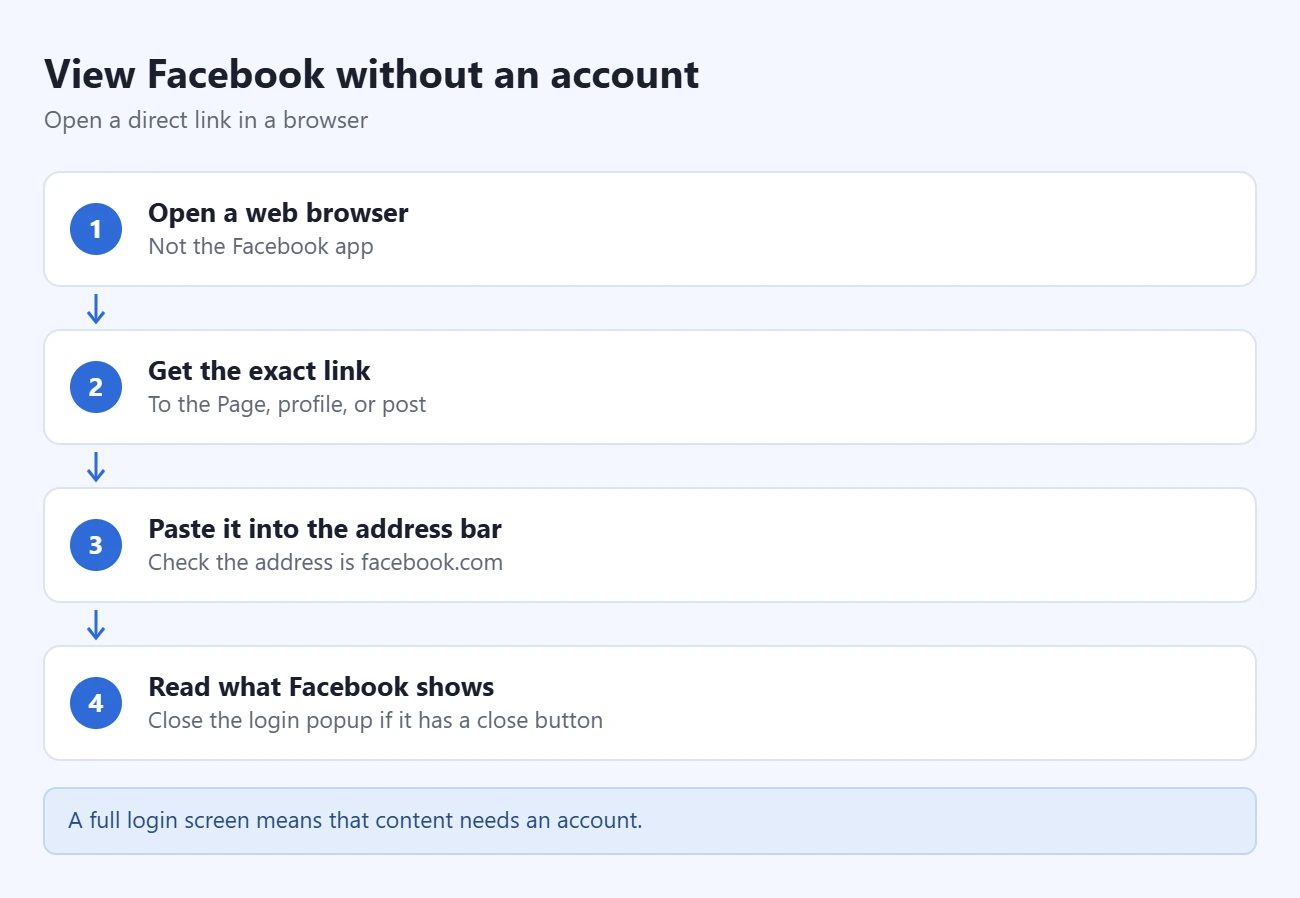
- Open a web browser such as Safari, Chrome, Edge, or Firefox. Use the browser rather than starting in the Facebook app.
- Get the exact link to the Page, profile, or post you want to read. For a business or organization, its official website may have a Facebook link in its footer or contact section.
- Paste the link into the browser’s address bar and open it. Check that the address belongs to facebook.com before entering any account information.
- If Facebook displays the content, read the information it makes available. If a login popup has a visible close button, you can try closing that popup; this option is not always present.
- If the browser instead shows a full login screen or stops you from reading further, treat that as the limit for that visit. You may need an account or another source for the information.
A Page loading successfully does not guarantee that every post, photo, video, comment, or older item on it will also load. A link that worked previously may later request a login.
Find the Link With Google or Bing
If you do not know the address, search for the organization or person’s name together with Facebook. Add a town, business name, or another identifying detail to narrow the results. You can also try a search such as:
site:facebook.com "Example Bakery" "Denver"Replace the example words with the name and location you need, then open a matching result. Confirm the identity against an official website or other reliable source; similar names alone do not prove that a Page belongs to the organization you want.
Search results can be incomplete or outdated. A snippet is not the full post, and an indexed link may point to content that is no longer available. Facebook explains that some public content can appear in search results in its search visibility help. Do not rely on the old Facebook public-directory method or assume Facebook’s own search will work while you are signed out.
What You Can and Cannot Expect to See
- Public information: a name, current profile picture, cover photo, and other information made public may be visible. Facebook describes these categories in Public information on Facebook.
- Public posts: some may load from a direct link, subject to Facebook’s access checks and the publisher’s settings.
- Restricted posts: signing out does not grant access to Friends-only posts, private groups, or other restricted content. Signing in also does not override the owner’s audience choices.
- Interaction: do not expect to like, comment, follow, or use Facebook’s account features without signing in.
Meta’s privacy guidance explains that people choose who can see their shared content. A private browsing window does not change those choices or unlock restricted material.
Posting items on Marketplace is a separate account task. Facebook requires eligible, signed-in access through your main profile. See our Marketplace setup and listing guide before trying to sell an item. If Facebook has limited your selling access, see how to appeal a Marketplace restriction.
If Facebook Requires a Login
A business Page can also have country or age restrictions. Facebook’s Page-restriction help says Pages with these restrictions cannot be seen while logged out. A visitor cannot remove the owner’s restrictions.
Recheck the original link for a copying error, but do not keep refreshing in the expectation that it will remove the login requirement. If you only need opening hours, an announcement, or contact details, look on the organization’s official website or contact it directly. You can also ask the publisher whether the same information is available outside Facebook.
Third-party “private profile viewers” are not a way to change Facebook’s privacy permissions. Avoid giving an unfamiliar viewer your Facebook password, installing its browser extension, or paying for a promised private-profile unlock. Use the publisher’s public information or the access Facebook actually offers.

Matthew Burleigh is the founder, head writer, and editor of Solve Your Tech, which he launched in 2012. He has written technology tutorials since 2008 and worked in IT since 2003, including small-business support, IT management, and consulting. He holds Bachelor’s and Master’s degrees in Computer Science from Arizona State University.
Matthew writes practical guides for Windows, iPhone and iPad, Microsoft Office, Outlook, Google apps, and Android. Solve Your Tech’s guides are tested on current devices or checked against official product documentation, with clear steps, sources, and update dates.
Read more about Matthew and how Solve Your Tech writes and updates its guides, or report a correction.