Skip to content
Solve Your Tech
  • Windows
    • Settings, Desktop & Accounts
    • Files, Devices & Troubleshooting
  • iPhone & iPad
    • iPhone Settings & Basics
    • iPhone Messages, Photos & Apps
    • iPad
    • Apple Watch & AirPods
  • Android
  • Microsoft Office
    • Excel
    • Word
    • Outlook
    • PowerPoint
  • Google
    • Chrome
    • Docs
    • Sheets
    • Slides
    • Gmail
    • Google Drive
  • Home Tech
    • Fire TV
    • Roku & Apple TV
    • Printers & Ink
    • Wi-Fi & Smart Home
  • More
    • Firefox
    • Microsoft Edge
    • Photoshop
    • Social & Other Apps
    • Mac
    • Reviews & Buying Advice
    • Store
WindowsiPhoneAndroidExcelWordOutlookGoogleChrome

Mobile Devices

How-to guides for iPhone, iPad, Apple Watch, and Android phones and tablets.

Steps to pair an Apple Pencil Pro: turn on Bluetooth, attach the Pencil, check its charge

How to Use Apple Pencil on iPad

November 17, 2026June 11, 2024 by Matthew Burleigh

To use Apple Pencil on iPad, first make sure your Pencil and iPad work together, turn on Bluetooth, and pair using the method your Pencil …
Read More

Categories Mobile Devices
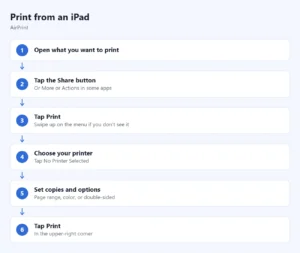
Steps to print from an iPad: open what you want to print, tap the Share button, tap Print, choose your printer, set copies and options, tap Print

How to Add a Printer to an iPad

November 12, 2026June 10, 2024 by Matthew Burleigh

You don’t add a printer to an iPad the way you do on a computer. Connect an AirPrint-compatible printer to the same Wi-Fi network as …

Read More

Categories Mobile Devices
iPad Files app with the Downloads sidebar shortcut selected and three sample files in the Downloads folder

How to Find Downloads on an iPad

November 11, 2026June 10, 2024 by Matthew Burleigh

Find downloaded files on an iPad, check Safari’s save location, and open documents in Files. Troubleshoot missing downloads and files kept in other apps.

Categories Mobile Devices
Card listing four ways to turn off the iPhone flashlight: Control Center, Lock Screen, Siri, and the Action button

How to Turn Off the Flashlight on iPhone

November 11, 2026May 15, 2024 by Matthew Burleigh

To turn off the flashlight on an iPhone, open Control Center and tap the Flashlight button. On an iPhone with Face ID, swipe down from …

Read More

Categories Mobile Devices
iMessage switch turned on in iPhone Messages settings

How to Turn On iMessage on iPhone

November 11, 2026May 13, 2024 by Matthew Burleigh

To turn on iMessage, open the Settings app on your iPhone, tap Apps, tap Messages, and turn on the iMessage switch. On iOS 17 or …

Read More

Categories Mobile Devices
Illustration of four ways to open the Settings app on iPhone and Android

How to Find the Settings App on an iPhone or Android Phone

November 10, 2026May 10, 2024 by Matthew Burleigh

On an iPhone, the Settings app is the gray gear. The fastest way to find it is to swipe down on the Home Screen, type …

Read More

Categories Mobile Devices
Steps to turn off notifications for one app: open Settings and tap Notifications, select the app, turn Allow Notifications off

How to Silence Notifications on iPhone

November 18, 2026May 10, 2024 by Matthew Burleigh

Choose the right iPhone setting for quiet: app notification permission, Sounds, Do Not Disturb, or Hide Alerts. Each method includes a way to restore alerts.

Categories Mobile Devices
Four steps to delete an app on iPhone: touch and hold the app, tap Remove App, tap Delete App, tap Delete

How to Delete Apps on iPhone

November 10, 2026May 9, 2024 by Matthew Burleigh

To delete an app on iPhone, touch and hold its icon, tap Remove App, tap Delete App, then tap Delete to confirm. That removes the …

Read More

Categories Mobile Devices
Replace the Lock Screen photo. Settings: Wallpaper > Add New Wallpaper. Choose a background: Pick Photos or Color.. Review the preview: Check the crop and clock contrast.. Save: Add > pair or customize Home Screen

How to Change the Lock Screen on iPhone

November 10, 2026May 9, 2024 by Matthew Burleigh

To change your iPhone Lock Screen, unlock the phone with Face ID or Touch ID but stay on the Lock Screen, then touch and hold …

Read More

Categories Mobile Devices
Steps to view saved passwords in the iPhone Passwords app

How to View Saved Passwords on iPhone

November 12, 2026May 1, 2024 by Matthew Burleigh

To see saved passwords on an iPhone with iOS 18 or later, open the Passwords app, unlock it with Face ID, Touch ID, or your …

Read More

Categories Mobile Devices
Four ways to move data to a new iPhone: Quick Start wirelessly, a USB-C or Lightning cable, an iCloud backup, or a Mac or PC backup

How to Transfer Data From iPhone to iPhone

November 10, 2026April 19, 2024 by Matthew Burleigh

To transfer everything from your old iPhone to a new one, turn on the new iPhone and place it next to the old one. When …

Read More

Categories Mobile Devices
Depth slider for adjusting background blur in the iPhone Photos app

How to Blur the Background of a Picture on iPhone

November 10, 2026April 18, 2024 by Matthew Burleigh

To blur the background of a picture on iPhone, open a Portrait mode photo in the Photos app, tap Edit, tap the Depth button (it …

Read More

Categories Mobile Devices
Steps to connect an AirTag to iPhone: pull the battery tab, hold it near the iPhone, tap Connect, then register it

How to Connect an AirTag to Your iPhone

November 10, 2026April 18, 2024 by Matthew Burleigh

To connect an AirTag to your iPhone, pull the plastic tab out of the AirTag, hold it next to your unlocked iPhone, and tap Connect …

Read More

Categories Mobile Devices
Steps to take pictures of the moon with iPhone: use the rear camera, keep the phone steady, focus on the moon, lower the exposure, zoom and compare a few shots

How to Take Pictures of the Moon with iPhone

November 10, 2026April 17, 2024 by Matthew Burleigh

Take better moon photos with an iPhone: steady the camera, adjust focus and exposure, compare iPhone 15 zoom options, and fix blurry or overexposed shots.

Categories Mobile Devices
Safari share sheet on iPhone with the Markup option

How to Make a PDF on iPhone

November 9, 2026April 17, 2024 by Matthew Burleigh

Make PDFs on your iPhone from webpages, notes, pictures, Pages documents, or paper scans, then find, check, and share the saved file.

Categories Mobile Devices
iPhone Safari tab-menu detail showing Close Other Tabs highlighted beneath Close Tab

How to Close All Open Tabs on iPhone

November 10, 2026April 17, 2024 by Matthew Burleigh

In Safari, open the tab overview, touch and hold Done, then choose Close All [number] Tabs. Confirm if prompted. This affects the group you are …

Read More

Categories Mobile Devices
Haptics options in Sounds & Haptics settings with Always Play selected

How to Put an iPhone on Vibrate

November 9, 2026April 17, 2024 by Matthew Burleigh

To put an iPhone on vibrate, turn on Silent mode with the Ring/Silent switch or the Action button, then open Settings > Sounds & Haptics …

Read More

Categories Mobile Devices
Comparison of deleting an iPhone wallpaper and customizing it from the Lock Screen gallery

How to Delete a Wallpaper on iPhone

November 10, 2026April 17, 2024 by Matthew Burleigh

To delete a wallpaper on iPhone, press the side button to show the Lock Screen, then touch and hold the Lock Screen until the wallpaper …

Read More

Categories Mobile Devices
Steps to download an MP3 to Files: open the download site in Safari, open Files and tap Browse, tap the saved file, make sure it is stored locally

How to Download an MP3 to iPhone

October 20, 2026April 17, 2024 by Matthew Burleigh

To download an MP3 to your iPhone, save the file from its website and find it in the Files app. If you want the song …

Read More

Categories Mobile Devices
Steps to set a custom alarm sound: open Clock and select Alarms, tap the alarm, open Sound, select a ringtone or Pick a Song, save the alarm

How to Set a Custom Alarm Sound on iPhone

October 20, 2026April 17, 2024 by Matthew Burleigh

To change a regular iPhone alarm’s sound, open Clock > Alarms, select the alarm, and tap Sound. Choose an available ringtone or use the song …

Read More

Categories Mobile Devices
Private Browsing options on iPhone: switch it off with More and New Tab, close tabs in the Private group, block it with Limit Adult Websites in Screen Time, or swipe to regular tabs in Chrome

How to Turn Off Private Browsing on iPhone or iPad

November 10, 2026April 16, 2024 by Matthew Burleigh

To turn off Private Browsing on an iPhone, open Safari, tap the More button (three dots), and tap New Tab. Safari opens a regular tab, …

Read More

Categories Mobile Devices
Steps to remove a person with Clean Up: open the photo and tap Edit, choose Clean Up, tap, brush, or circle the person, zoom in to check, tap Done

How to Erase People from Pictures on iPhone

November 10, 2026April 16, 2024 by Matthew Burleigh

To erase a person from a picture on iPhone, open the photo in Photos, tap Edit, tap Tools, choose Clean Up, then tap, brush or …

Read More

Categories Mobile Devices
Expanded iPhone brightness slider in Control Center with the Night Shift button below it

How to Use Night Shift on iPhone

November 12, 2026April 16, 2024 by Matthew Burleigh

To use Night Shift on an iPhone, open Control Center, touch and hold the brightness slider, then tap Night Shift. To have it switch on …

Read More

Categories Mobile Devices
Steps to layer two photos with Freeform: create a New Board, add the background photo, add the second photo, drag it onto the background, bring it to the front if hidden

How to Paste a Picture on Another Picture on iPhone

November 12, 2026April 16, 2024 by Matthew Burleigh

Layer whole photos with Freeform or add a cutout subject with Photos stickers. Learn the save options, iOS requirements, and resolution limits.

Categories Mobile Devices
Steps to search for pictures in Safari: open google.com in Safari, enter a description, select Images, tap a promising image, tap Visit

How to Image Search on iPhone: Find Pictures with Keywords

November 10, 2026April 15, 2024 by Matthew Burleigh

Find pictures on iPhone with Google Images in Safari. Open source pages, save to collections, check usage rights, and distinguish reverse image search.

Categories Mobile Devices
Steps to draw on iPhone without Apple Pencil: open something you can annotate, tap Markup, choose a drawing tool, draw with your finger, review and finish

Can You Connect Apple Pencil to an iPhone?

October 20, 2026April 15, 2024 by Matthew Burleigh

No, you cannot connect an Apple Pencil to an iPhone. Every Apple Pencil model works only with specific iPad models, so on an iPhone you …

Read More

Categories Mobile Devices
UK iPhone Crash Detection switch and confirmation button excerpts with Turn Off highlighted

How to Turn Off SOS on iPhone

November 11, 2026April 15, 2024 by Matthew Burleigh

“SOS” on an iPhone means two different things. To stop accidental emergency calls, open Settings > Emergency SOS and turn off Call with Hold and …

Read More

Categories Mobile Devices
Comparison of a pinned location and Live Location on iPhone: a pin stays fixed, Live Location updates as you move

How to Share Your Location on an iPhone

November 10, 2026April 13, 2024 by Matthew Burleigh

To share your location on an iPhone, open the Find My app, tap People, tap the + button, and choose Share My Location. Enter the …

Read More

Categories Mobile Devices
MacOS Photos iPhone Import screen with Album None three selected original sample photos and Import 3 Selected highlighted

How to Upload Photos From iPhone to Computer

November 10, 2026April 12, 2024 by Matthew Burleigh

To upload photos from your iPhone to a computer, connect the iPhone with a USB cable, unlock it, and tap Trust when asked. On a …

Read More

Categories Mobile Devices
Card showing three Apple-documented ways to quiet the iPhone camera shutter: Silent mode, Control Center volume, and Live Photo

How to Turn Off Camera Sound on iPhone

November 9, 2026April 12, 2024 by Matthew Burleigh

To turn off the camera sound on an iPhone, put the phone in Silent mode: flip the Ring/Silent switch so orange shows, or press and …

Read More

Categories Mobile Devices
Older posts
Newer posts
← Previous Page1 … Page5 Page6 Page7 … Page27 Next →

Join Our Free Newsletter

Featured guides and deals

You may opt out at any time.
Read our Privacy Policy

  • iPhone
  • iPad
  • Apple Watch & AirPods
  • Google Docs
  • Google Sheets
  • Google Slides
  • Google Chrome
  • Microsoft Excel
  • Microsoft Outlook
  • Microsoft Powerpoint
  • Microsoft Windows
  • Microsoft Word
  • Firefox
  • Photoshop
  • Android
  • Home Tech
  • Google
  • Microsoft Edge

info@solveyourtech.com
4845290651
2138 W. Union Blvd.
#1037
Bethlehem, PA 18018
United States

  • SolveYourTech YouTube
  • SolveYourTech Facebook
  • SolveYourTech Instagram
  • SolveYourTech Twitter
  • SolveYourTech Pinterest
  • SolveYourTech LinkedIn
  • SolveYourTech TikTok
  • Newsletter
  • Affiliate Disclaimer
  • Terms of Use
  • Privacy Policy
  • Contact
  • About Us
© SolveYourTech.com 2026We use Microsoft Clarity and Google Analytics to see how visitors use this site. See our Privacy Policy for details.
  • Windows
    • Settings, Desktop & Accounts
    • Files, Devices & Troubleshooting
  • iPhone & iPad
    • iPhone Settings & Basics
    • iPhone Messages, Photos & Apps
    • iPad
    • Apple Watch & AirPods
  • Android
  • Microsoft Office
    • Excel
    • Word
    • Outlook
    • PowerPoint
  • Google
    • Chrome
    • Docs
    • Sheets
    • Slides
    • Gmail
    • Google Drive
  • Home Tech
    • Fire TV
    • Roku & Apple TV
    • Printers & Ink
    • Wi-Fi & Smart Home
  • More
    • Firefox
    • Microsoft Edge
    • Photoshop
    • Social & Other Apps
    • Mac
    • Reviews & Buying Advice
    • Store