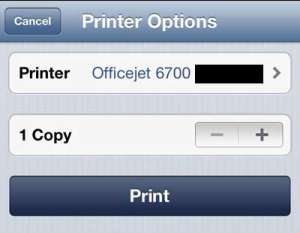
How to Print from an iPhone to the HP Officejet 6700
To print from an iPhone to an HP Officejet 6700, connect the printer and your iPhone to the same Wi-Fi network. Then open the photo, …
Check out our tutorials about the iPhone and learn how to change settings, device options, and customize the apps that you use on your phone.
Not sure where to start? Check out our featured iPhone guides below:
Or you can view topics by iPhone device model:
To print from an iPhone to an HP Officejet 6700, connect the printer and your iPhone to the same Wi-Fi network. Then open the photo, …

To block the App Store on an iPhone running iOS 27, open Settings > Screen Time > Apps & Websites > App Store, tap Installing …
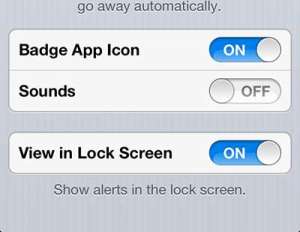
To get rid of Netflix notifications on an iPhone, open the Settings app, tap Notifications, tap Netflix, and turn off Allow Notifications. That stops all …
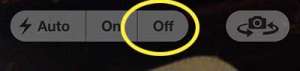
To turn off the camera flash on an iPhone, open the Camera app and tap the Flash button (the lightning bolt) until it shows a …
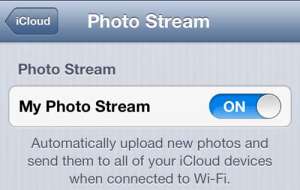
To get your iPhone pictures on your iPad with iCloud, turn on iCloud Photos on both devices. On each one, open Settings, tap your name …