To get GTA Vice City on a Windows 11 laptop, buy it from Rockstar Games and install it with the free Rockstar Games Launcher. The original game comes in Grand Theft Auto: The Trilogy on the Rockstar Store, together with GTA III and San Andreas. The remastered version comes in Grand Theft Auto: The Trilogy – The Definitive Edition. There is no official free PC download, so the short route is: pick a version, buy it, install the launcher, select Install, then Play.
This guide covers Windows 11 laptops. It explains which version suits your laptop, how to check your hardware first, the full install steps, how to confirm the game works, how to remove it, and what to do when something goes wrong. The details below come from Rockstar’s store and support pages as they read in October 2026.
What you need before you start
- A Rockstar Games account. Rockstar says its store purchases are applied to the account that makes the purchase and are then available in the Rockstar Games Launcher. Rockstar’s pages also call this a Social Club account.
- An internet connection. You need it to sign in and to activate the game. For the Definitive Edition, Rockstar also lists periodic checks that your account still owns the game.
- A payment method and the account holder’s permission. Both versions are paid.
- Enough free storage. Rockstar lists 3.6GB for a minimal install of the original Trilogy and 45GB for the Definitive Edition. The launcher itself needs 1GB.
- 64-bit Windows. The launcher’s minimum is Windows 10 64-bit, a DirectX 11 graphics card and 2GB of memory. Windows 11 is 64-bit, so a Windows 11 laptop meets the operating system part.
Vice City is rated for mature players. The store page lists blood and gore, intense violence, sexual content, strong language and drug use, so parents should check before buying it for a child.
Original or Definitive Edition: which one to buy
Rockstar sells Vice City on PC inside two different bundles. They are separate purchases, and each one includes all three games.
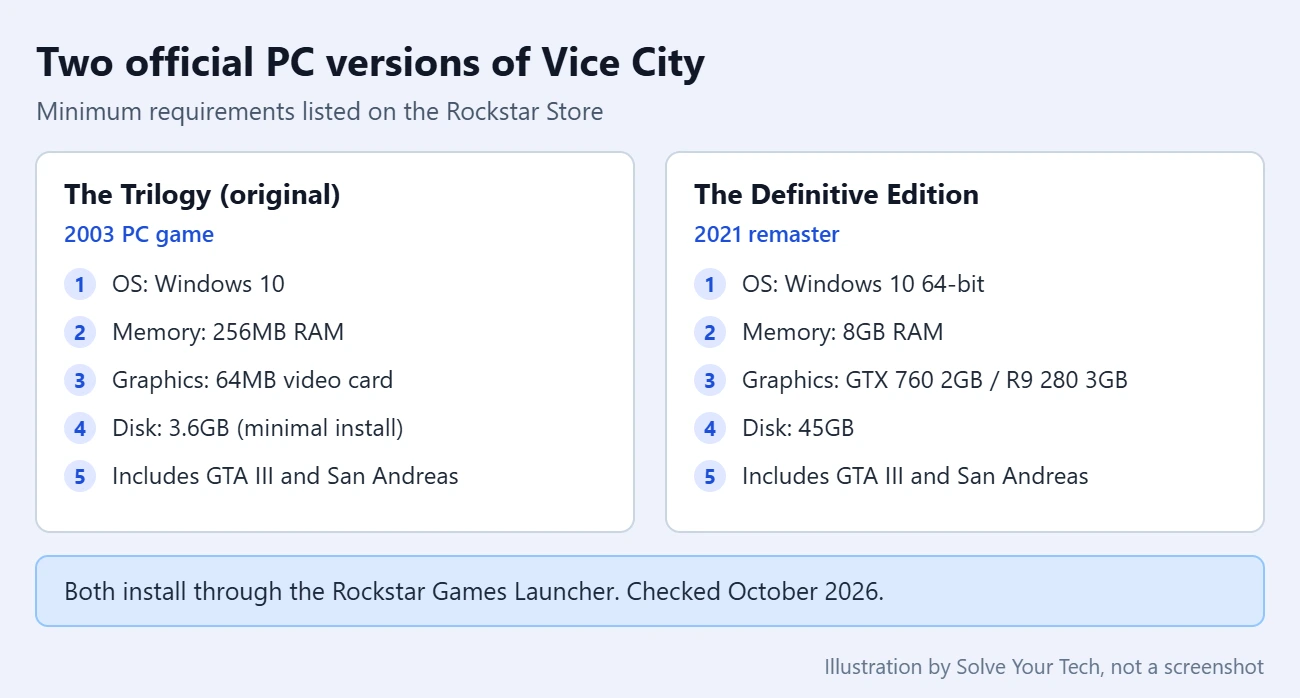
| Detail | Grand Theft Auto: The Trilogy | The Trilogy – The Definitive Edition |
|---|---|---|
| What it is | The original PC versions | A 2021 remaster with new lighting, higher-resolution textures and GTA V-style controls |
| Minimum operating system | Windows 10 | Windows 10 64-bit |
| Minimum memory | 256MB | 8GB (16GB recommended) |
| Minimum graphics | 64MB video card | Nvidia GeForce GTX 760 2GB or AMD Radeon R9 280 3GB |
| Storage | 3.6GB (minimal install) | 45GB |
| Rockstar Store price seen on October 4, 2026 | $29.99 | $59.99 |
Prices change and sales are common, so check the store page on the day you buy. The Definitive Edition’s store page also shows it as included with GTA+, Rockstar’s paid membership.
Choose the original Trilogy if your laptop is older or has basic built-in graphics and little free space. Choose the Definitive Edition if your laptop meets the requirements above and you want modern controls, a mini-map with waypoints, and the option to restart a failed mission right away. Rockstar warns that some mobile chipsets and integrated graphics may be incompatible with the Definitive Edition, which matters on thin laptops without a separate graphics card.
Check your laptop first
Compare your laptop with the table before paying, so you do not buy a version it cannot run.
- Right-click Start and select Settings.
- Select System, then About. Under Device specifications, read Processor, Installed RAM and System type. Microsoft describes this page in Find information about your Windows device.
- Go back to System and select Storage to see free space on your main drive. If it is short, see how to see what’s taking up space in Windows 11.
- To find your graphics chip, open Task Manager, select Performance, and look for the GPU entries. Many laptops list two. Our guide on checking system configuration in Windows 11 shows other places to find the same details.
If the graphics chip is below the Definitive Edition’s minimum, the original Trilogy is the safer purchase.
How to download GTA Vice City on Windows 11
These steps use the Rockstar Store and the Rockstar Games Launcher, the route Rockstar documents for both bundles.
- Open the Rockstar Store page for the version you chose: Grand Theft Auto: The Trilogy or The Trilogy – The Definitive Edition.
- Scroll to System Requirements and compare them with your laptop one more time. Requirements can change after game updates.
- Select Buy Now. Sign in with your Rockstar Games account, or create one, and finish the checkout. The purchase is tied to that account and Rockstar says it cannot be transferred to another one.
- Go to Rockstar’s Rockstar Games Launcher page and select Download for Windows. Rockstar’s support site names this page as the place to get the launcher.
- Open the downloaded installer and follow the prompts. Windows may ask you to allow the app to make changes; that prompt needs an administrator account. The setup also adds supporting components such as the Microsoft Visual C++ redistributable.
- Open the Rockstar Games Launcher and sign in with the same account you used to buy the game.
- Open your library, select Grand Theft Auto: Vice City or the Definitive Edition, and select Install. Depending on the launcher version, the button may read Install Now.
- Choose where to install if you are asked, then wait for the download. Keep the laptop plugged in and awake. The Definitive Edition is a much larger download than the original.
- When the button changes to Play, select it to start the game.

Buying on Steam instead
The Definitive Edition of Vice City also has its own listing on Steam. If you buy there, install it from your Steam Library instead of the Rockstar Store. Expect to need the Rockstar Games Launcher and a Rockstar account anyway: Rockstar states that all versions of the Definitive Edition require both. Steam shows an age check before the store page opens, and its price can differ from Rockstar’s.
Buy from one store only. A Steam purchase and a Rockstar Store purchase are separate licenses, so buying both means paying twice.
How to confirm it worked
- The launcher shows Play for the game instead of Install.
- The game appears under My installed games in the launcher’s Settings.
- The game opens to its menu and you can start a new game.
If the game opens but looks or runs poorly, lower the resolution and graphics options in the game’s own settings first. Windows has a setting that can help too; see how to turn on Game Mode in Windows 11.
How to uninstall the game or get a refund
Uninstalling removes the game files from the laptop but not the purchase. The game stays on your Rockstar account, and you can install it again later from the launcher.
- Open Settings in Windows 11 and select Apps, then Installed apps.
- Find the game in the list, select the three dots next to it, and select Uninstall.
- Remove the Rockstar Games Launcher the same way only if you have no other Rockstar games installed.
If the game is not in that list, look in the launcher’s Settings under My installed games for the game’s own options. For money back, read Rockstar’s refund and return policy before you buy, because digital purchases have conditions. Steam purchases follow Steam’s own refund rules.
Avoid free “Vice City download” sites
Search results for this game are full of pages that offer a free download, a small setup file, or a “pre-installed” copy. None of those are official. Rockstar sells the PC game only as a paid product, and its license is tied to a Rockstar account.
- Unofficial installers are a common way for adware and malware to reach a PC.
- They are not updated or supported, and Rockstar’s launcher will not recognize them.
- Downloading a paid game without buying it is copyright infringement.
The safe test is the web address. Buy only from store.rockstargames.com or a store that Rockstar itself links to, and download the launcher only from Rockstar’s own site.
Troubleshooting
The launcher says “Play On Steam” and there is no Install button
Rockstar says this happens when files for the same game from an earlier Steam install are already on the PC. Its fix is to close Steam, temporarily rename that game’s folder inside Steam’s steamapps\common folder, restart the Rockstar Games Launcher, install the game, and then rename the folder back. Rockstar’s Play On Steam article lists the exact steps.
“Only Windows 10 and later are supported”
On a Windows 11 laptop this message usually means the launcher or the game is set to run in compatibility mode for an older Windows version. Close the launcher, right-click its desktop icon, select Properties, open the Compatibility tab, and clear Run this program in compatibility mode for. Select Apply, then OK, and start the launcher again. If the error stays, do the same for the game’s .exe file: in the launcher, open Settings, select the game under My installed games, and select Open under View installation folder.
The game will not start or crashes
Verify the game files first. In the launcher, go to Settings, select the game under My installed games, and select Verify Integrity under Verify game file integrity. Rockstar’s verify game files guide says a message appears above the system tray when the game is verified and ready to play. After that, update your graphics driver in Windows 11 and try again.
The game is missing from the launcher library
Check that you signed in to the launcher with the same Rockstar account that bought the game. A purchase made on a different account, or on Steam, will not show as a Rockstar Store purchase. Your order receipt shows which account was used.
The download stops or there is not enough space
Free up storage, keep the laptop plugged in, and stay on a stable connection. If the laptop sleeps during long downloads, change the sleep setting in Settings > System > Power & battery until the install finishes.
You are signed out when you start the game
Rockstar allows only one PC to be logged in per account at a time. Sign out on the other computer, then sign in again on the laptop.
Frequently asked questions
Is GTA Vice City free on PC?
No. There is no official free PC version of GTA Vice City. Rockstar sells it inside Grand Theft Auto: The Trilogy and The Trilogy – The Definitive Edition, and the Definitive Edition is also shown as included with a paid GTA+ membership.
Can I buy only Vice City without the other two games?
On the Rockstar Store, both PC options are three-game bundles that include GTA III, Vice City and San Andreas. Once you own a bundle, you can install only Vice City if the launcher lists the games separately, which saves storage.
Will the original Vice City run on Windows 11?
Rockstar lists Windows 10 as the minimum for the original Trilogy and includes Grand Theft Auto: Vice City among the games the Rockstar Games Launcher supports. Rockstar does not name Windows 11 on that store page, so treat it as likely but not guaranteed, and check Rockstar Support if it will not start. An old disc copy from 2003 is a different case and may not install cleanly on a modern laptop.
Do I need an internet connection to play?
You need one to download, sign in and activate the game. Vice City is a single-player game, but Rockstar lists periodic online ownership checks for the Definitive Edition, so do not count on playing it with no connection for long periods.
Is GTA Vice City in the Microsoft Store?
The routes Rockstar documents for PC are its own store and launcher, plus Steam for the Definitive Edition. Rockstar launcher games do not use Microsoft’s Gaming Services. If another game asks for that component, see how to install Gaming Services or how to get the Microsoft Store on Windows 11.
Can I play it on a TV from my laptop?
Yes, a laptop can send its picture to a TV over an HDMI cable, and the game runs the same way. See how to use HDMI on a Windows 11 laptop.
Next step
Check your laptop against the requirements table, pick the bundle that fits, and buy it from the Rockstar Store. If a different game refuses to open after you set things up, our guide on fixing Roblox not launching on Windows 11 walks through the same kind of checks.

Matthew Burleigh has been writing tech tutorials since 2008. His writing has appeared on dozens of different websites and been read hundreds of millions of times.
After receiving his Bachelor’s and Master’s degrees in Computer Science he spent several years working in IT management for small businesses. However, he now works full time writing content online and creating websites.
His main writing topics include iPhones, Microsoft Office, Google Apps, Android, and Photoshop, but he has also written about many other tech topics as well.