The best-selling wireless keyboard and mouse combo on Amazon is the Logitech MK270, a full-size, spill-resistant set that runs on one small USB receiver and carries a three-year warranty. Logitech makes seven of the top twelve. The rest are from HP and three lesser-known brands that sell mainly on Amazon. Most of these combos type and click about the same. They differ in four ways: receiver type, size and layout, noise, and whether the mouse fits your hand.
As an Amazon Associate, Solve Your Tech earns from qualifying purchases. Buying through the Amazon links on this page doesn’t change your price. See our affiliate disclaimer for details.
How This List Was Made
This list is based on sales, not on hands-on testing. We haven’t used these keyboards and mice ourselves. Here’s what the list does rely on:
- Order: the top twelve of Amazon’s US Best Sellers list for Computer Keyboard & Mouse Combos on October 23, 2026, in Amazon’s order. All twelve happened to be wireless.
- Specs for Logitech and HP models: checked against each manufacturer’s own product pages, data sheets and support articles, linked in each section. Where an Amazon listing disagreed with the manufacturer, we used the manufacturer’s figure and point out the difference.
- Specs for the other brands: RECCAZR, ULSOU and EDJO don’t publish product pages for these combos that we could find, so their details come from the Amazon listings alone and are labeled that way.
Ratings, review counts and prices change constantly, so they’re not quoted here. Amazon’s rankings update every hour as well, so treat the order as a snapshot.
The 12 Combos Side by Side
| Rank | Combo | Connection | Keyboard size | Mouse shape | Battery life (keyboard / mouse) |
|---|---|---|---|---|---|
| 1 | Logitech MK270 | USB receiver | Full size | Ambidextrous | 36 / 12 months |
| 2 | Logitech MK540 Advanced | Unifying USB receiver | Full size, palm rest | Ambidextrous | 36 / 18 months |
| 3 | Logitech MK345 | USB receiver | Full size, palm rest | Right-handed | 36 / 18 months |
| 4 | RECCAZR Silent Combo | USB receiver | Full size | Ambidextrous (listing) | Not stated |
| 5 | Logitech MK335 | USB receiver | Full size, low profile | Ambidextrous (listing) | 24 / 12 months (listing) |
| 6 | ULSOU EK30 Wave | USB receiver | Full size, wave keys, wrist rest | Right-handed (listing) | Not stated |
| 7 | EDJO MK258 | USB receiver | Full size | Ambidextrous (listing) | Up to 365 days (listing) |
| 8 | Logitech MK470 Slim | USB receiver | Compact with numpad | Ambidextrous | 36 / 18 months |
| 9 | Logitech MK250 | Bluetooth only | Compact with numpad | Ambidextrous | 12 / 12 months |
| 10 | RECCAZR Curved Ergonomic | USB receiver | Full size, curved layout | Not stated | Not stated |
| 11 | HP 230 | USB receiver | Full size | Not stated | 16 / 12 months |
| 12 | Logitech MK295 Silent | USB receiver | Full size | Contoured | 36 / 18 months |
Battery figures are the manufacturer’s estimates for typical use. Heavy daily use will run batteries down faster.
Quick Picks by Need
- Most people: Logitech MK270. It’s simple, durable, spill-resistant, and the only combo here with a three-year warranty.
- Shared office or late-night typing: Logitech MK295 Silent, which Logitech measured as much quieter than the MK270.
- Long typing sessions: Logitech MK540 Advanced or MK345, both with a built-in palm rest.
- Small desk or laptop bag: Logitech MK470 Slim, a compact low-profile keyboard that still has a number pad.
- A laptop with no spare USB-A port: Logitech MK250, which uses Bluetooth and needs no receiver.
- A mostly HP office: HP 230, which HP supports on Windows 10 and 11.
1. Logitech MK270
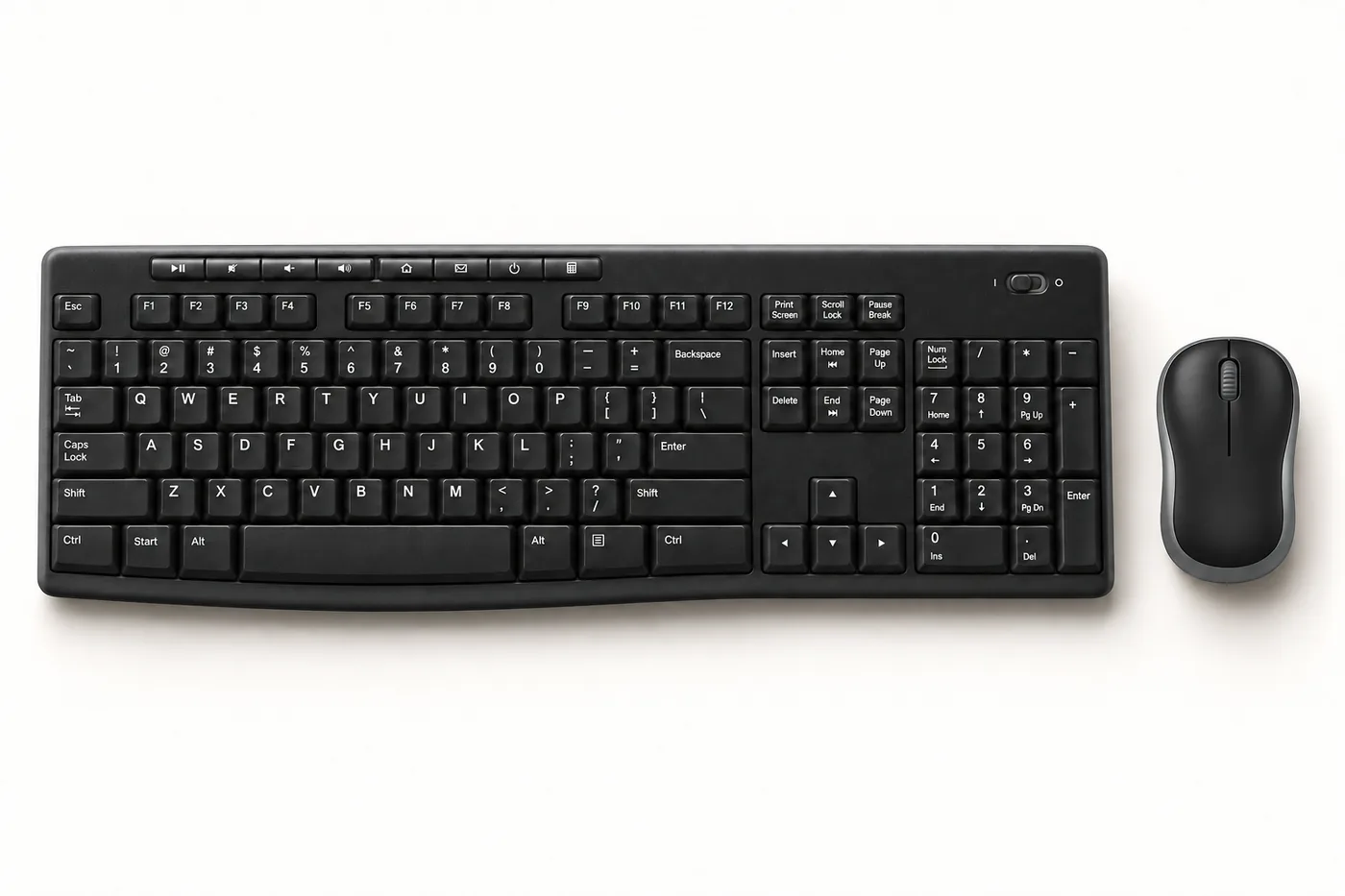
The MK270 has been a top seller for years, and the reasons are practical. It’s a standard full-size keyboard with a number pad, eight media keys and two tilt angles, paired with a small mouse that works in either hand. Both connect through one tiny USB receiver with a range of about 33 feet. Logitech rates the keyboard as spill-resistant up to 60 ml, about a quarter cup.
- Batteries: keyboard takes 2 AAA (up to 36 months); mouse takes 1 AA (Logitech’s data sheet says up to 12 months)
- Mouse: compact, ambidextrous, 1000 DPI
- Works with: Windows, ChromeOS, and per Logitech’s support specs, macOS and Linux
- Warranty: 3-year limited hardware warranty, the longest on this list
Worth knowing: the mouse is small. Some people with larger hands find it cramped and buy a separate full-size mouse. The current MK270 uses Logitech’s standard (non-Unifying) receiver, so if you lose it, you’ll need to contact Logitech support rather than buy a replacement off the shelf.
Manufacturer details: Logitech MK270 product page.
2. Logitech MK540 Advanced
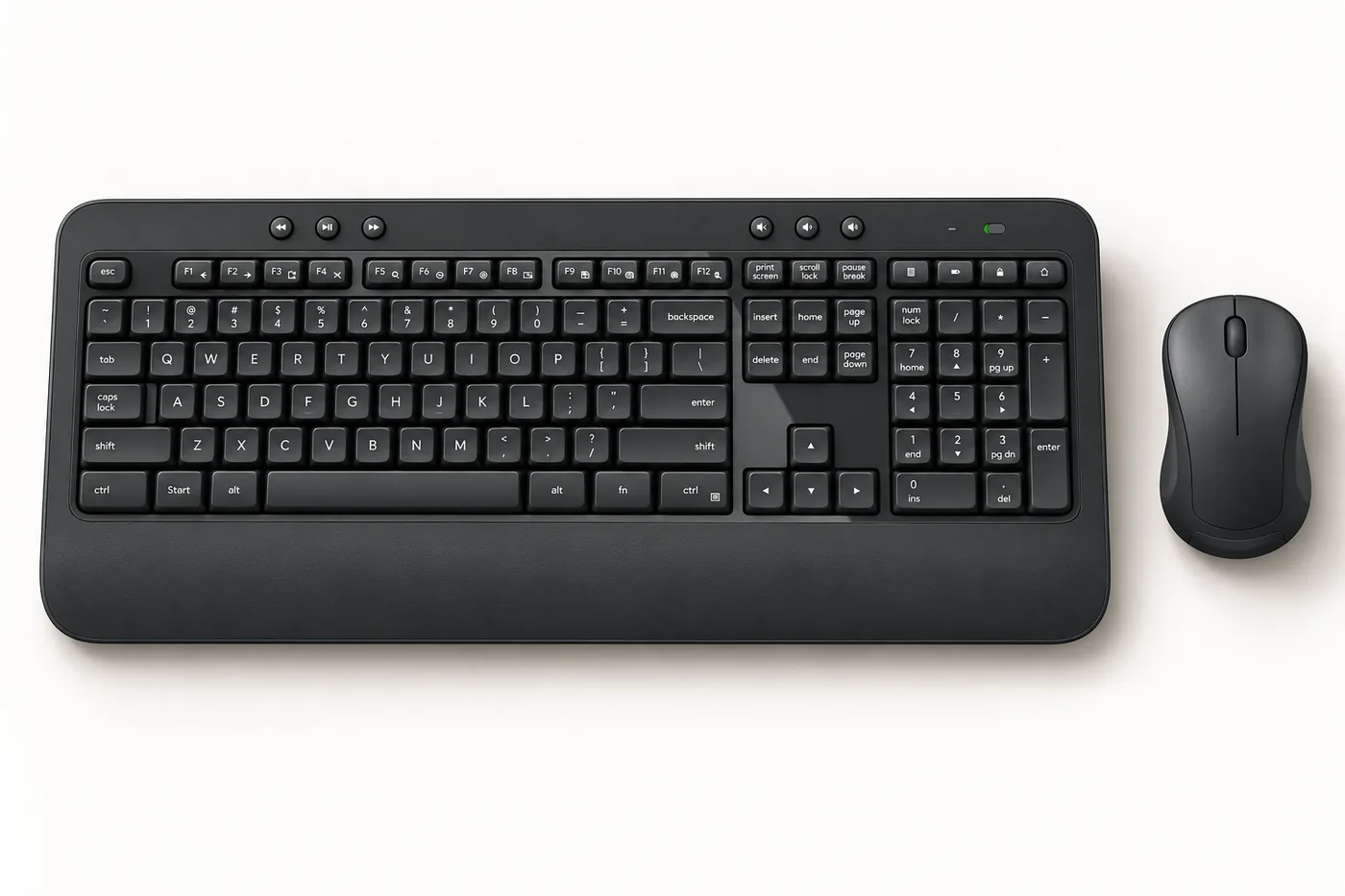
The MK540 Advanced is the comfort upgrade from the MK270. Its full-size keyboard adds a built-in palm rest, three height settings, quieter keys and a Caps Lock light. The mouse is larger, with soft rubber side grips, and still works in either hand. It’s the only combo on this list with a Logitech Unifying receiver. One receiver can hold up to six compatible Logitech devices, and you can buy a replacement directly from Logitech if you lose it.
- Batteries: keyboard takes 2 AA (up to 36 months); mouse takes 1 AA (up to 18 months)
- Keyboard: 107 keys, spill-resistant up to 60 ml, media keys, F-keys you can customize in Logi Options+
- Works with: Windows and ChromeOS per Logitech’s compatibility list
- Warranty: 1 year in the US
Worth knowing: the palm rest makes the keyboard deep from front to back, so check your keyboard tray depth.
Manufacturer details: Logitech MK540 Advanced technical specifications.
3. Logitech MK345
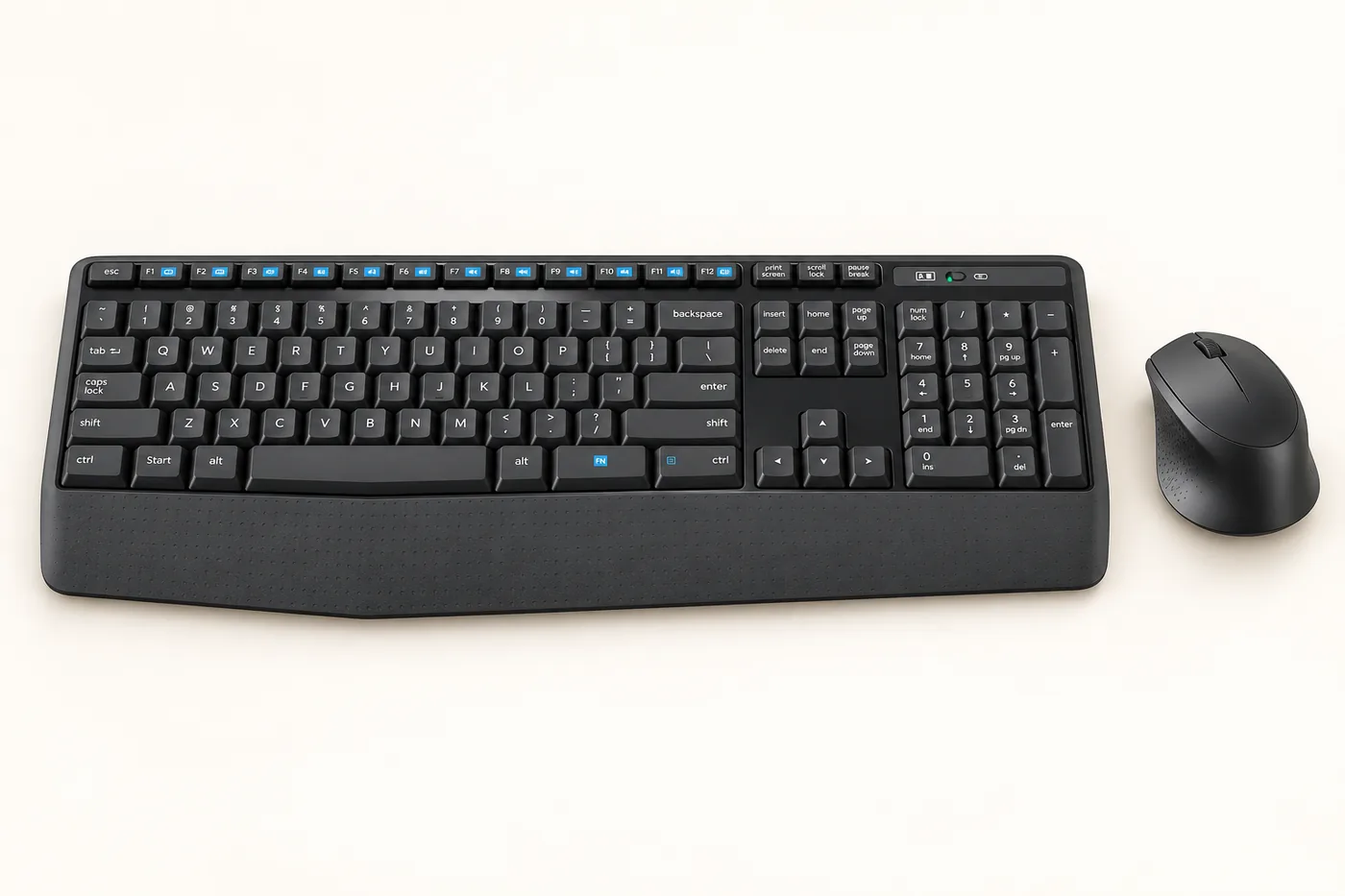
The MK345 pairs a full-size keyboard and textured palm rest with a contoured, right-handed mouse. That shape is the main reason to choose it over the MK540: a mouse molded for the right hand supports your palm better than a symmetrical one, but it won’t suit left-handed users at all.
- Batteries: keyboard takes 2 AAA (up to 36 months); mouse takes 1 AA (up to 18 months)
- Keyboard: full size with number pad, spill-resistant, media shortcuts on the F-keys
- Works with: Windows and ChromeOS per Logitech; Logitech’s spec page doesn’t list macOS
- Warranty: 1-year limited hardware warranty
Worth knowing: the Amazon listing mentions macOS support, but Logitech’s own specification page doesn’t. Basic typing and pointing generally work on a Mac with any USB keyboard, but media keys may not.
Manufacturer details: Logitech MK345 product page.
4. RECCAZR Silent Wireless Combo
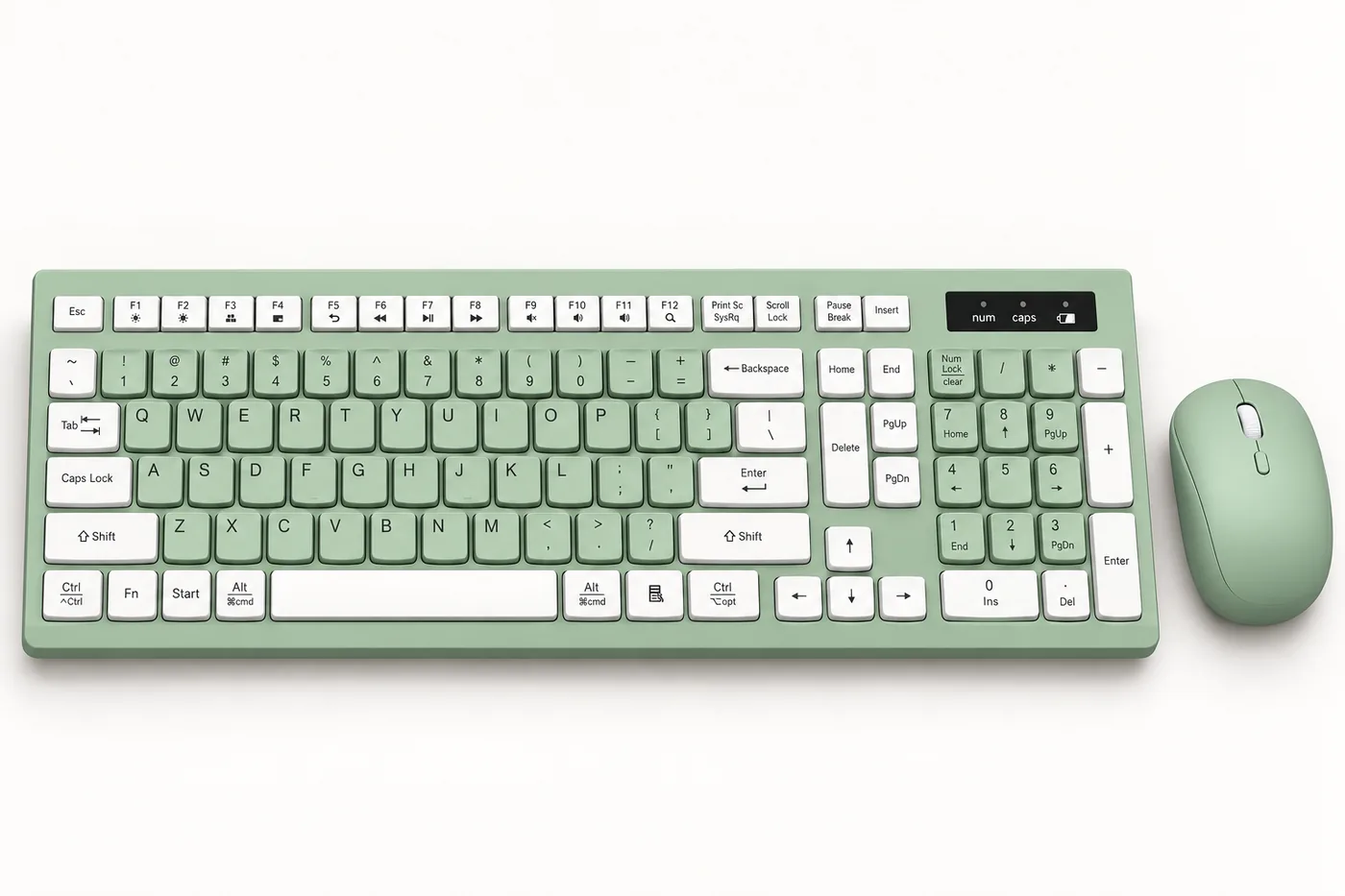
This is the best-selling combo from a brand that sells mainly on Amazon, and its colorful finishes, like avocado green, are a big part of its appeal. According to the listing, it’s a full-size, 104-key keyboard with quiet membrane keys and adjustable tilt legs, plus a silent mouse with three speed settings (800, 1200 and 1600 DPI). The tiny USB receiver stores inside the mouse.
- Batteries (listing): 2 AA in total; the listing doesn’t say how they’re split between keyboard and mouse or how long they last
- Warranty (listing): 1 year
Worth knowing: RECCAZR’s own website lists only gaming keyboards, not this combo, so there’s no manufacturer spec page to check claims against. Its support depends on the seller.
5. Logitech MK335
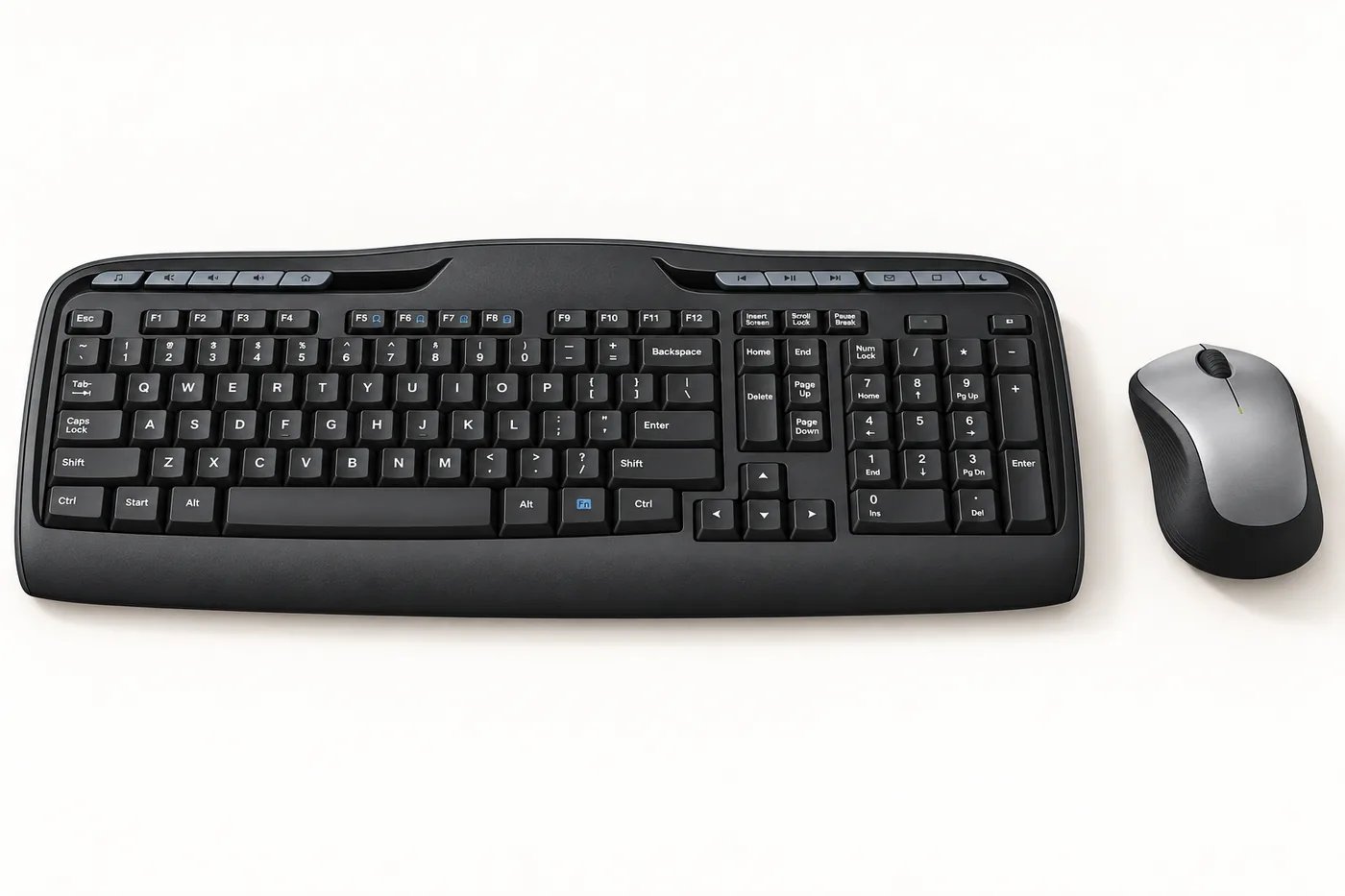
The MK335 is a slimmer-looking Logitech combo with low-profile keys and a silver-and-black finish. Logitech doesn’t currently publish a product page or specification sheet for it, so everything here comes from the Amazon listing. That suggests it’s a retailer-specific or older model.
- Keyboard (listing): full size, low-profile quiet keys, 11 hotkeys
- Mouse (listing): ambidextrous, with a slot to store the receiver
- Battery life (listing): keyboard up to 24 months, mouse up to 12 months
Worth knowing: with no Logitech documentation, warranty and compatibility details are harder to confirm than for the other Logitech models here. If you want a quiet, low-profile Logitech set with full support pages, the MK470 Slim and MK295 Silent are documented alternatives.
6. ULSOU EK30 Wave Ergonomic Combo
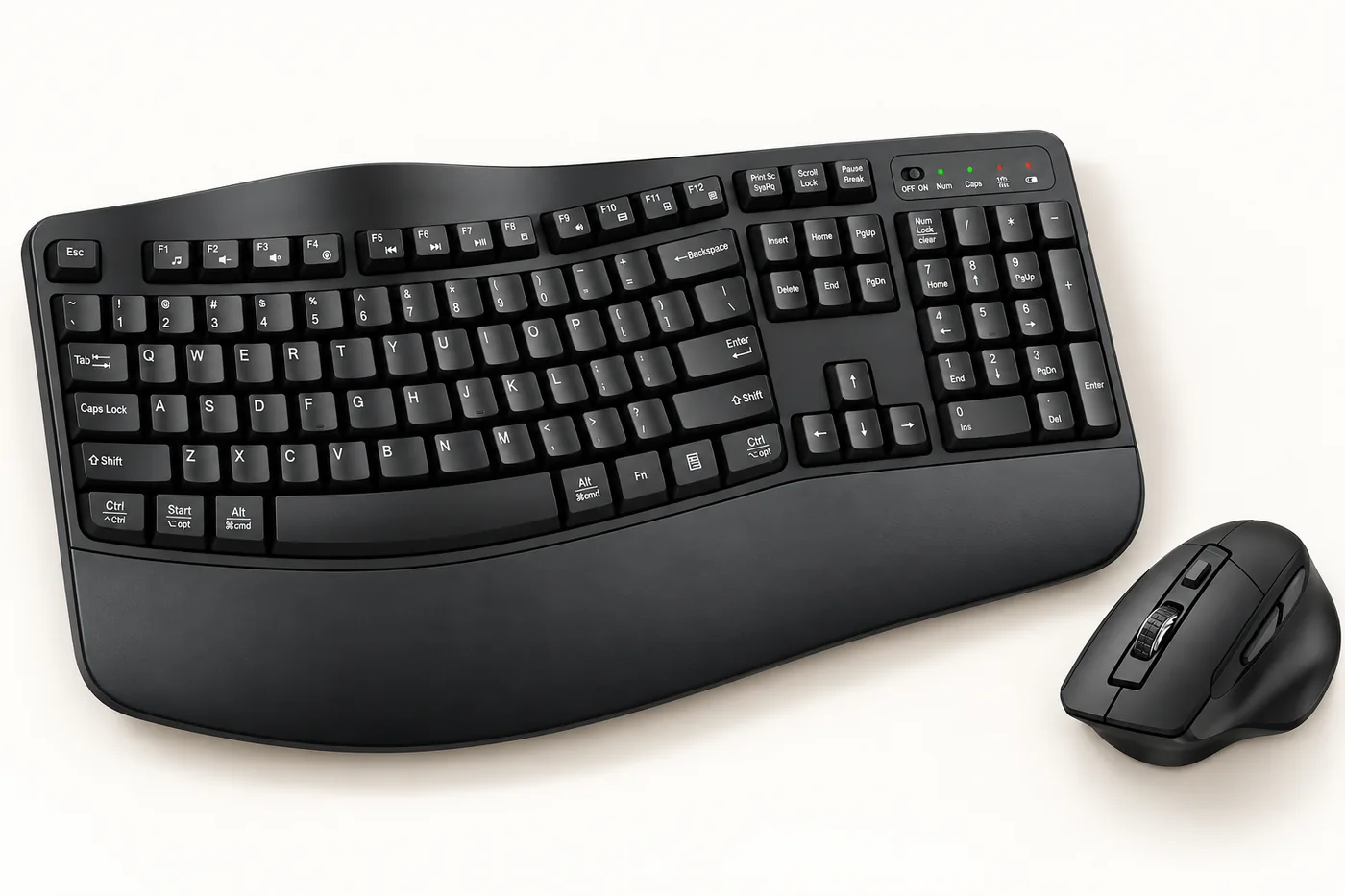
The EK30 is the budget ergonomic option on this list. According to the listing, its keyboard has a gentle wave-shaped key layout and an attached wrist rest, and the mouse is contoured for the right hand. Both share one 2.4 GHz USB receiver and need no software.
- Mouse (listing): right-handed, three DPI settings
- Power saving (listing): keyboard sleeps after 30 seconds idle, mouse after 15 minutes
- Warranty (listing): 12 months
Worth knowing: we couldn’t find an official ULSOU website, so the listing is the only source for these details. A wave layout is only mildly ergonomic. If you have wrist pain, Logitech’s Wave Keys combos, a little further down Amazon’s list, are a more fully documented ergonomic option.
7. EDJO MK258 Silent Combo
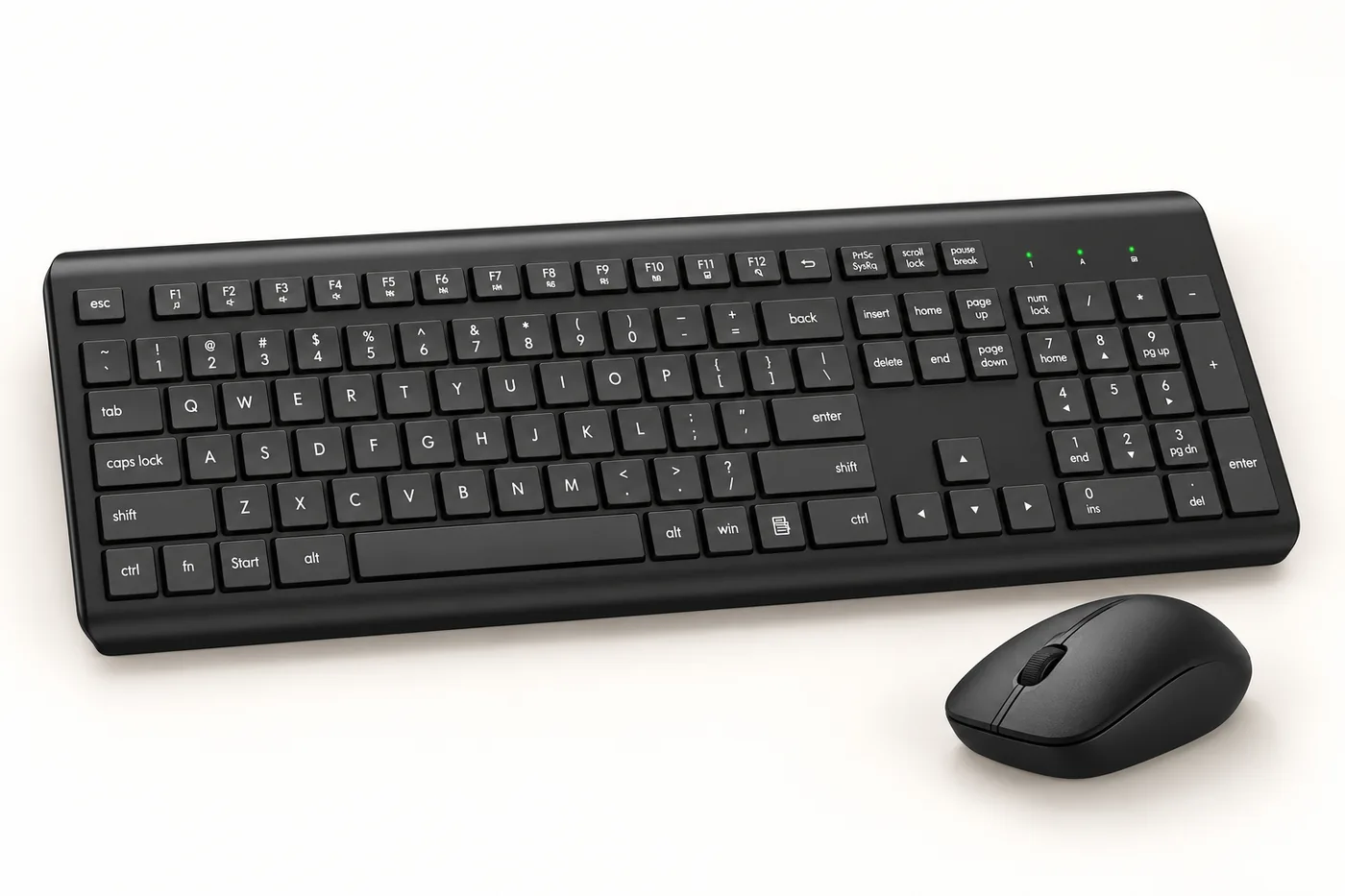
Like the other lesser-known brands here, EDJO sells a plain full-size combo with quiet membrane keys and tilt legs, according to its listing. The listing claims compatibility with Windows, macOS, ChromeOS and Linux, and says the mouse runs at 1600 DPI with the receiver stored inside it.
- Battery (listing): “up to 365 days,” without saying which device or which battery type
- Keyboard (listing): 106 keys, a few more than a standard US full-size layout
- Warranty (listing): 12 months
Worth knowing: on a Mac, the typing keys and mouse will work like any USB keyboard, but special keys labeled for Windows may do nothing or something unexpected.
8. Logitech MK470 Slim
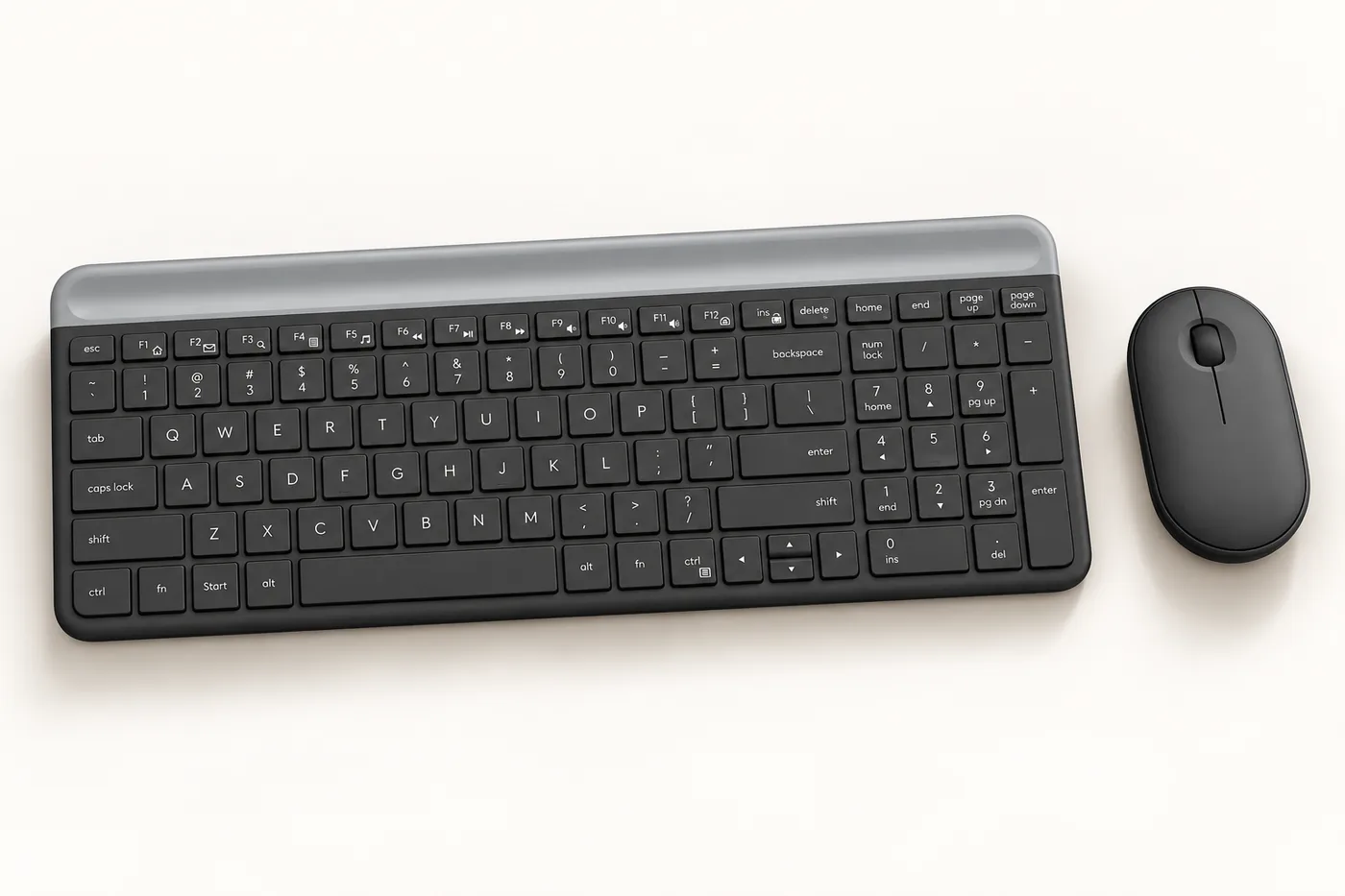
The MK470 is the one to pick if desk space is tight. Its keyboard is compact but keeps the number pad, using low-profile scissor keys, the laptop-style switch type, with 1.8 mm of travel. It’s about 14.7 inches wide. The mouse is a slim, pebble-shaped design that works in either hand, and Logitech says it cuts click noise by 90 percent.
- Batteries: keyboard takes 2 AAA (up to 36 months); mouse takes 1 AA (up to 18 months)
- Keyboard: 12 shortcut keys, whisper-quiet typing per Logitech
- Works with: Windows and ChromeOS per Logitech
- Warranty: 1-year limited hardware warranty
Worth knowing: unlike the full-size Logitech models here, Logitech doesn’t describe the MK470 keyboard as spill-resistant. The flat, shallow keys feel like a laptop keyboard, which some people love and others find too shallow for long typing sessions.
Manufacturer details: Logitech MK470 product page.
9. Logitech MK250 Bluetooth
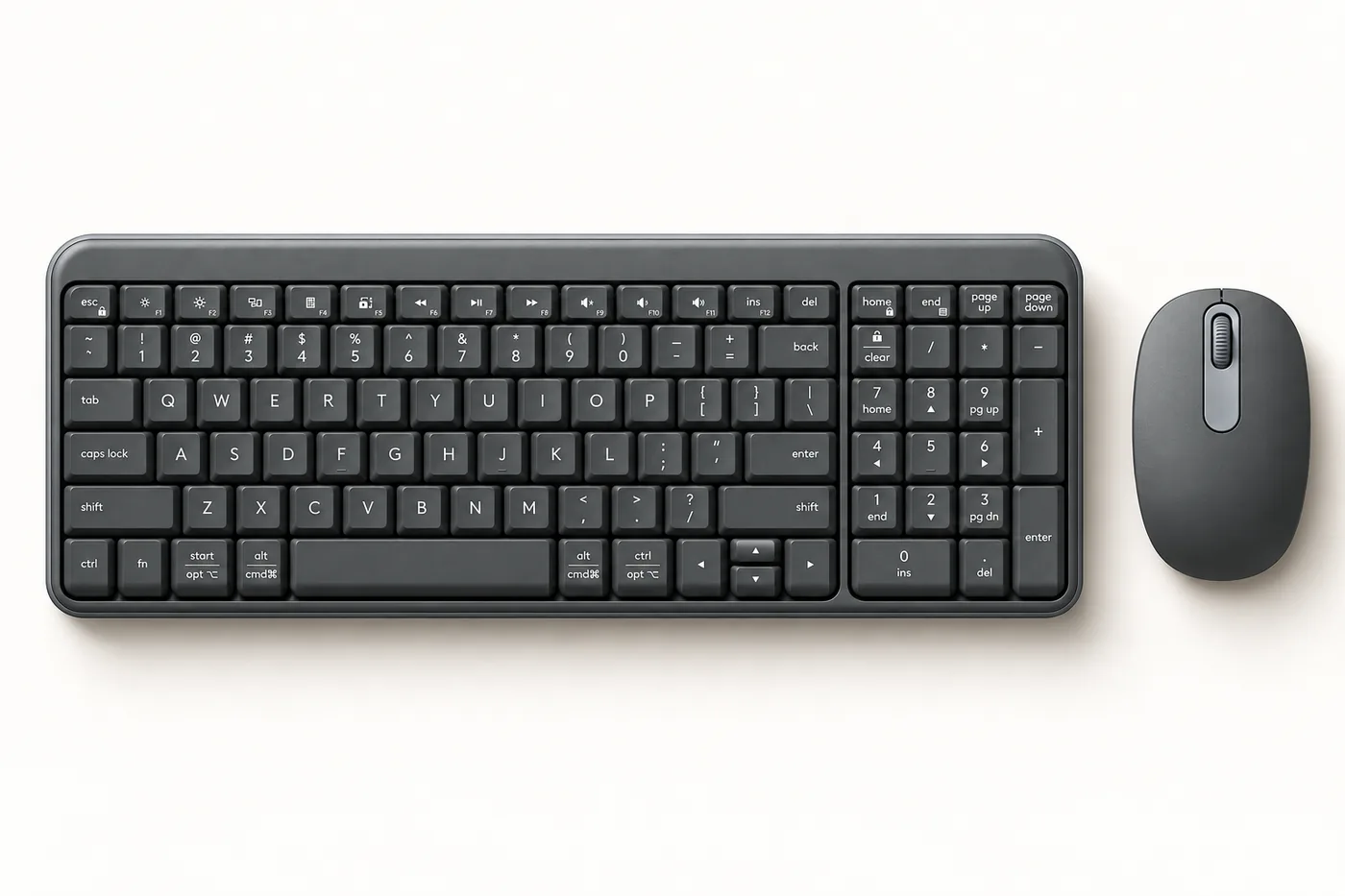
The MK250 is the only combo here with no USB receiver at all. Both pieces connect by Bluetooth, which makes it a good fit for newer laptops that only have USB-C ports. The compact keyboard has a number pad, “deep-profile” keys, and key labels for both Windows and Mac. Logitech rates it spill-resistant up to 60 ml, and the keyboard is certified “Works With Chromebook.”
- Batteries: keyboard takes 2 AAA, mouse takes 1 AA; Logitech rates both at up to 12 months, and they come installed
- Works with: Windows 10 and 11, macOS 12 or later, and ChromeOS per Logitech
- Made with: at least 64% recycled plastic in the keyboard and 66% in the mouse, per Logitech
- Warranty: 1-year limited hardware warranty
Worth knowing: Logitech doesn’t say the MK250 can switch between several devices. Its single pairing button suggests it connects to one computer at a time. Logitech also doesn’t list iPad or Android support, so don’t count on it for a tablet setup. Bluetooth keyboards usually don’t work before the operating system loads, such as in a computer’s BIOS or startup menu, while a receiver-based combo does.
Manufacturer details: Logitech MK250 product page.
10. RECCAZR Curved Ergonomic Combo

RECCAZR’s second entry is a newer design with a curved key layout and tilt legs at both the front and back. The front legs let you tilt the keyboard away from you, a position some people find easier on the wrists when standing or sitting low. According to the listing, it otherwise shares the silent keys, three-speed mouse and receiver-in-the-mouse design of the RECCAZR combo at No. 4.
- Batteries (listing): 2 AA, with no split or battery-life figure given
- Compatibility (listing): Windows and Linux
Worth knowing: this one has far fewer reviews than the others on the list, so there’s less buyer feedback to go on. As with the No. 4 pick, there’s no manufacturer page to check the details.
11. HP 230 Wireless Combo
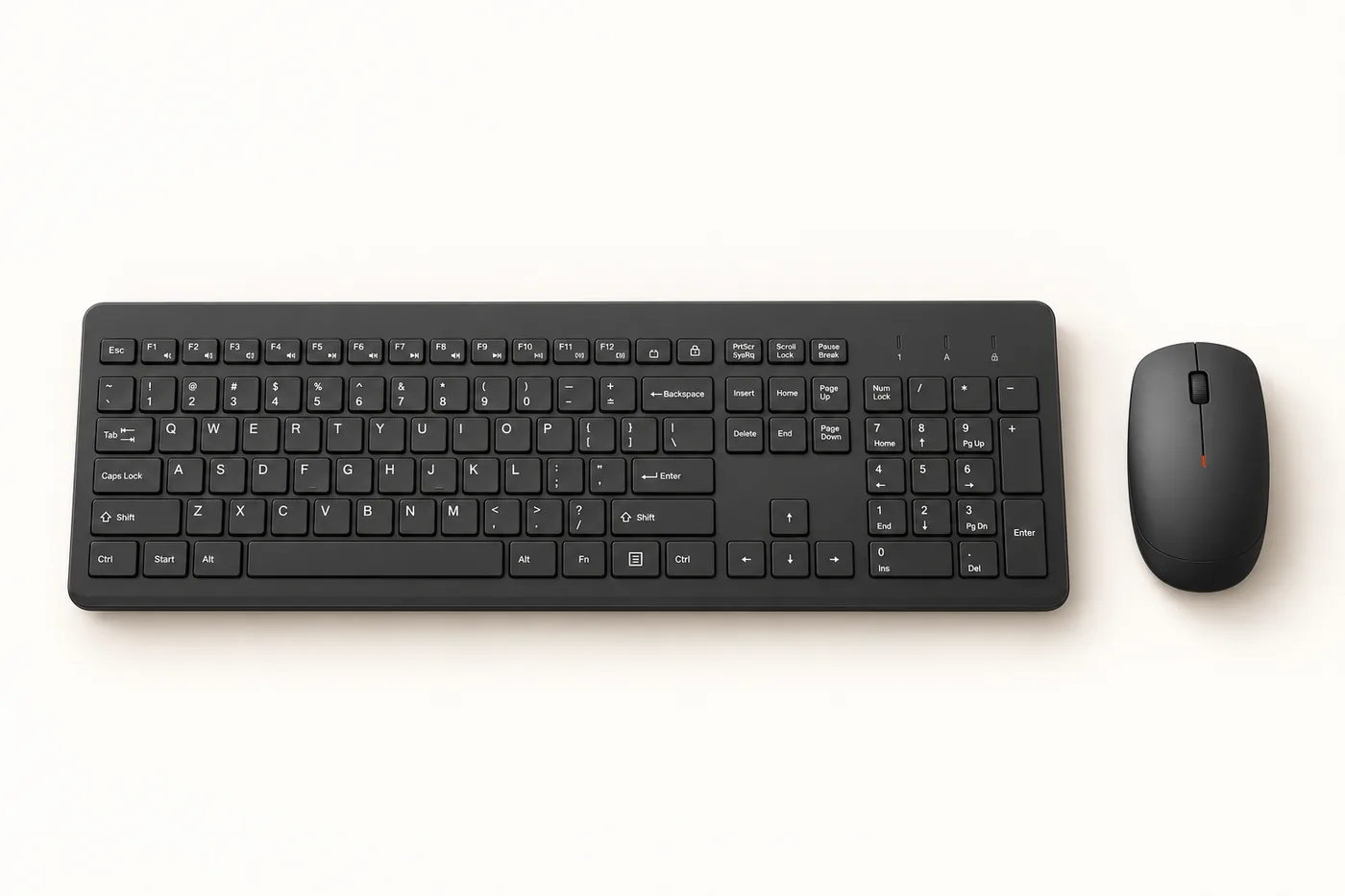
HP’s 230 is a straightforward full-size set with low-profile chiclet keys, the flat, separated keys common on laptops, and 12 one-touch shortcut keys. Its mouse goes up to 1600 DPI, faster than the 1000 DPI Logitech mice here, which helps on large or multiple monitors. Both connect through a single USB-A receiver.
- Batteries: keyboard takes 2 AAA (up to 16 months); mouse takes 1 AA (up to 12 months)
- Works with: Windows 10 and Windows 11 per HP
- Warranty: HP’s US specifications list a 1-year limited warranty
Worth knowing: the Amazon listing we checked gets the batteries wrong. It says three AAA in one place and four AAA in another. HP specifies two AAA for the keyboard and one AA for the mouse. Have both sizes on hand. HP also lists only Windows, so Mac and Chromebook owners should look at a Logitech model instead.
Manufacturer details: HP 230 product page.
12. Logitech MK295 Silent
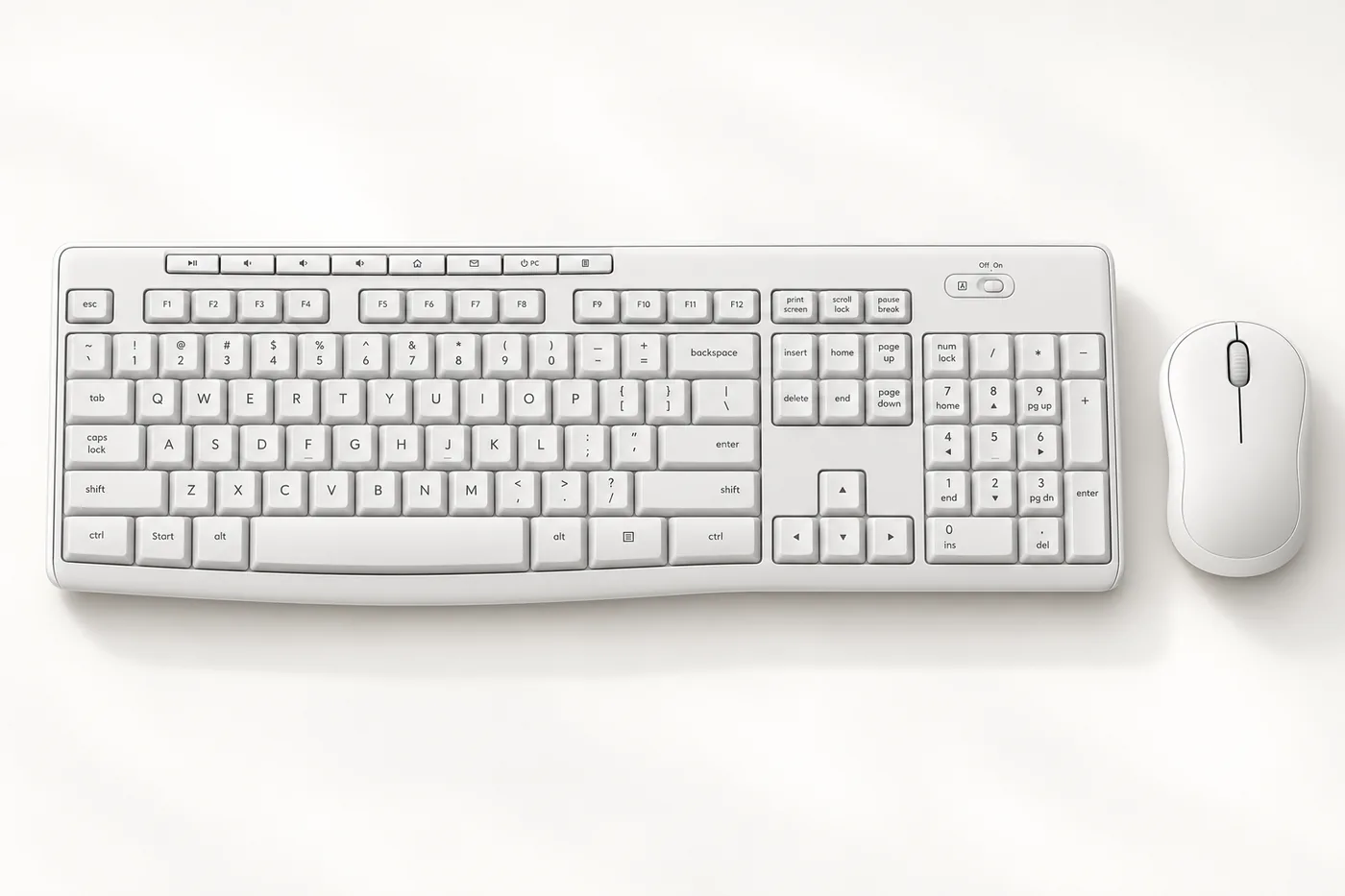
The MK295 is Logitech’s quiet version of the MK270 layout: full size, number pad, eight shortcut keys and spill resistance. Its quiet claim is backed by numbers. In Logitech’s own measurements, the K295 keyboard registered about 16.9 decibels against the K270’s 30.1, and its mouse about 24.3 against 36.7 for the M185 mouse. If you share a room or take calls while typing, this is the one to get.
- Batteries: keyboard takes 2 AAA (up to 36 months); mouse takes 1 AA (up to 18 months)
- Mouse: compact and contoured, 1000 DPI
- Works with: Windows and ChromeOS per Logitech
Worth knowing: the MK295 receiver is dedicated to this combo. It can’t pair with other Logitech devices, and if you lose it, Logitech’s support page says to contact customer care.
Manufacturer details: Logitech MK295 product page.
How to Choose the Right Combo
USB receiver or Bluetooth
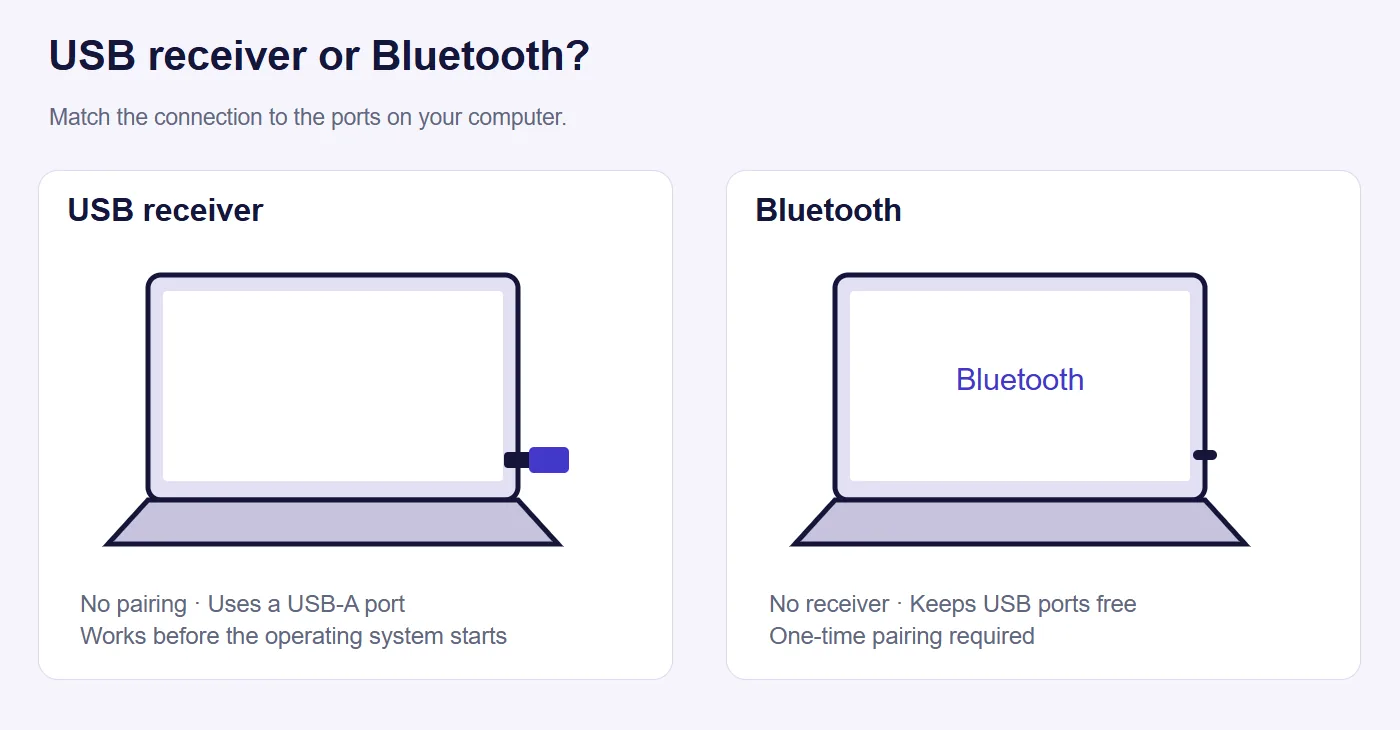
Eleven of these twelve use a small USB-A receiver that you plug into the computer. A receiver connects instantly, needs no pairing, and works before Windows starts, so you can use it in BIOS menus and at startup. The downside is that it takes a USB-A port, which many newer laptops don’t have, and losing it can leave the set unusable.
Bluetooth needs no receiver and works with USB-C-only laptops. It does need a one-time pairing, and it may take a second to reconnect after the keyboard has been asleep. If your computer only has USB-C, you can either choose a Bluetooth combo like the MK250 or use a small USB-C to USB-A adapter with a receiver combo.
Receiver types and replacements
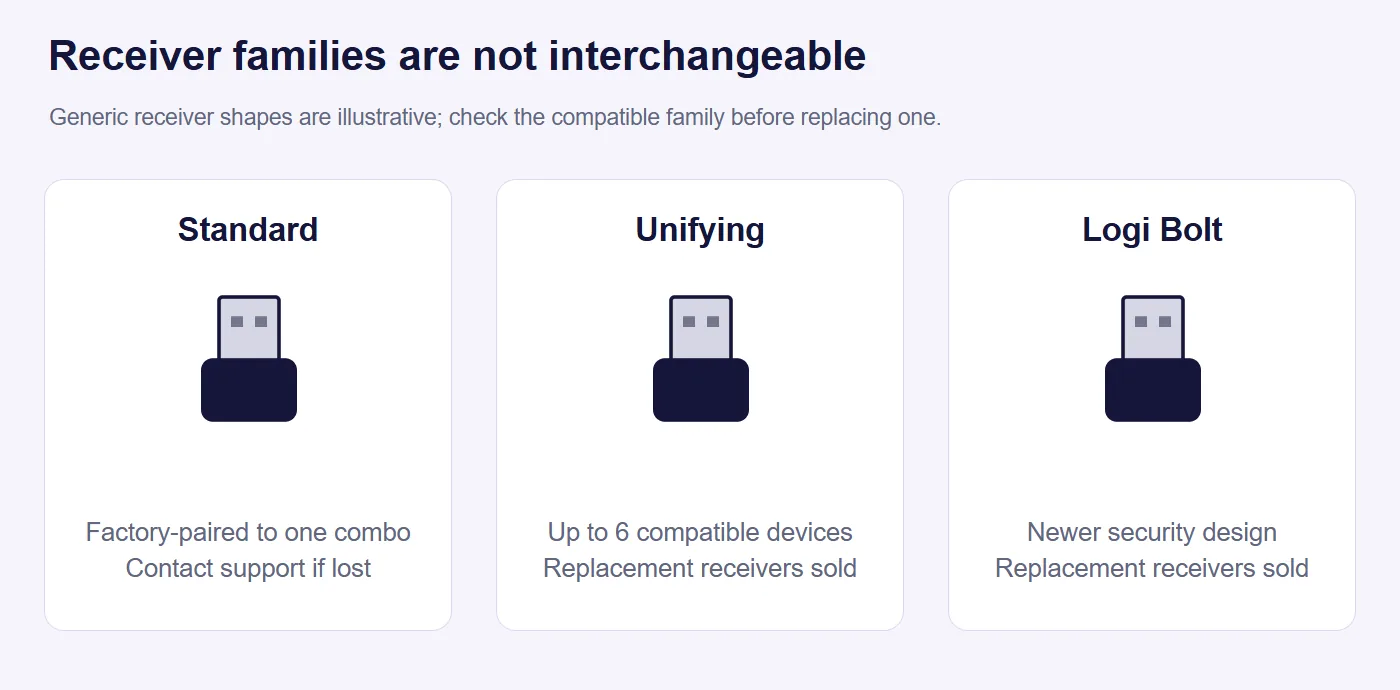
Logitech uses three receiver families, and they don’t mix:
- Standard receivers (MK270, MK295, MK470) are paired at the factory to one combo. Logitech doesn’t sell them as replacements, so a lost receiver means a call to support.
- Unifying receivers (MK540 Advanced) can hold up to six compatible Logitech devices, and Logitech sells replacements.
- Logi Bolt receivers come with Logitech’s newer, higher-end combos, such as the MX Keys S Combo. They’re more secure and also sold separately, but they don’t work with Unifying devices.
Most receiver combos have a storage slot for the receiver in the mouse or battery compartment. Keep it there when you travel. That’s how most receivers get lost.
Full size or compact
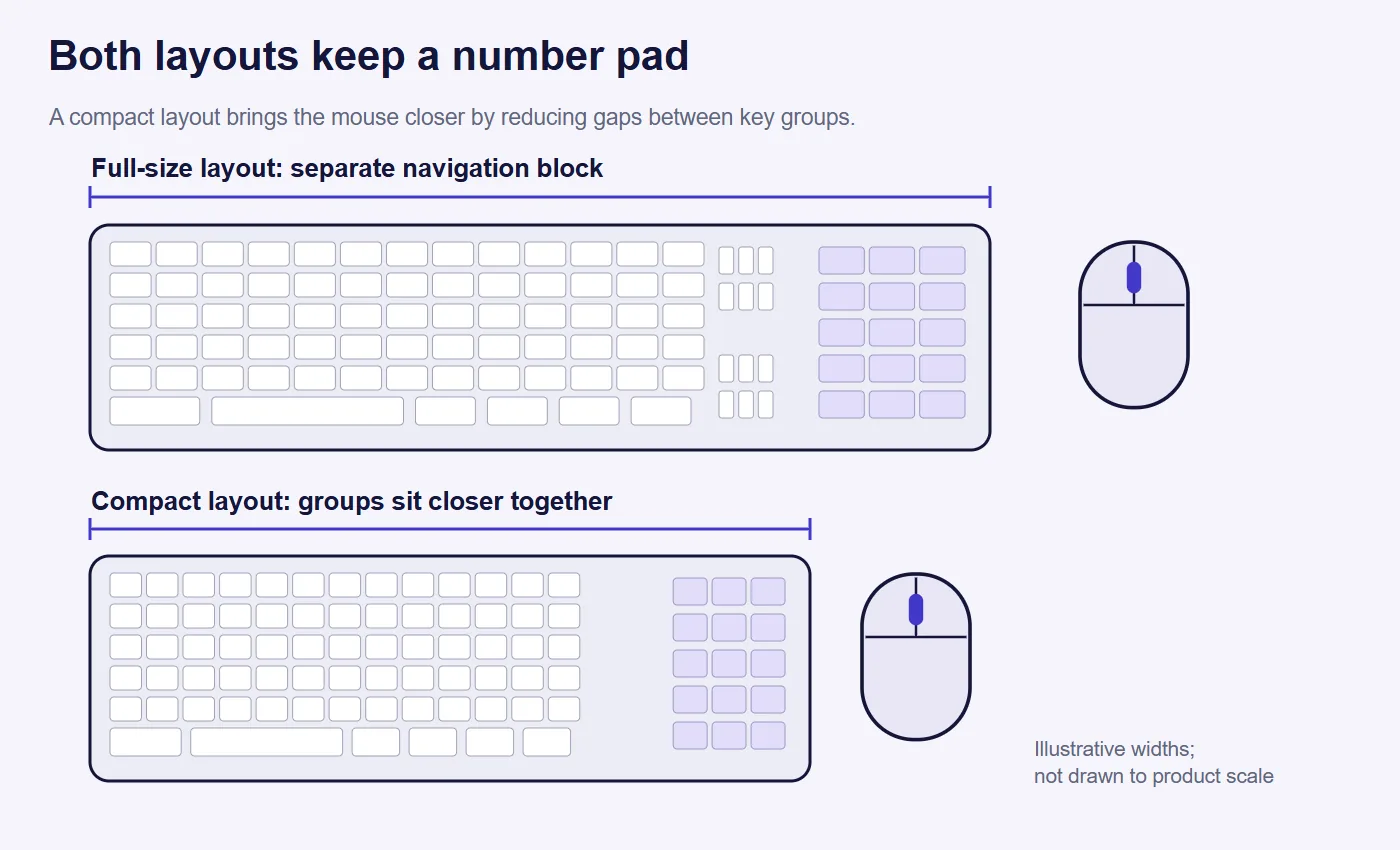
A full-size keyboard has a separate number pad, arrow keys and navigation block. That suits spreadsheets and data entry. A compact layout like the MK470 or MK250 squeezes these closer together, saving a few inches of desk and letting the mouse sit closer to your body, which is easier on the shoulder. Every keyboard on this list keeps a number pad.
Mouse shape and size
Combo mice are often the weak point, because they tend to be small. If you have large hands or use a mouse all day, favor the contoured, larger mice of the MK540 or MK345 (right-handed only), or plan to add a separate full-size mouse later. Left-handed users should stick to the ambidextrous models: MK270, MK540, MK470 and MK250.
Noise
Many listings call their keys “silent,” but only the MK295 comes with published measurements. Logitech also describes the MK540 and MK470 keyboards as whisper-quiet and the MK470 mouse clicks as noise-reduced. Without measurements, treat “silent” on the other listings as “quieter than average,” not as truly silent.
Mac, Chromebook and iPad
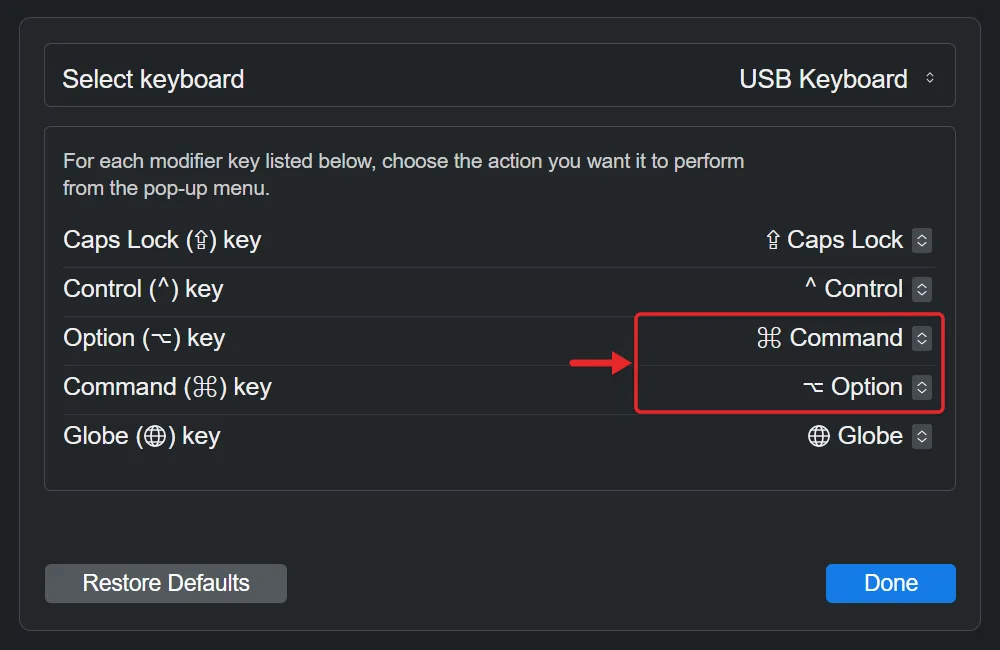
Most of these are Windows-first keyboards. On a Mac, the Windows key acts as the Command key and the Alt key as Option, and you can swap them in System Settings under Keyboard, then Keyboard Shortcuts, then Modifier Keys. Of the documented models, the MK250 (macOS 12 or later) and the MK270 (per Logitech’s support specs) list Mac support. For an iPad, a Bluetooth keyboard designed for multiple devices is a better choice than any combo on this list.
Batteries
Every combo here runs on replaceable AA or AAA batteries rather than a built-in rechargeable battery. That’s a plus for long life: multi-year battery ratings are common, and you’re never stuck waiting for a charge. Most mix sizes, AAA in the keyboard and AA in the mouse, so keep both on hand. Turn off the power switches when traveling to stop accidental key presses from draining them.
How to Set Up a Wireless Combo
Combos with a USB receiver
- Insert the batteries and pull out any plastic tabs that keep pre-installed batteries from making contact.
- Find the receiver. It’s usually stored inside the mouse’s battery compartment or in a slot on its underside.
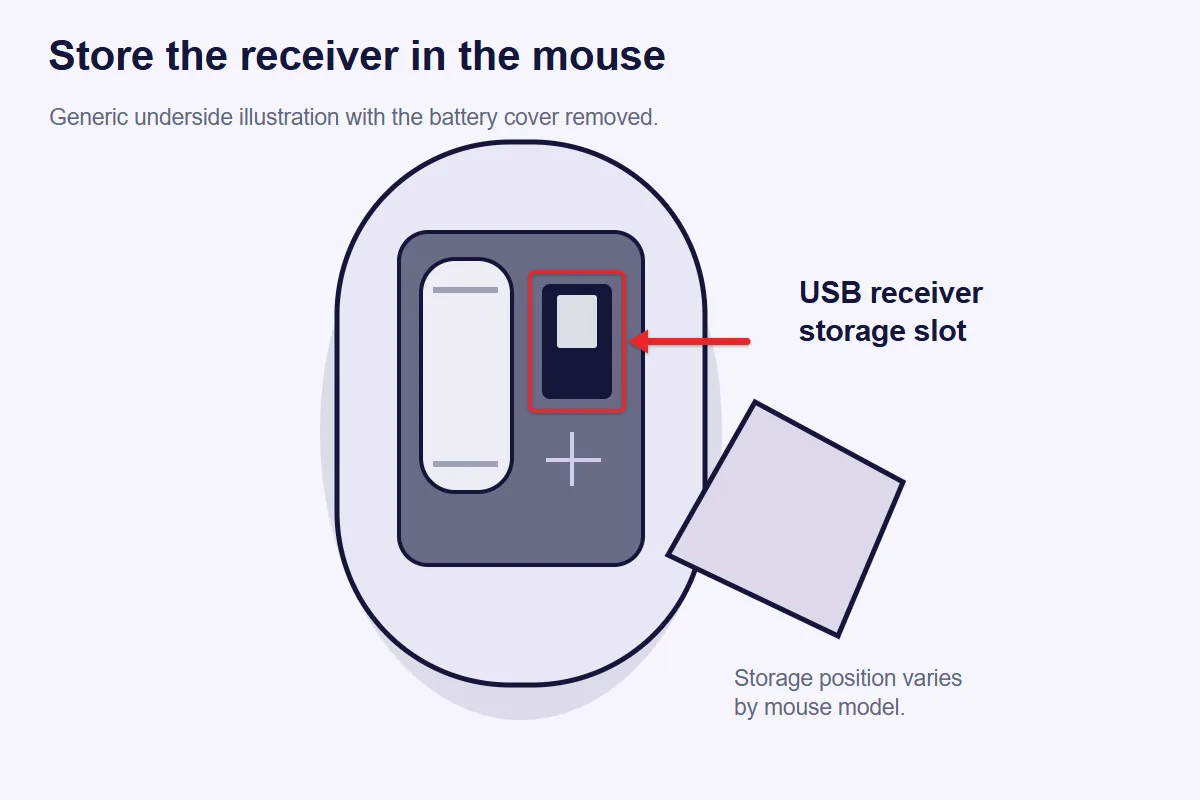
- Plug the receiver into a USB-A port. On a desktop, a port on the front works best, since metal cases can block the signal from rear ports.
- Turn on the keyboard and mouse with their power switches. Windows, macOS and ChromeOS install them automatically within a few seconds.
- Test both. Type a few characters and move the pointer. If nothing happens, unplug the receiver, wait 10 seconds and plug it into a different port.
Bluetooth combos like the MK250
- Make sure Bluetooth is on on your computer. Our guide to turning on Bluetooth in Windows 11 covers that step.
- Put the keyboard in pairing mode. On the MK250, Logitech says to press and hold the connect button for about three seconds until the light blinks.
- Add the device. In Windows 11, a Swift Pair pop-up may appear. If not, go to Settings, then Bluetooth & devices, then Add device, as described in Microsoft’s pairing instructions. On a Mac, use System Settings, then Bluetooth.
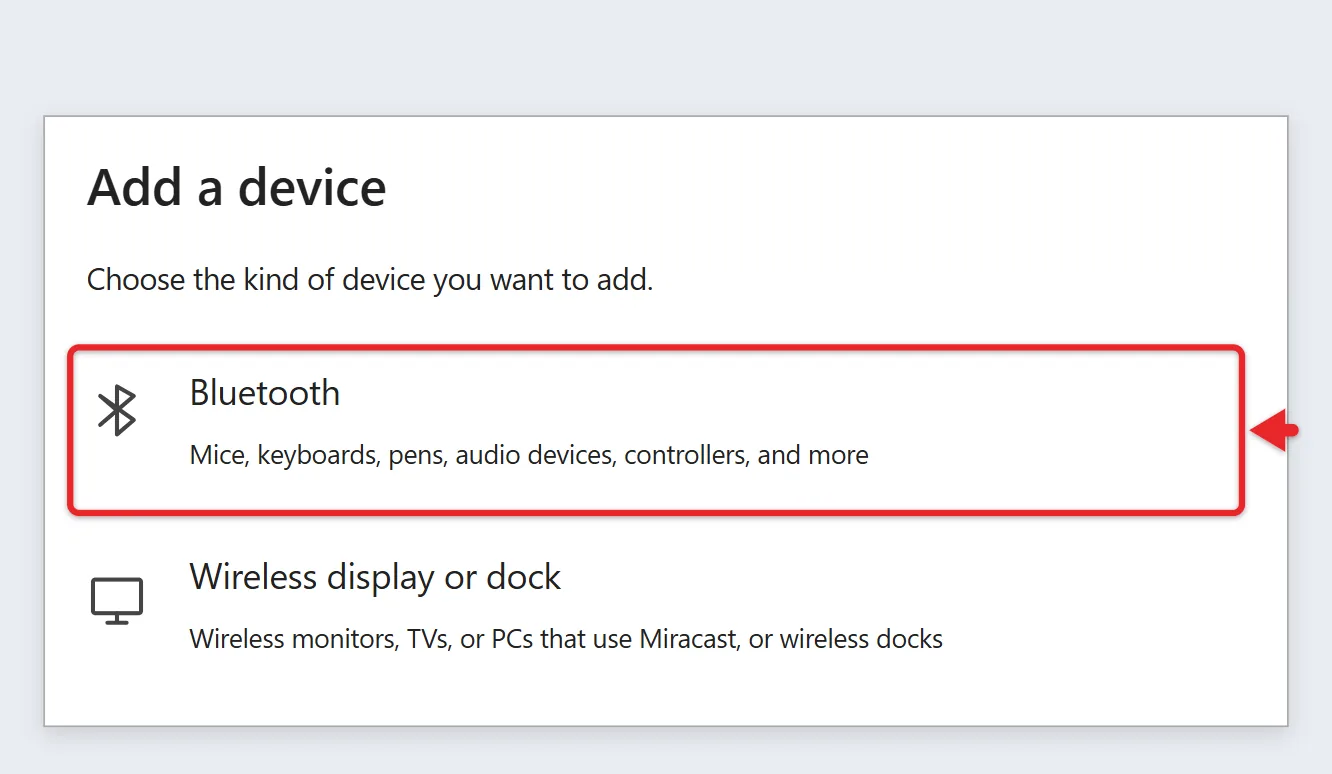
- Type the passkey if your computer shows one, then press Enter on the keyboard.
- Repeat for the mouse. It appears as a separate Bluetooth device.
Fixing Common Problems
- Lag or missed keystrokes: move the receiver closer, using a USB extension cable if needed, and away from USB 3 ports in use by external drives, which can cause wireless interference. Replace weak batteries first, since low power is the most common cause.
- Keyboard works but mouse doesn’t (or the reverse): check the power switch and batteries on the one that isn’t working. Logitech’s guide for when a wireless device isn’t recognized walks through the remaining steps.
- Lost Logitech receiver: see Logitech’s page on replacement USB receivers. Unifying and Bolt receivers can be bought; standard receivers require contacting support.
- Keys type the wrong characters: check the keyboard language in your operating system’s settings. Our guide to troubleshooting keyboard issues in Windows 11 covers that and more.
- The pointer disappears on a laptop: see our guide to getting the cursor back in Windows 11.
Frequently Asked Questions
Can I use the keyboard without the mouse, or with a different mouse?
Yes. Each device works on its own through the shared receiver, and you can add any separate mouse alongside it. With the MK540’s Unifying receiver, you can even pair another Unifying-compatible Logitech mouse to the same receiver.
Do I need to install software?
No. All twelve work as plug-and-play devices. Logitech’s free Logi Options+ app is optional. It lets you change what some shortcut keys do on supported models.
Is a wireless keyboard secure?
For home use, the main risk is low. Logitech’s newer Logi Bolt receivers are designed with stronger security than older receivers, which is why businesses with strict security policies often require Bolt products, such as the MX Keys S Combo. None of the twelve best-sellers uses Bolt.
Will a combo work with a smart TV or game console?
Many smart TVs and consoles accept USB keyboards and mice for typing and browsing, but support varies by model and none of these manufacturers lists TVs or consoles as supported. Expect basic typing to work and special keys to be ignored.
Why are lesser-known brands ranking so high?
Mainly price and color choices. They often cost less than name-brand sets and come in finishes Logitech doesn’t offer. What you give up is documentation: there’s no manufacturer spec page or support site to fall back on, so returns and warranty claims go through the seller.
How long do these combos last?
Battery life aside, warranties are the best guide to how long the manufacturer expects the hardware to last. The MK270 has a three-year warranty. Most of the other Logitech and HP models carry one year in the US, and the lesser-known brands list 12 months.
Next Step
Check two things on your computer first: whether it has a free USB-A port and which operating system it runs. That alone narrows the list. Then pick the combo whose mouse shape and noise level suit you, and compare current prices on Amazon. Once it arrives, plug in the receiver or pair over Bluetooth using the steps above.

Matthew Burleigh is the founder, head writer, and editor of Solve Your Tech, which he launched in 2012. He has written technology tutorials since 2008 and worked in IT since 2003, including small-business support, IT management, and consulting. He holds Bachelor’s and Master’s degrees in Computer Science from Arizona State University.
Matthew writes practical guides for Windows, iPhone and iPad, Microsoft Office, Outlook, Google apps, and Android. Solve Your Tech’s guides are checked step by step against the device or app maker’s own documentation and tested on his own devices whenever he has the hardware or software, with clear steps, sources, and update dates.
Read more about Matthew and how Solve Your Tech writes and updates its guides, or report a correction.