
How to Change Excel Column Labels From Numbers Back to Letters (Excel 2013 and Later)
If your Excel columns are labeled 1, 2, 3 instead of A, B, C, the R1C1 reference style option is turned on. To switch back …
If your Excel columns are labeled 1, 2, 3 instead of A, B, C, the R1C1 reference style option is turned on. To switch back …
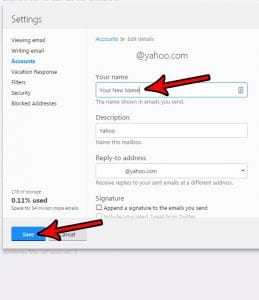
“Null null” in front of your Yahoo address almost always means the sending name on your Yahoo Mail account is empty. To fix it, sign …
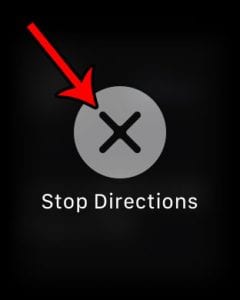
To turn off Maps directions on your Apple Watch, open the Watch app on your iPhone, tap My Watch, tap Maps, and turn off the …

To see how many Pokémon you have caught in Pokémon GO, tap your Trainer portrait in the bottom-left corner of the map and scroll down …

Pokémon GO has no purchase lock of its own, so you block in-app purchases through the phone. On an iPhone with iOS 27, go to …

To put an Egg in an incubator in Pokémon GO, tap the Poké Ball, tap Pokémon, and switch to the Eggs tab. Tap an Egg, …

The five most common phone threats today are fake or trojan apps, spyware and stalkerware, adware, phishing links sent by text or email, and fake …
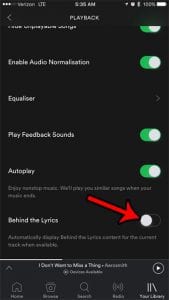
To turn off lyrics in the Spotify iPhone app, play a song, tap the Now Playing bar, tap the three dots in the top-right corner, …

macOS has no setting that puts a password on an ordinary folder, but you can lock a folder’s contents inside an encrypted disk image with …

To take a screenshot on a MacBook Air or MacBook Pro, press Shift-Command-3 to capture the whole screen, or press Shift-Command-4 and drag over the …

To change a picture from portrait to landscape on an iPhone, open the photo in Photos, tap Edit, tap Crop, then tap the Rotate button. …
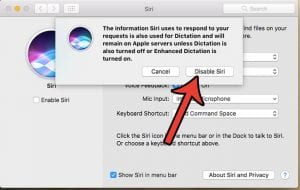
To disable Siri on a MacBook Air, open the Apple menu, choose System Settings, click Siri in the sidebar, and click Turn Off Siri. Siri …
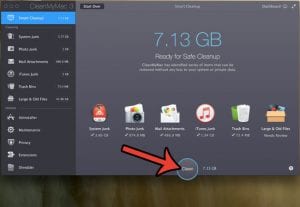
To delete junk files and free up space on a MacBook Air, choose Apple menu > System Settings > General > Storage, click the Info …
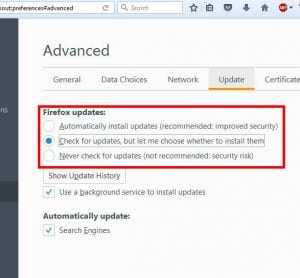
To stop Firefox from installing updates on its own, click the menu button, choose Settings, select About Firefox on the left, and under Installation select …
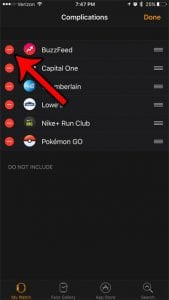
To delete a complication on Apple Watch, touch and hold the watch face, tap Edit, swipe left to the complications screen, tap the complication, and …

To open Camera from the iPhone Lock Screen, swipe left on the Lock Screen. On iPhones with Face ID, you can also touch and hold …
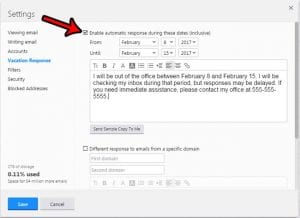
To set an out of office reply in Yahoo Mail, open Yahoo Mail in a web browser on a computer, click More below your folders, …
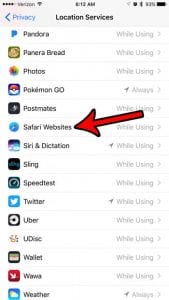
To stop Safari websites from using your location on an iPhone, open Settings > Apps > Safari, tap Location, and choose Deny. For a stronger …

To turn off dial pad tones on Android, open the Phone app, tap More (the three dots), tap Settings, tap Sounds and vibration, and turn …
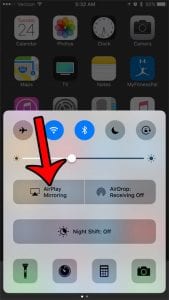
This post contains affiliate links. As an Amazon Associate, solveyourtech.com earns from qualifying purchases, at no extra cost to you. To AirPlay a picture from …
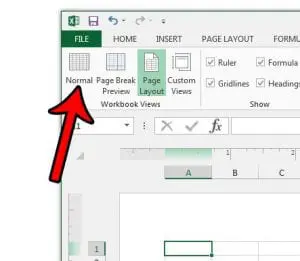
To return a worksheet to Normal view in Excel, click the View tab and click Normal in the Workbook Views group, or click the Normal …

Pokémon GO has no official data-per-hour figure, so the most accurate number is the one your iPhone records. Open Settings > Cellular, scroll to the …

To turn off Activity notifications on Apple Watch, open Settings on the watch, tap Activity, and switch off the reminders and alerts you no longer …
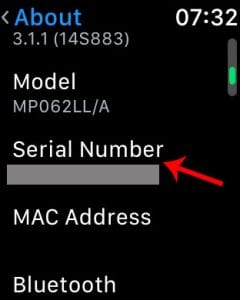
To find your Apple Watch serial number, open Settings on the watch, tap General > About, and scroll to Serial Number. It’s also in the …

This post contains affiliate links. As an Amazon Associate, solveyourtech.com earns from qualifying purchases, at no extra cost to you. Before you buy an Amazon …
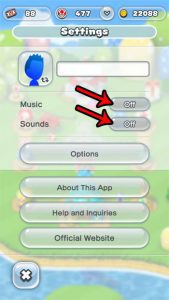
This post contains affiliate links. As an Amazon Associate, solveyourtech.com earns from qualifying purchases, at no extra cost to you. To turn off sounds in …

To switch your Apple Watch to your other wrist, open Settings on the watch, tap General, tap Orientation, and choose Left or Right under Wrist. …
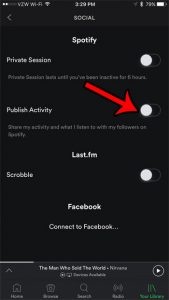
To keep your Spotify listening private, turn on a Private Session. On your phone, tap your profile picture, go to Settings and privacy › Privacy …
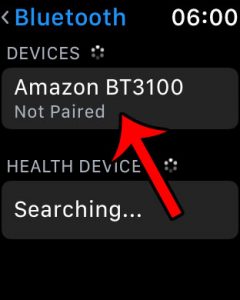
To pair Bluetooth headphones with an Apple Watch, put the headphones in pairing mode, open Settings on the watch, tap Bluetooth, and tap the headphones …

To delete Pokémon GO from your iPhone, touch and hold the Pokémon GO icon, tap Remove App, tap Delete App, and then tap Delete. Deleting …