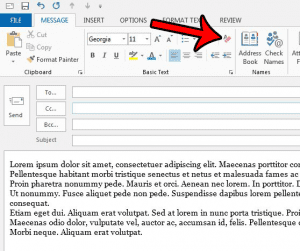
How to Remove Formatting from an Email in Outlook
To remove formatting from an email in classic Outlook, select the text in the message you’re writing, then select Clear All Formatting in the Basic …
 Matthew Burleigh
To remove formatting from an email in classic Outlook, select the text in the message you’re writing, then select Clear All Formatting in the Basic …
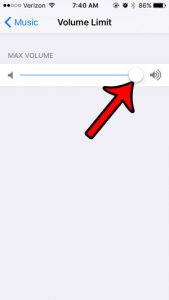
To turn off the volume limit for music on an iPhone, open Settings, tap Sounds & Haptics > Headphone Safety, and turn off Reduce Loud …
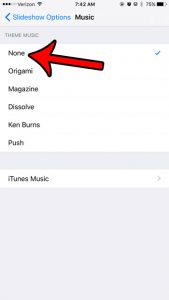
To turn off the music during an iPhone picture slideshow, tap the screen while the slideshow is playing, then tap the Mute button (the speaker …
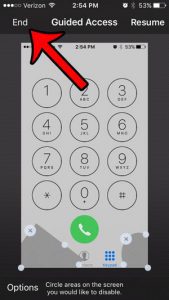
To lock an iPhone to one app, turn on Settings > Accessibility > Guided Access, open the app, triple-click the side button, and tap Start. …

If Pokémon GO is stuck on the loading screen, switch between Wi-Fi and cellular data, then force close the app and open it again. If …

Battery Saver in Pokémon GO turns off your display while your phone is pointed downward, such as when it hangs at your side as you …
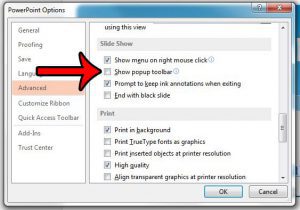
To hide the toolbar in PowerPoint’s full-screen slide show, select File > Options > Advanced, scroll to Slide Show, clear Show popup toolbar, and select …

To delete cookies for one website on iPad, open Settings, tap Apps > Safari > Advanced > Website Data, find the site in the list, …

To see how much data text messaging uses on your iPhone, open Settings, tap Cellular, scroll to the list of apps, and look at the …

To take a screenshot without the power button, turn on AssistiveTouch in Settings > Accessibility > Touch > AssistiveTouch. Tap the round menu button that …

To put a bulleted list in one Excel cell, double-click the cell, press Alt+7 on the number pad (or use Insert > Symbol with character …
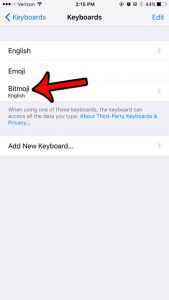
To get Bitmoji stickers on your iPhone keyboard in 2026, install Snapchat, link your Bitmoji to it, then go to Settings > General > Keyboard …

To stop QuickBooks from beeping every time you enter an invoice, open QuickBooks Desktop, click Edit > Preferences, select General, and on the My Preferences …
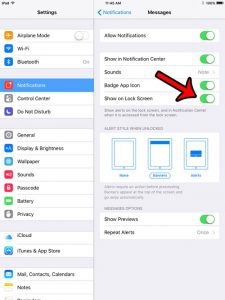
To show message text on your iPad Lock Screen, open Settings > Apps > Messages > Notifications, turn on Allow Notifications, make sure Lock Screen …
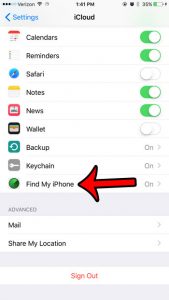
To turn on Send Last Location, open Settings, tap your name at the top, tap Find My, tap Find My iPhone, and turn on Send …
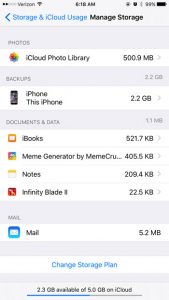
To see how much iCloud storage you have left on iPhone or iPad, open Settings, tap your name, then tap iCloud. The bar at the …
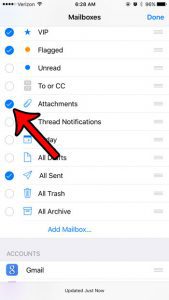
To get an Attachments folder in Mail on your iPhone, open the Mail app, tap the back button in the upper-left corner until you see …
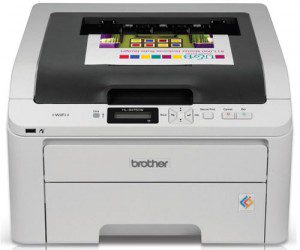
To manually reset a toner cartridge on a Brother HL-3075CW, turn the printer on, open the top cover, and press Secure Print and Cancel together. …
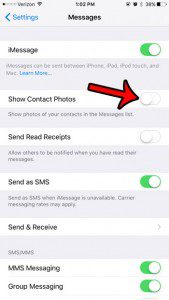
To hide the contact pictures next to text messages on an iPhone, open Settings, tap Apps, tap Messages, and turn off Show Contact Photos. On …

To stop the Dropbox iPhone app from uploading your pictures automatically, open Dropbox, tap the account icon, tap Camera uploads, and turn camera uploads off. …
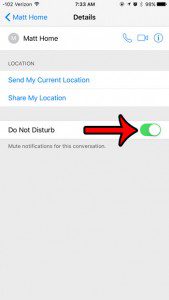
To mute a text conversation on iPhone, open Messages, swipe left on the conversation, and tap the bell button with a line through it. The …

To delete a picture in Word, click the picture once to select it, then press the Delete key. On a Mac, Microsoft says to press …

To remove the red number from the Mail icon on an iPad, open Settings > Apps > Mail > Notifications, tap Customize Notifications, choose an …

To unmerge (unlink) contacts on an iPhone, open the contact in Contacts, tap Edit, scroll down to the linked contacts, tap the red minus button …

To get Sling TV on an iPhone, open the App Store, search for Sling, and tap Get next to the free Sling: Live TV, Sports …

If your iPad screen won’t rotate, the rotation lock is probably on. Swipe down from the top-right corner of the screen to open Control Center, …

On an iPhone 13 or newer, you don’t need to turn anything on: open Camera, stay in Photo mode, and take the picture. HDR is …
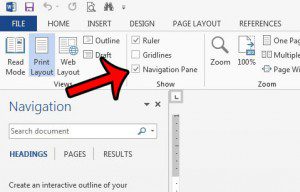
To open the Navigation pane in Word, press Ctrl + F, or go to the View tab and check Navigation Pane. The pane opens on …

To put column A on the right side in Excel, switch the sheet to right-to-left. In Excel for Windows, go to File > Options > …
